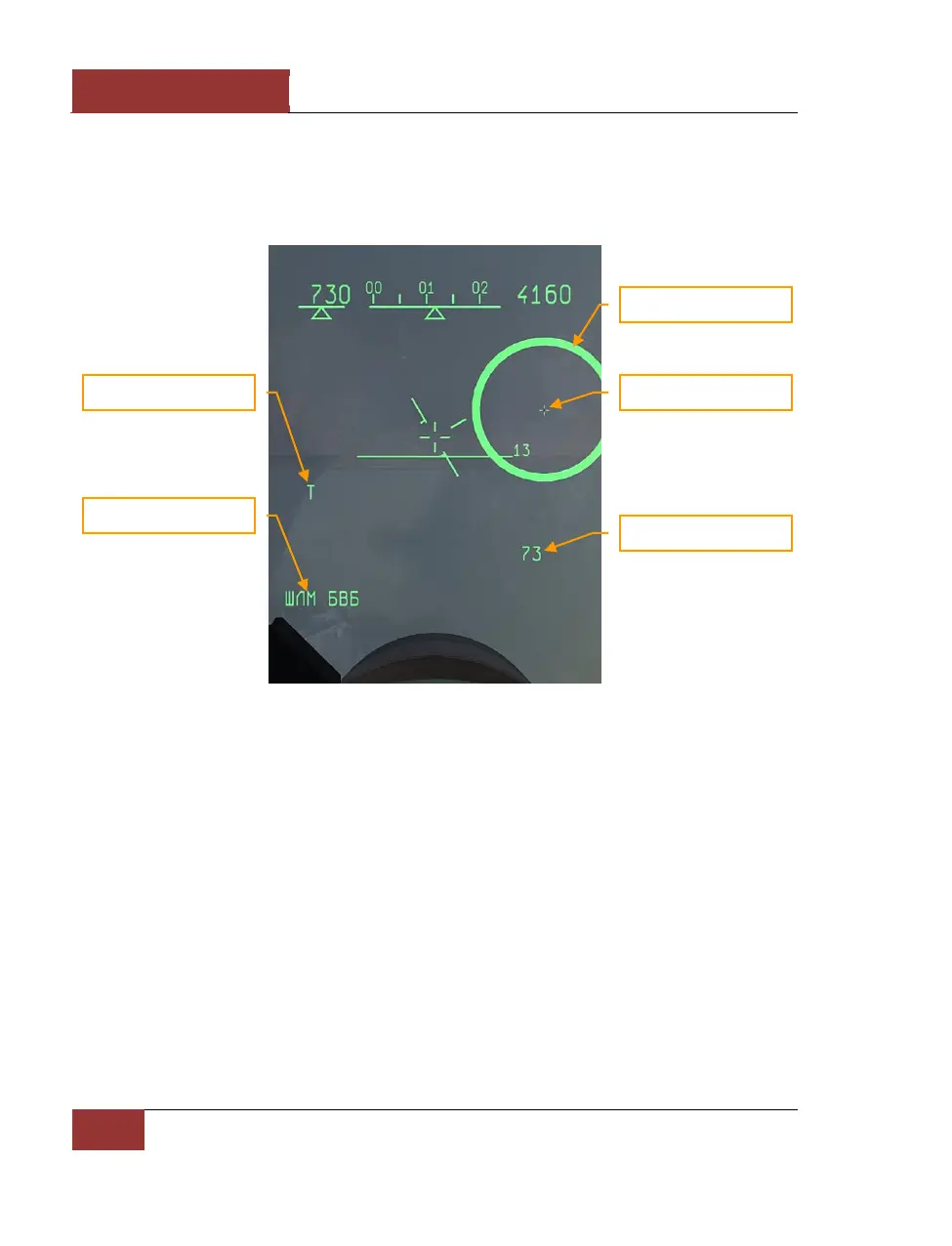
in guided missile launch as HMS permits lock-on and missile launch from high off-bore sight angles,
without turning the whole fighter to point at the target. After locking the target by superposing the
sighting ring and pushing the [Enter] key, if all the launch criteria are satisfied, the ring starts
flashing at a frequency of 2 Hz, signaling "ПР" (launch authorized). If the target moves out of the
missile seeker’s angular gimbal limits, an "X" symbol will appear above the ring.
Figure 58: HELMET mode
The HUD display switches to Attack (STT) mode after locking the target.
It’s efficient to use the HMS mode together with the "padlock" view. First padlock the target with the
[NUM DEL] key, then select the HMS mode with the [5] key. The HMS ring will then be placed over
the target and it and be locked by pressing [Enter].
Fi0 – Longitudinal Aiming
Close Combat Mode
Fi0 (Fi-Zero) is a backup mode in case of failure of the fighter weapons control system (WCS) radar
and IRST sensors. This mode is selected with the [6] key, but can be used only with infra-red
homing (IRH) missiles which have seekers capable of acquiring the target independently of the
fighter’s sensors. In this mode the missile’s own seeker, which has a 2-degree conical field of view
looking forward along the missile axis, is used to lock the target. It’s necessary to maneuver the
fighter to place the aiming cross-hair over the target. The LA symbol appears immediately when the



 To Next Page