GAME AVIONICS MODE
The Game Avionics Mode provides "arcade-style" avionics that make the game more accessible and
familiar to the casual gamer.
This mode can be selected from the Gameplay Options tab or by setting the Game Presets to Game.
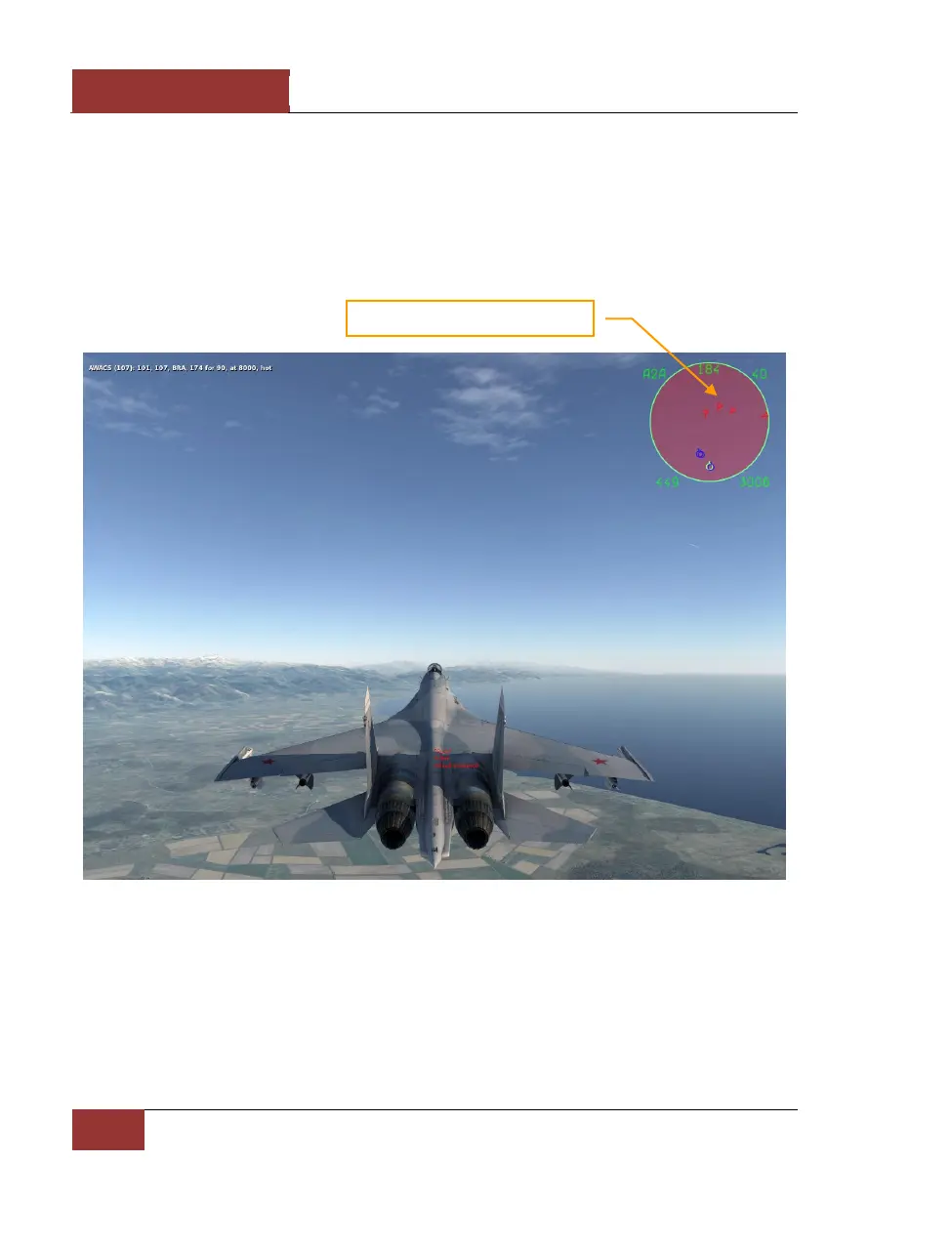
Figure 21: Game Avionics Mode Radar Display
The display, located in the top right corner of the screen is a top down view with your aircraft (green
circle) located at the bottom center of the display. Symbols located above your symbol are located in
front of you, symbols to the right and left are located to the side of you.
The images below illustrate the various features of the Game Avionics Mode. Note that you will see
different symbols depending what mode the aircraft is in: Navigation, Air to Air or Air to Ground.



 To Next Page