Margin
[0-164]
Duplex To print on both
sides of paper.
Off
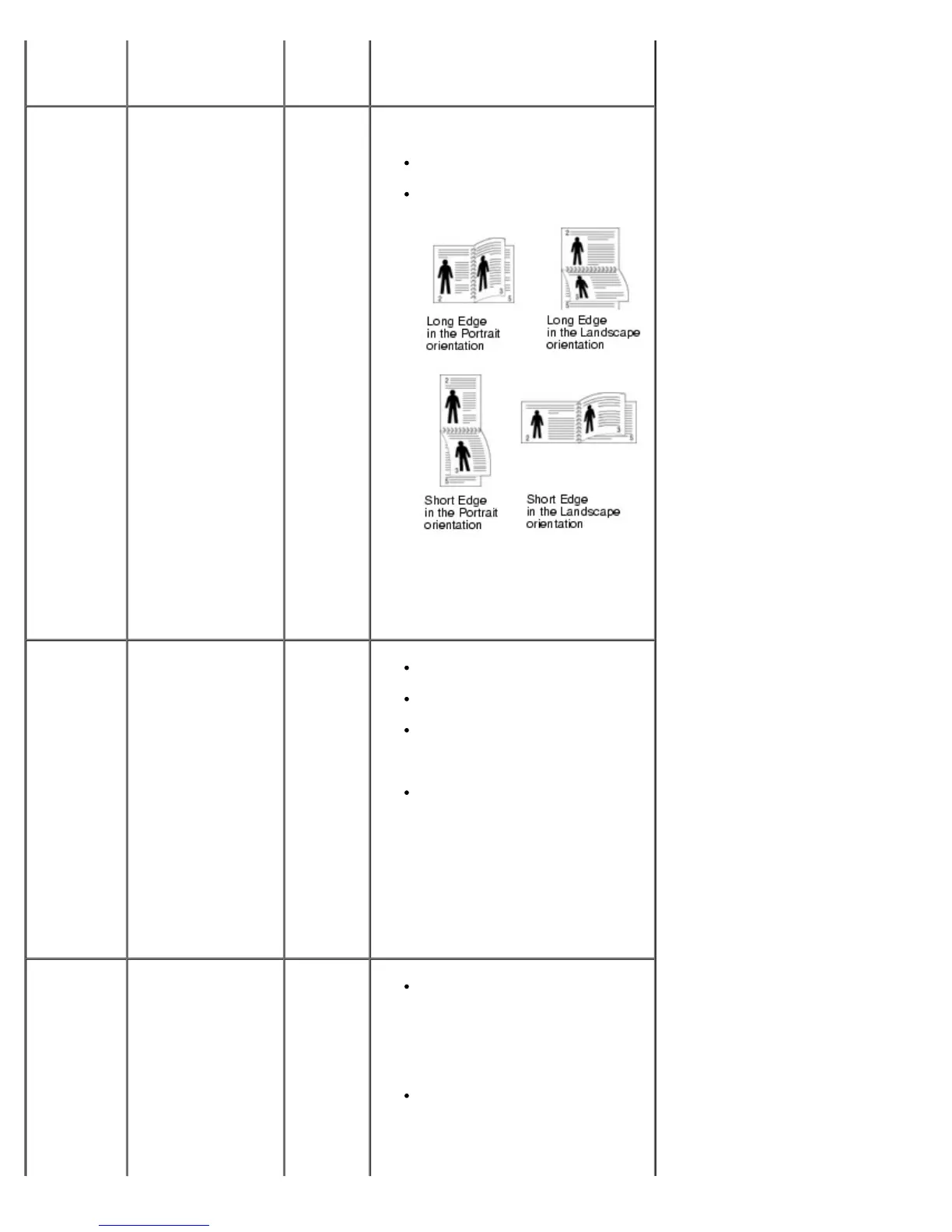
Long Edge
Short Edge
Choose the binding edge as follows.
Long Edge: Flip on the long
edge.
Short Edge: Flip on the short
edge.
Select Off to print on one side of the
paper.
Duplex
Margin
Set the margins for
double-sided
printing. Increase or
decrease
the value by 0.1 mm
increments.
Top
Margin
[0.0-9.9]
Left
Margin
[0.0-9.9]
Short
Binding
[0-22]
Long
Binding
[0-22]
Top Margin: Set the top margin,
from 0.0 to 9.9 mm.
Left Margin: Set the left
margin, from 0.0 to 9.9 mm.
Short Binding: Set the bottom
margin of the back of the page
for short binding, from 0 to 22
mm.
Long Binding: Set the right
margin of the back of the page
for long binding, from 0 to 22
mm.
Collation Keeps the pages of a
print job stacked in
sequence when
printing multiple
copies of the job.
On
Off
On: Prints entire job according to
the number of times specified by
the Copies menu item. For
example, if you set Copies to 2
and send three pages to print,
the printer prints page 1, page 2,
page 3, page 1, page 2, page 3.
Off: Prints each page of a job
the number of times specified by
the Copies menu item. For
example, if you set Copies to 2,
and send three pages to print,













 To Next Page