Configuring IP Routing 895
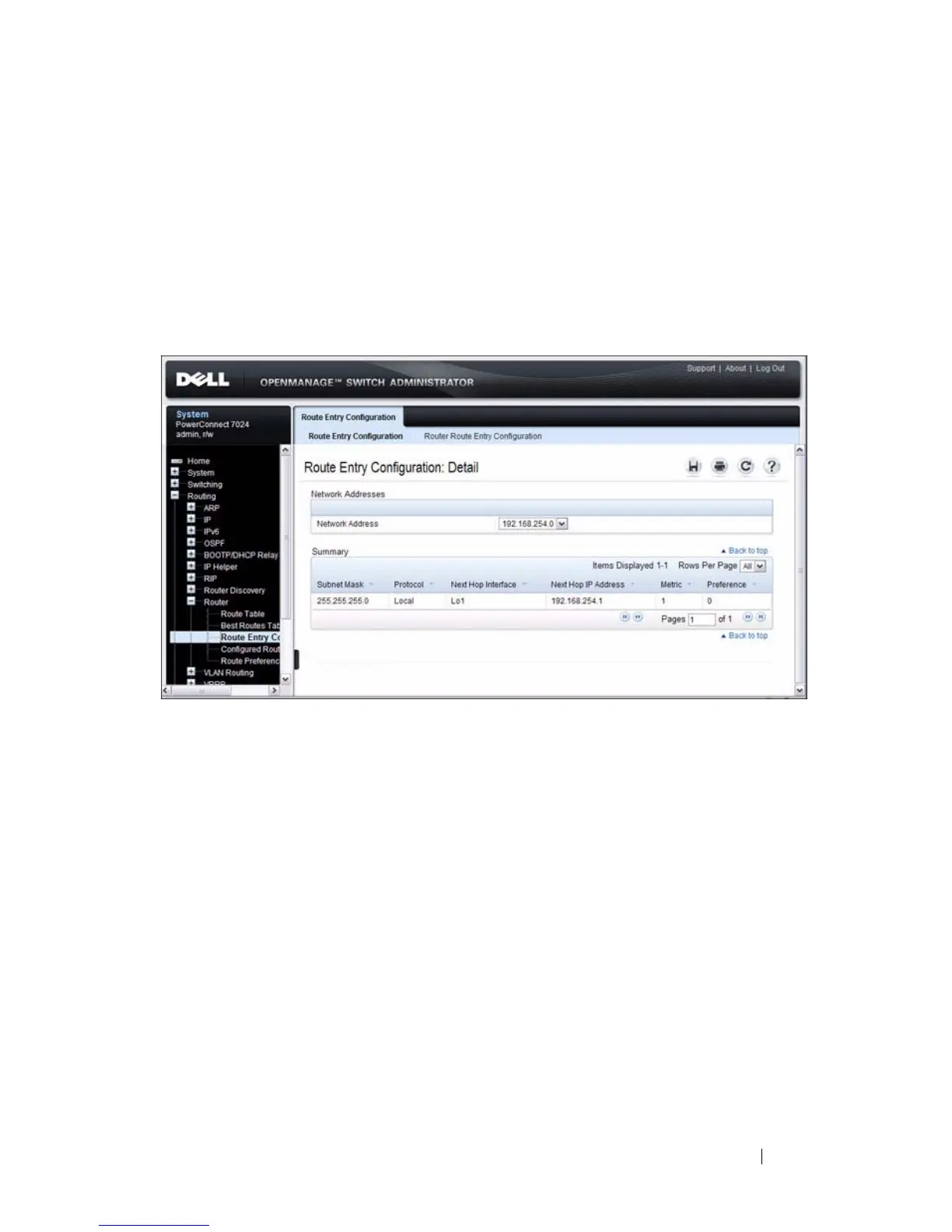
Route Entry Configuration
Use the Route Entry Configuration
page to add new and configure router
routes.
To display the page, click Routing
→
Router
→
Route Entry Configuration
in the navigation panel.
Figure 32-9. Route Entry Configuration
Adding a Route and Configuring Route Preference
To configure routing table entries:
1
Open the
Route Entry Configuration
page.
2
Click
Router Route Entry Configuration
.
The screen refreshes and the
Router Route Entry Configuration
page
displays.

 To Next Page
 Loading...