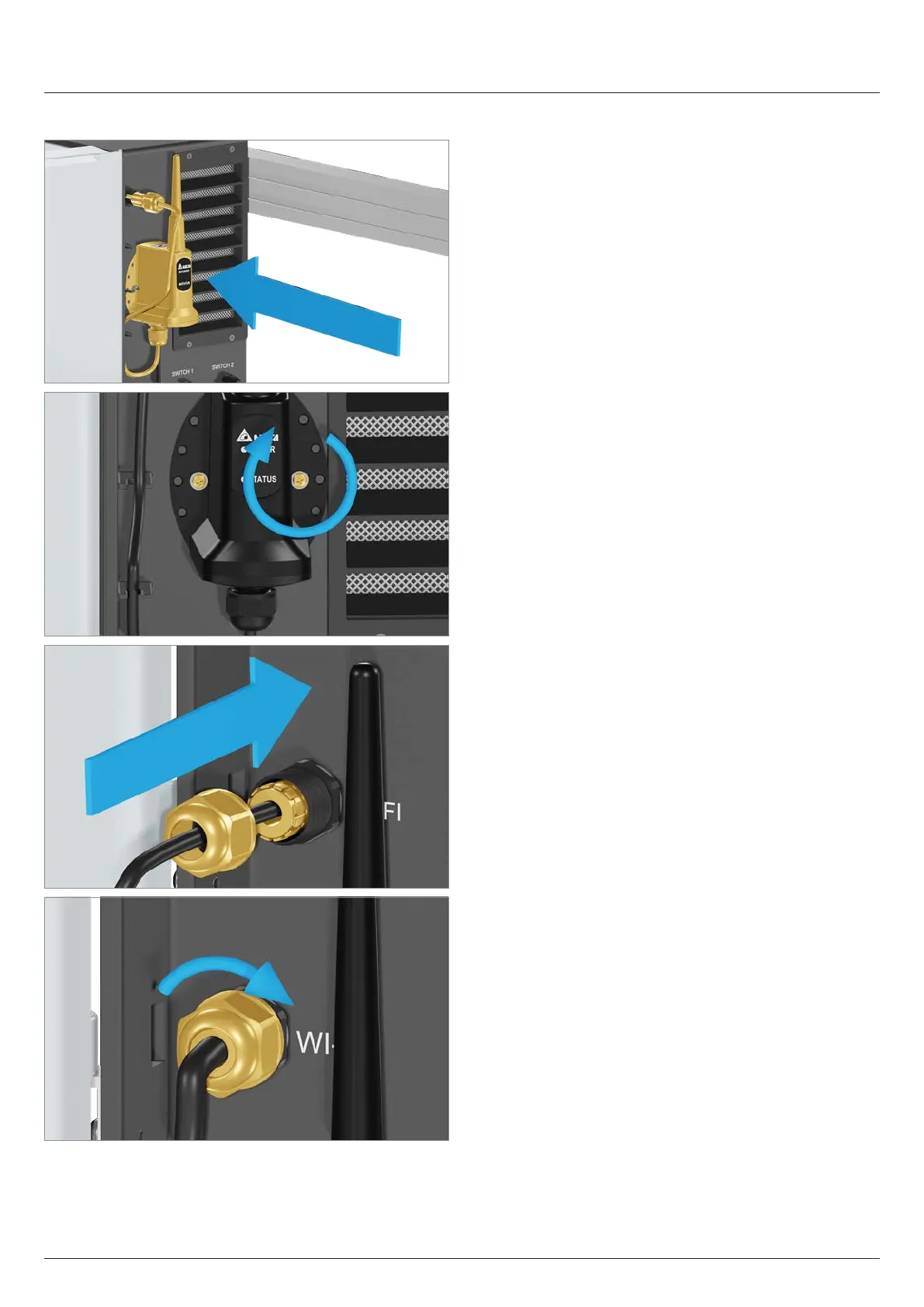
11.11.3 Installing the Wi-Fi module
1. Mount and screw on the Wi-Fi module.
2. Pull the cable through the seal and cable gland and
tighten the cable gland.
141
11 Replacing or cleaning components, installing accessories
Installing/replacing the Wi-Fi module
Installation and Operation Manual M50A_260 RPI503M260000 Product version L and M EU V1.3 EN 2023-08-14


 To Next Page