7-23
7
ௐ
ௐ
LCD Display & Settings
7.10 UPS Settings
7.10.1
Bypass Setting
Path:
SETUP
ĺ%\SDVV6HWWLQJ
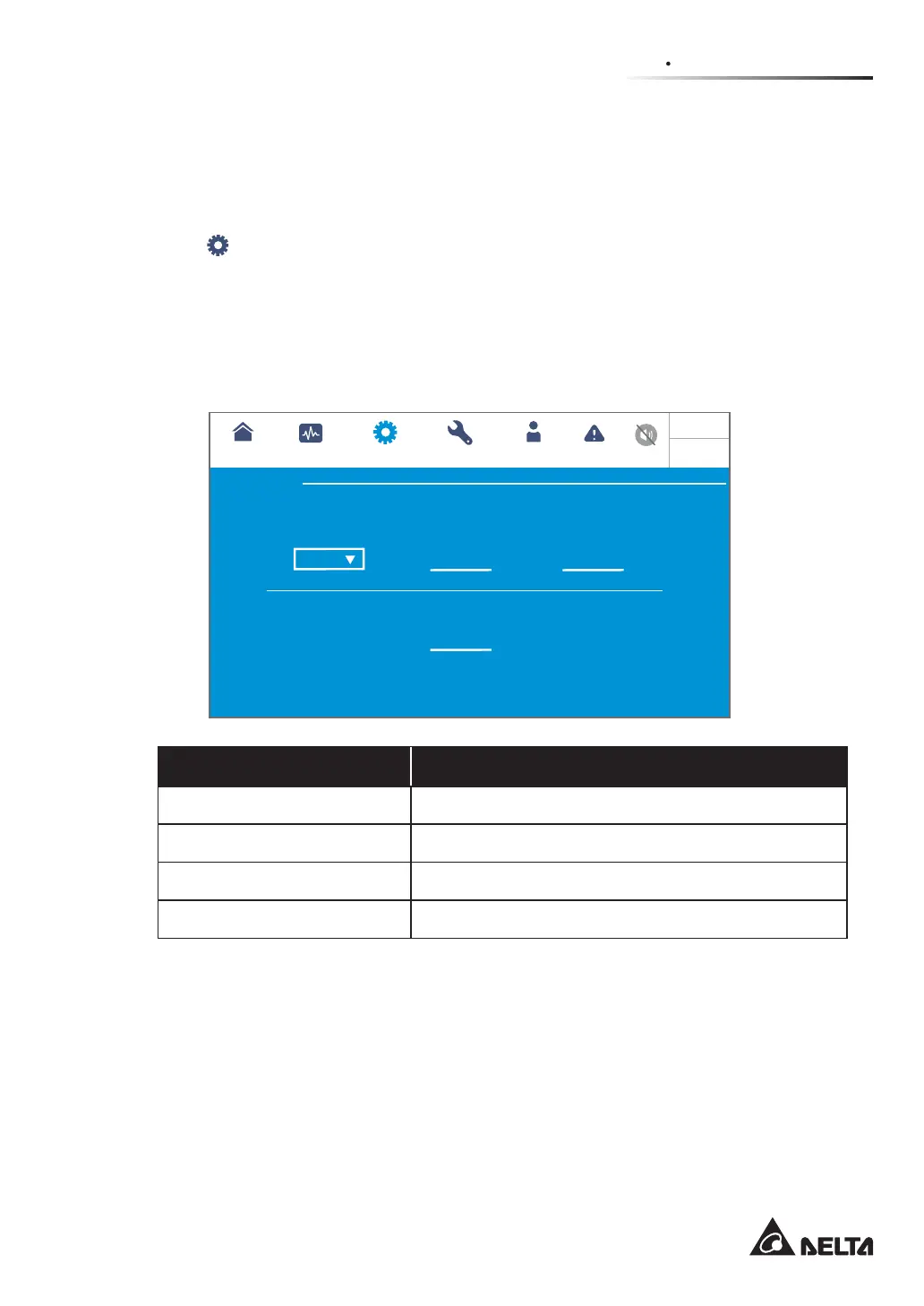
After entering the BYPASS SETTING screen (shown in the figure below), the user can set
up the Bypass Frequency Range, Bypass Voltage (Max.), Bypass Voltage (Min.) and
ECO Voltage Range. If the range is exceeded, the system will issue an alarm. Only qualified
service personnel can perform the above-mentioned setup items. Please contact Delta
customer service for assistance.
Bypass
±
+-
3
10
Hz
%
±
9
%
10
%
UPS-1.1
SETUP MAINTENANCE EVENT LOGLOG IN
Administrator
MEASUREMENT
Bypass setting
BYPASS SETTING
Bypass Frequency Range Bypass Voltage(Max) Bypass Voltage(Min)
ECO Voltage Range(±%)
10:15
May 25,2018
Item Description
Bypass Frequency Range Set up the bypass output’s frequency range.
Bypass Voltage (Max.) Set up the bypass output’s maximum voltage.
Bypass Voltage (Min.) Set up the bypass output’s minimum voltage.
ECO Voltage Range Set up the bypass output’s voltage range in ECO mode.













 To Next Page