3-8
Modulon DPH Series
3.1.5 ECO Mode_ Single Input_ Single Unit
To activate ECO mode, please refer to 6.2.5 ECO Mode Start-up Procedures, 7.6 Main
Screen and 7.10.2 Mode Setting.
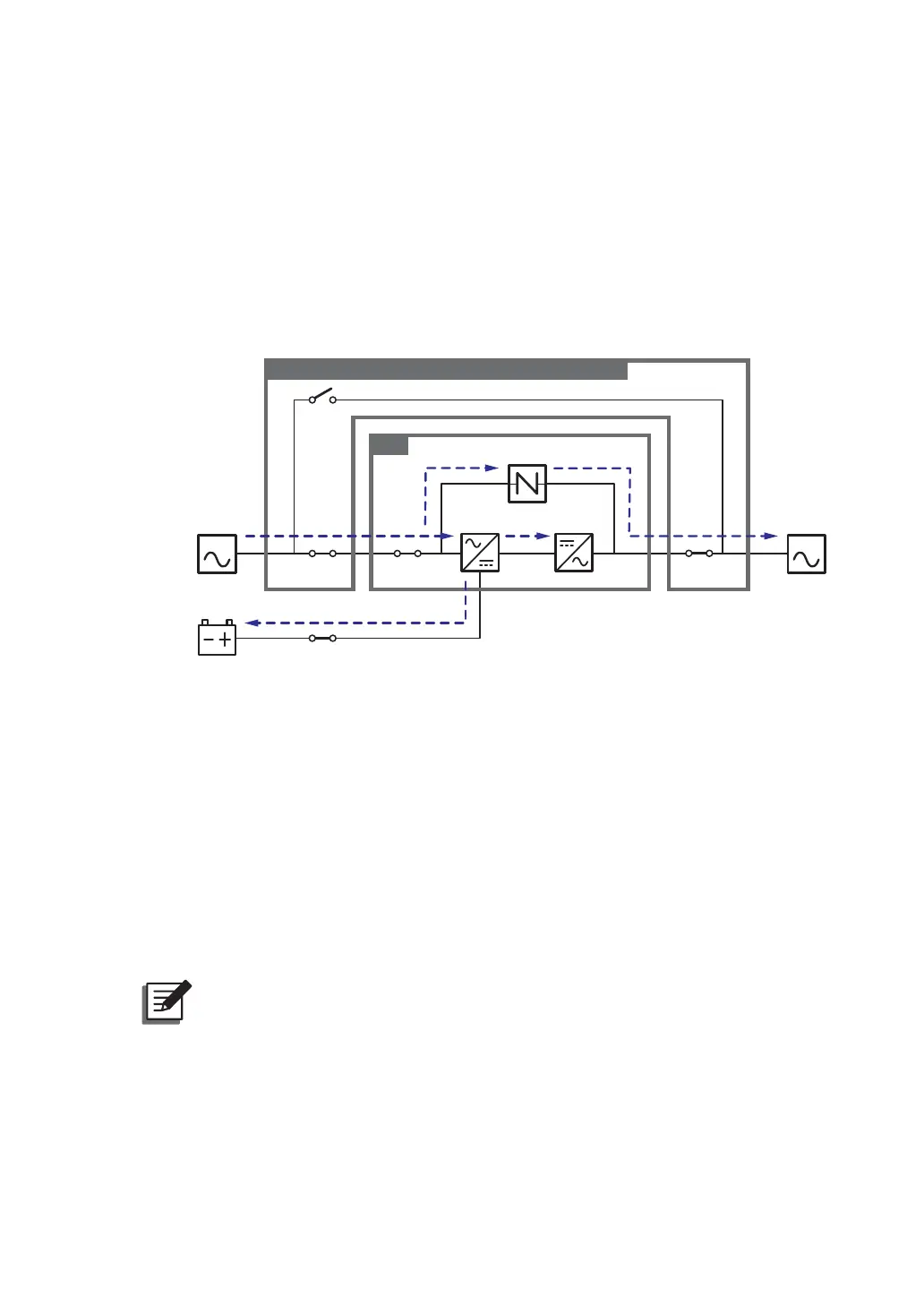
In ECO mode, when bypass AC source’s input voltage and frequency are within the range of
rating voltage ±10% and rating frequency ±3Hz, the UPS works in bypass mode; otherwise,
the UPS runs in online mode. For ECO mode diagram, please see Figure 3-7. During ECO
mode, the UPS’s tri-color LED illuminates green and the text ‘ECO’ appears in the upper right
corner of the screen.
MAIN LOAD
Q1 Q0 Q4
Q3
UPS
Q5
Rectifier Inverter
Static Switch
Delta or non-Delta External Maintenance Bypass Cabinet
Batteries
(Figure 3-7: ECO Mode Diagram_ Single Input Single Unit)
3.1.6 Frequency Conversion Mode_ Single Input_ Single Unit
To activate frequency conversion mode, please refer to 6.2.6 Frequency Conversion Mode
Start-up Procedures, 7.6 Main Screen and 7.10.2 Mode Setting.
After the UPS is manually set in frequency conversion mode, the inverter will automatically
select 50Hz or 60Hz as the fixed output frequency. After the output frequency is determined,
the system will automatically disable the bypass function. Please note that, once the inverter
shuts down, there is no bypass output. For the diagram of frequency conversion mode, please
see Figure 3-8. During frequency conversion mode, the UPS’s tri-color LED illuminates
green and the text ‘Frequency Conversion’ appears in the upper right corner of the screen.
127(During frequency conversion mode, once the inverter shuts down, there is
no bypass output.













 To Next Page