3-7
3
ௐ
ௐ
Operation Modes
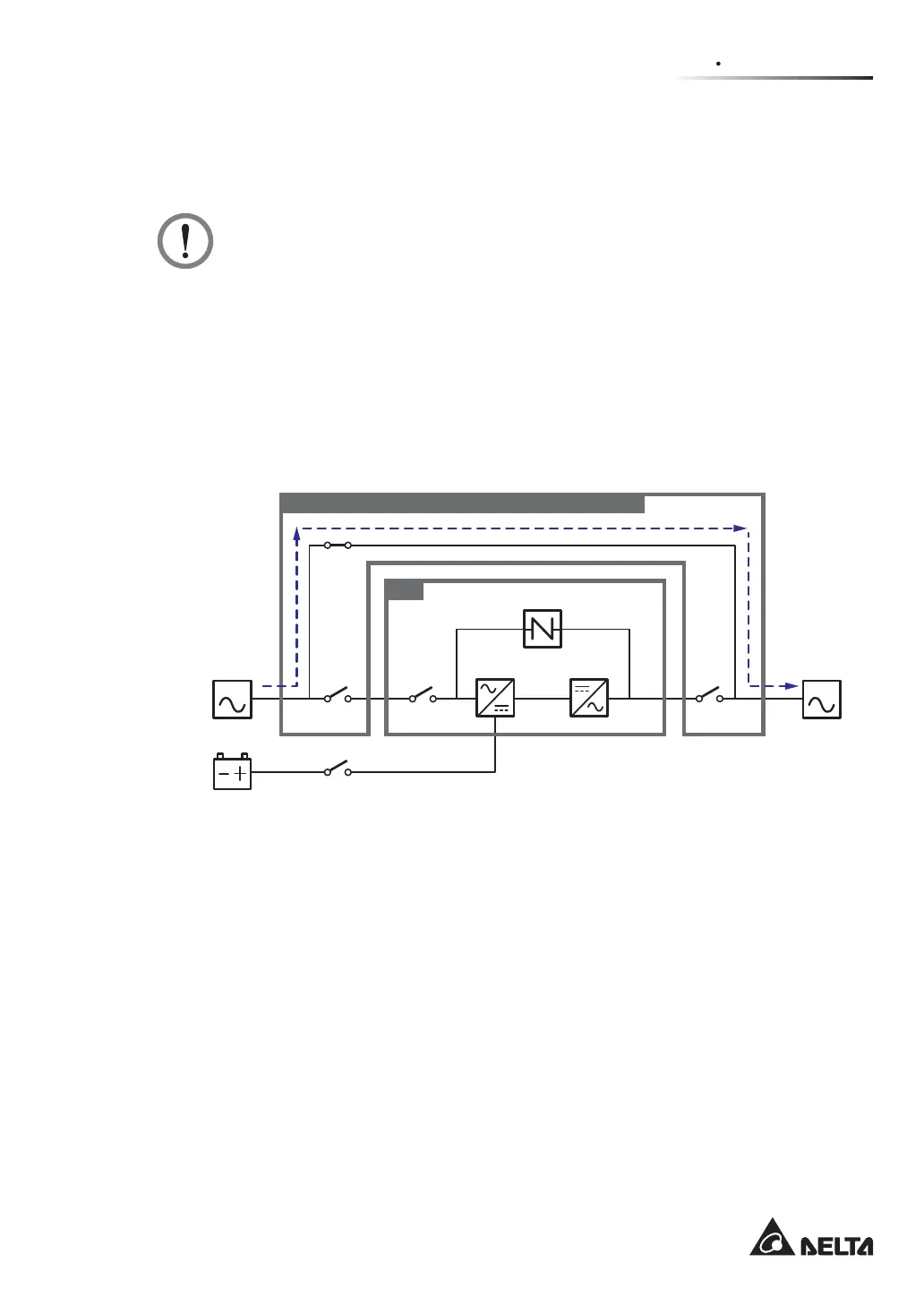
In manual bypass mode, all power inside the UPS is completely cut off and maintenance
personnel can perform maintenance safely. For manual bypass mode diagram, please see
Figure 3-6. During manual bypass mode, the UPS’s tri-color LED and LCD are both off.
WARNING:
1. In manual bypass mode, make sure that all of the breakers or switches (except
the Delta or non-Delta external maintenance bypass cabinet’s Manual Bypass
Breaker or Switch (Q3)) are in the OFF position before working on the UPS’s
internal circuits. This avoids electric shock.
2. After the power inside the UPS is completely cut off, there is no high voltage in
the UPS but in the Delta or non-Delta external maintenance bypass cabinet. Do
not touch the Delta or non-Delta external maintenance bypass cabinet during
UPS maintenance process to avoid electric shock.
3. During manual bypass mode, the UPS’s input power is completely cut off and the
connected critical loads are not protected.
MAIN LOAD
Q1 Q0 Q4
Q3
UPS
Q5
Delta or non-Delta External Maintenance Bypass Cabinet
Batteries
Rectifier Inverter
Static Switch
(Figure 3-6: Manual Bypass Mode Diagram_ Single Input Single Unit)













 To Next Page