3-30
Modulon DPH Series
3.2.12
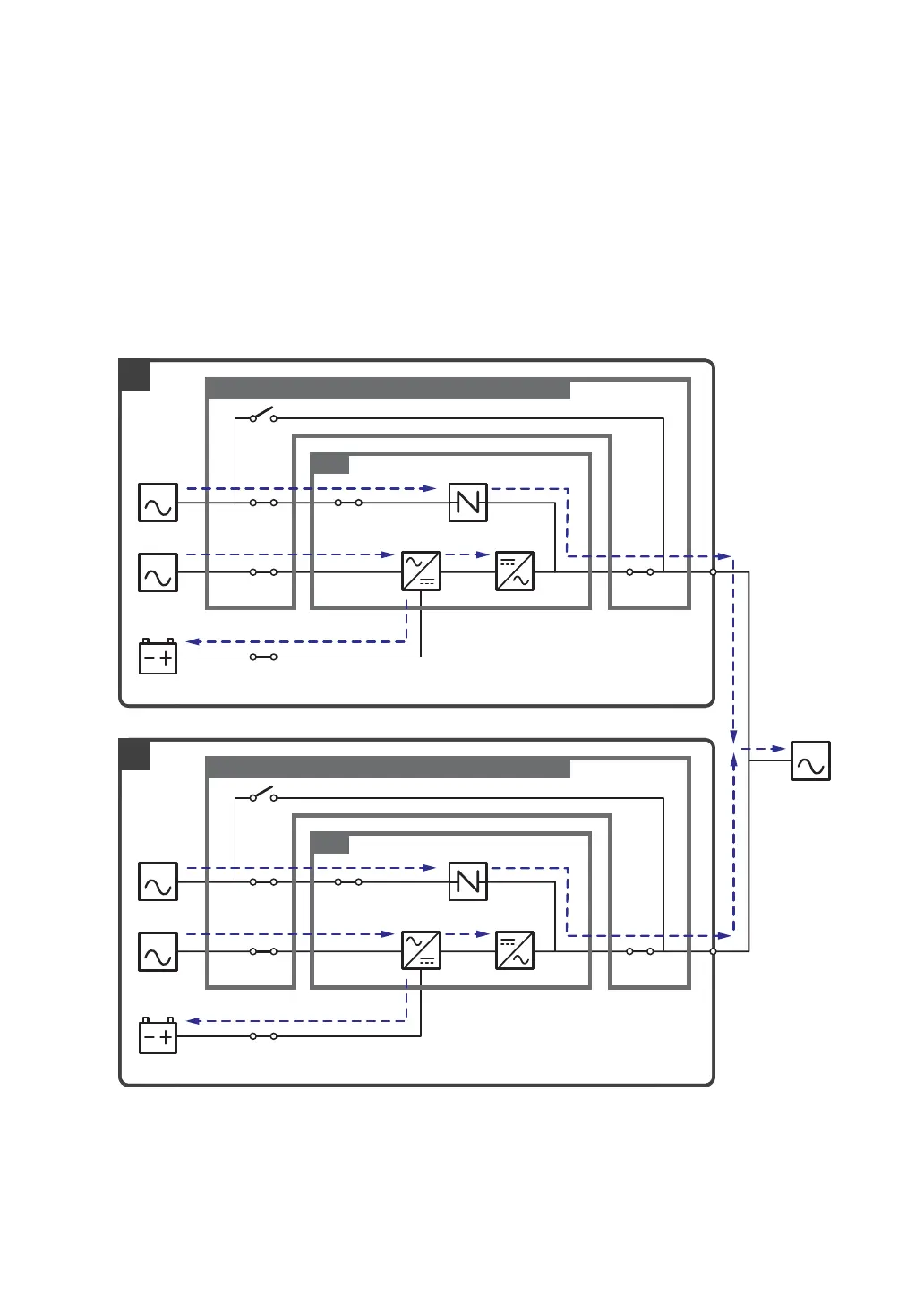
ECO Mode_ Dual Input_ Parallel Units
To activate ECO mode, please refer to 6.2.5 ECO Mode Start-up Procedures, 7.6 Main
Screen and 7.10.2 Mode Setting.
In ECO mode (parallel), when each UPS’s bypass input voltage and frequency are within the
range of rating voltage ±10% and rating frequency ±3Hz, each UPS works in bypass mode;
otherwise, each UPS runs in online mode. During ECO mode, each UPS’s tri-color LED
illuminates green and each UPS’s LCD shows the text ‘ECO’ in the upper right corner. Please
see Figure 3-29 for the path of electrical power through the parallel UPSs in ECO mode.
MAIN
LOAD
BYPA.
MAIN
BYPA.
1
2
Q0Q2
Q0Q2
Q1 Q4
Q3
UPS
Q1 Q4
Q3
UPS
Q5
Q5
Delta or non-Delta External Maintenance Bypass Cabinet
Batteries
Delta or non-Delta External Maintenance Bypass Cabinet
Batteries
Rectifier Inverter
Static Switch
Rectifier Inverter
Static Switch
(Figure 3-29: ECO Mode Diagram_ Dual Input Parallel Units)













 To Next Page