7-24
Modulon DPH Series
7.10.2
Mode Setting
Path:
SETUP
ĺ0RGH6HWWLQJ
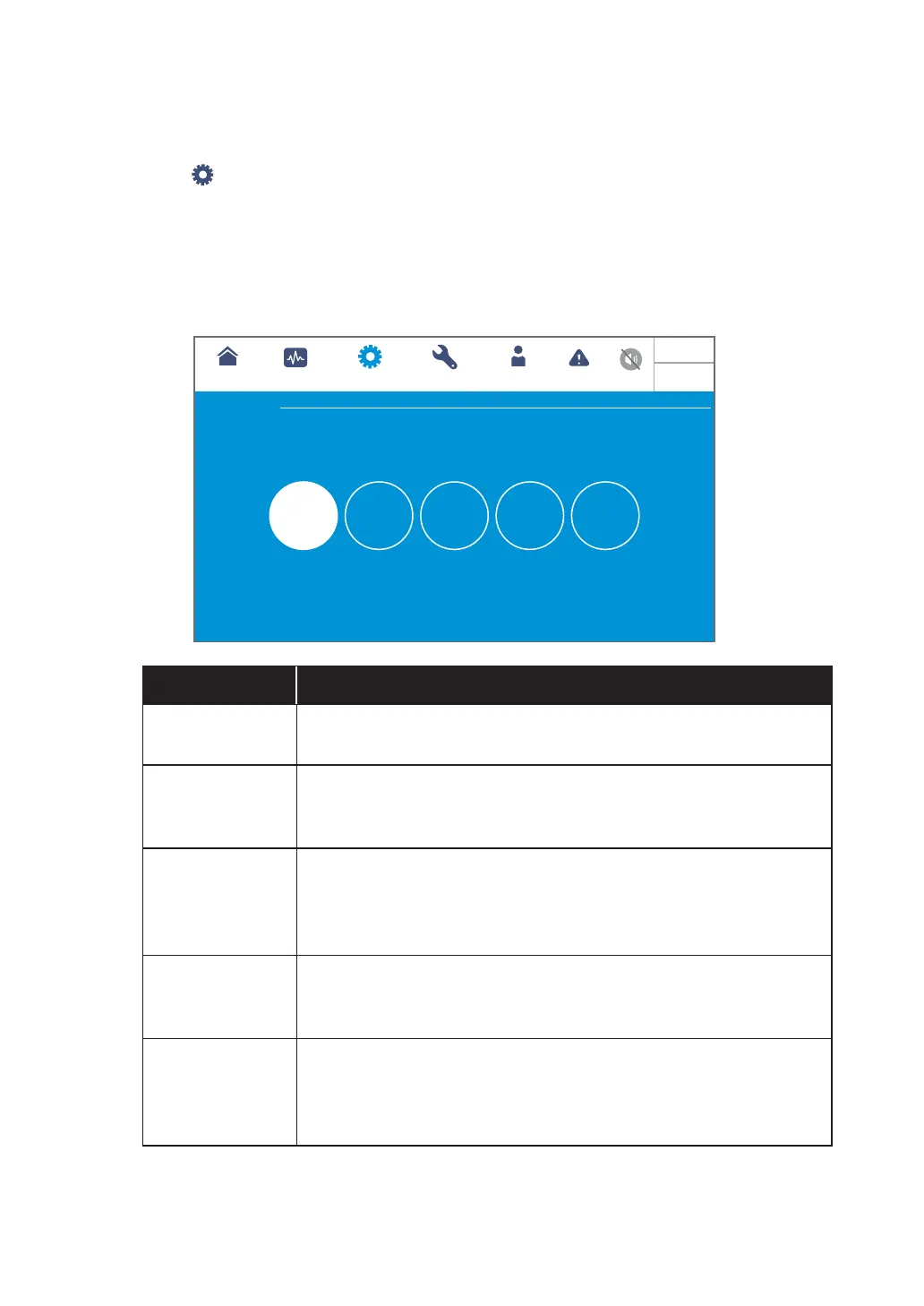
After entering the MODE SETTING screen (shown in figure below), the user can set up
the UPS system mode, of which there are 5 options: On-Line Mode, Green Mode, ECO
Mode, Energy Recycle Mode and Frequency Conversion Mode. These settings must
be performed by qualified service personnel. Please contact Delta customer service for
assistance.
Bypass
UPS-1.1
SETUP MAINTENANCE EVENT LOGLOG IN
Administrator
MEASUREMENT
Mode Setting
MODE SETTING
On-Line Green ECO
Energy
Recycle
Frequency
Conversion
Select to change system mode
10:15
May 25,2018
Item Description
On-Line Mode
Set up the UPS in on-line mode. In on-line mode, it is the inverter to
supply power to the connected loads.
Green Mode
Set up the UPS in green mode. In green mode, it is the inverter to
supply power to the connected loads and the power modules take
turn to rest according to the situation of total load capacity.
ECO Mode
Set up the UPS in ECO mode. In ECO mode, it is the bypass to
supply power to the connected loads. It is suggested that you set
the UPS in ECO mode only when there is stable main AC power.
Otherwise, power supply quality will be compromised.
Energy Recycle
Mode
Set up the UPS in energy recycle mode. In energy recycle mode,
the full load output can be simulated for the aging test without real
output to the loads.
Frequency
Conversation
Mode
Set up the UPS in frequency conversation mode. In frequency
conversation mode, it is the inverter to supply power to the
connected loads with a fixed output frequency. Please note that the
output will be terminated once the inverter is turned off.













 To Next Page