5-7
5
ௐ
ௐ
Installation and Wiring
1
2
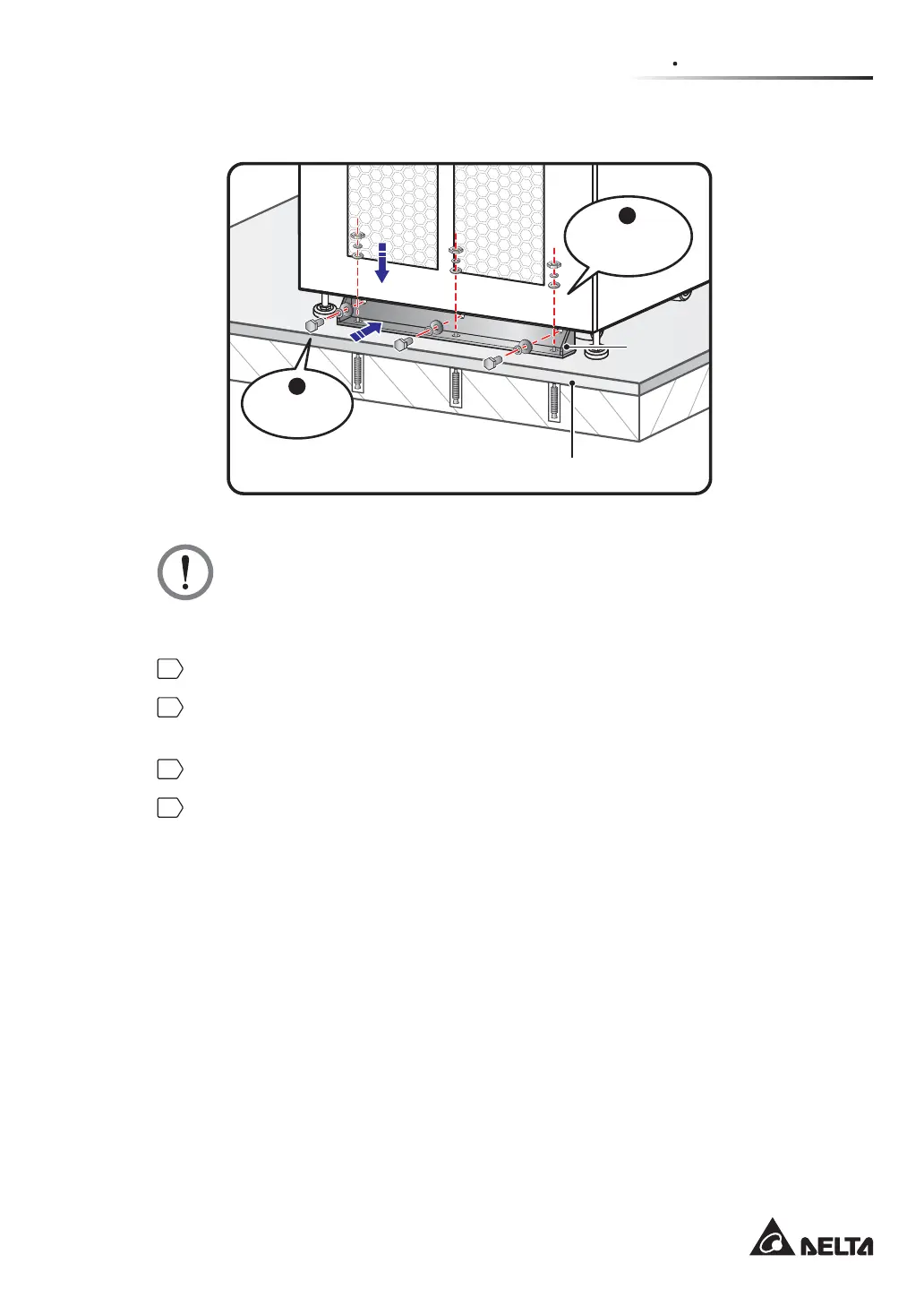
(Rear View)
Balance
Support
Ground
Expansion Screw
& Nut X 3
M10 Screw
X 3
(Figure 5-4: Install the Balance Support at the Rear of UPS)
WARNING:
If you don’t use the balance supports to fix the UPS on the ground, the unit might
topple over. For safety concerns, please use the balance supports to fix the UPS to
the floor.
5
Follow 5.5 Wiring to perform wiring procedures.
6
Follow 5.6 External Battery Cabinet Connection Warnings to connect the external
battery cabinet(s).
7
Follow 5.8 Power Module (Optional) to install the power modules.
8
After finishing the procedures above, close the UPS front door.













 To Next Page