5-13
5
ௐ
ௐ
Installation and Wiring
y Single Input (Single Unit)
When there is only one AC power source, single unit wiring procedures are as follows.
1
The UPS adopts top wiring. Please leave adequate space on the top of the UPS to
allow cable entry.
127(If you use the Delta external maintenance bypass cabinet
(optional), top wiring and bottom wiring are both applicable. For relevant
information, please refer to Delta External Maintenance Bypass Cabinet
User Manual.
2
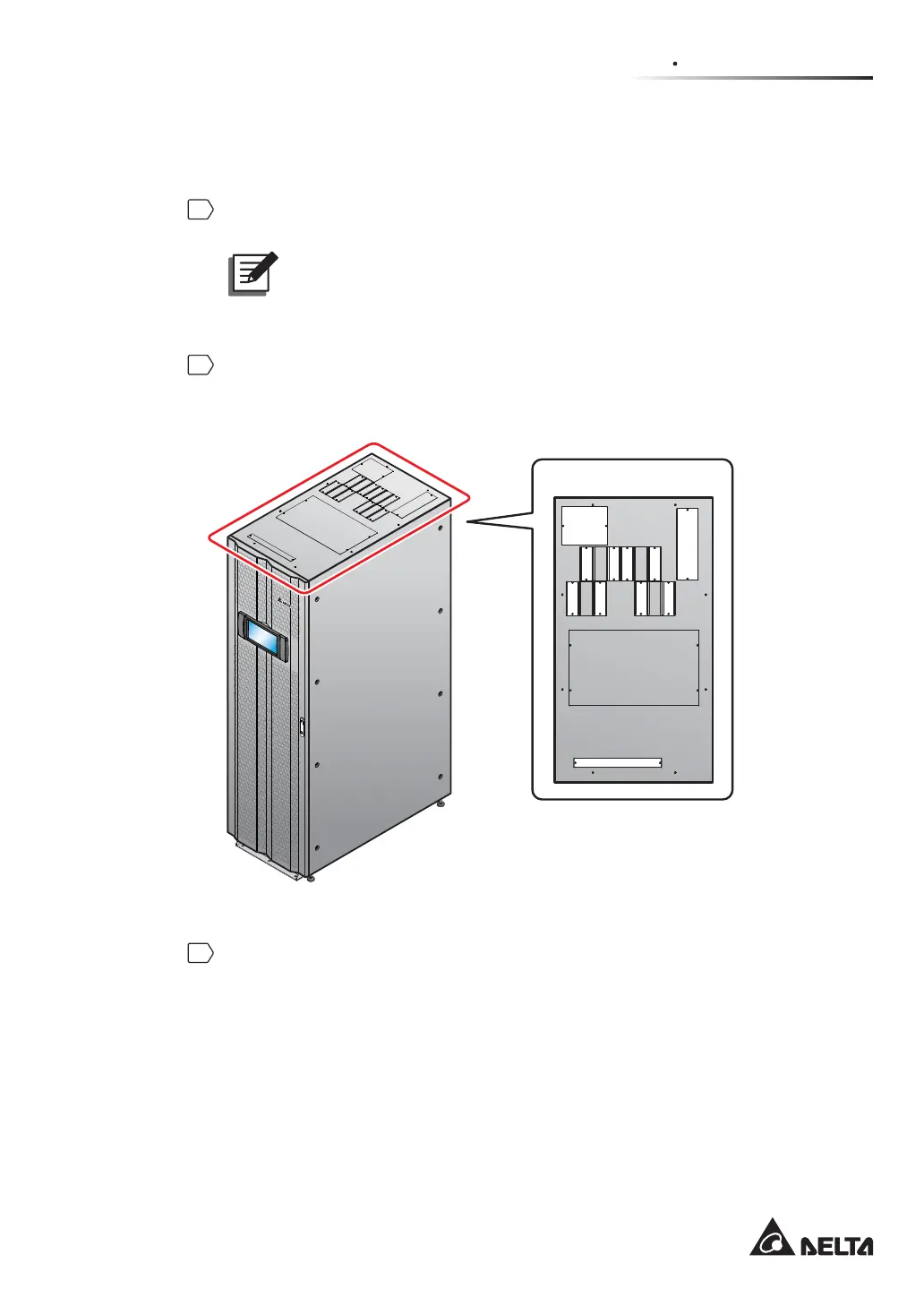
Remove the eleven covers on the top of the UPS for cable entry. Each top cover
has two #6-32 screws. For the location of top covers, please refer to the white areas
shown in Figure 5-9.
(Top of the UPS)
(Figure 5-9: Location of Top Covers)
3
Unscrew the eight M5 screws to remove the rear panel (see Figure 5-10 and
Figure 5-11). After removing the real panel, you will see the wiring terminals shown
in Figure 5-12 ~ Figure 5-14.













 To Next Page