Ultron DPS Series
146
8.3 MFC Function on the LCD Screen
The
PAGE 3
&
MFC
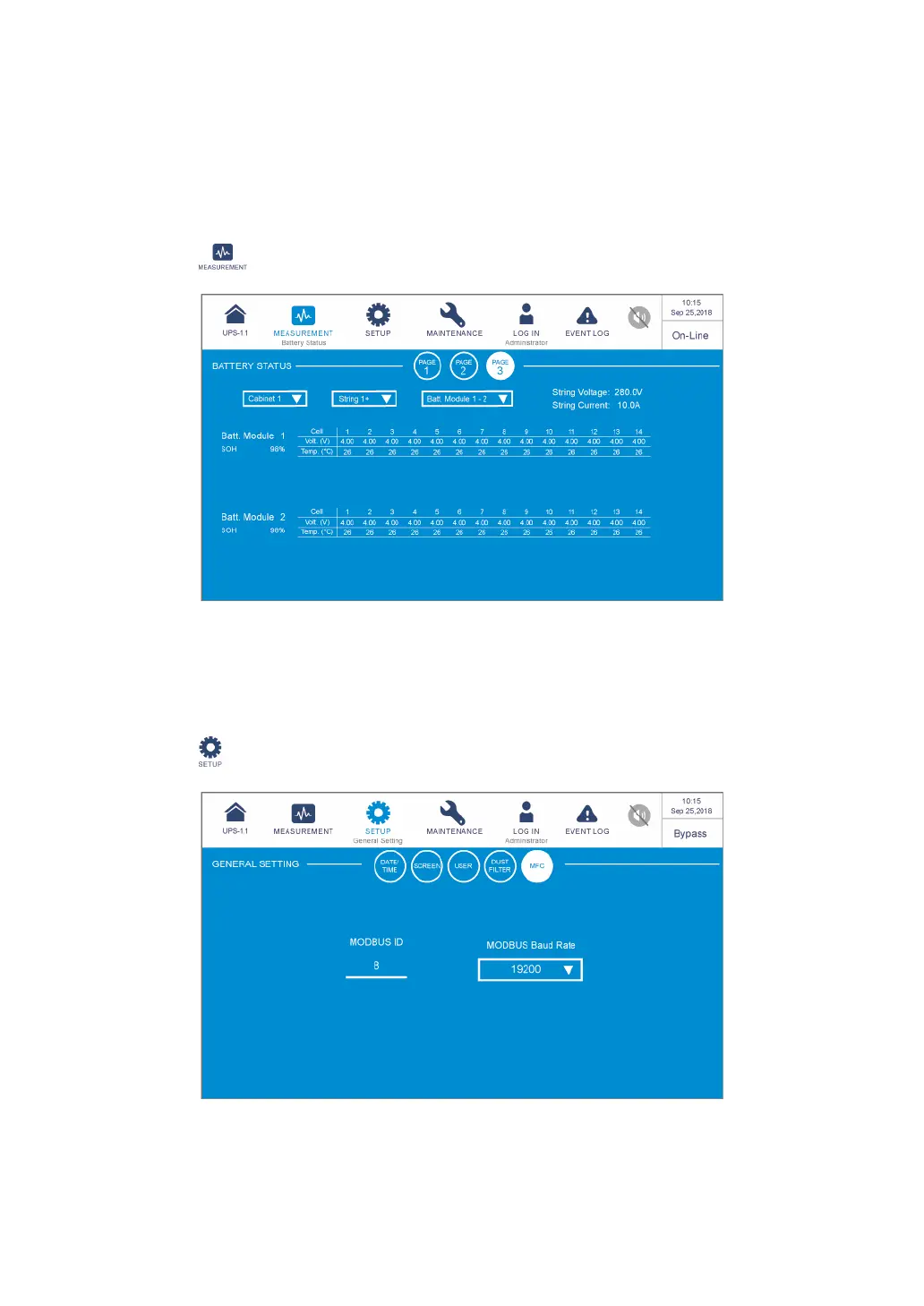
screens (see the figures below) will only appear on the LCD if you use
the Delta lithium-ion batteries with the optional multifunctional communication (MFC) card
being installed in the SMART slot. Please contact Delta customer service if you need more
information.
Path: → Battery Status
In the screen, you can use the three drop-down lists in the upper left corner to choose the
Cabinet
,
String
, and
Battery Module
to view the corresponding
String Voltage
,
String
Current
, battery module’s
SOH
(State of Health) and the battery cell’s
Voltage
and
Temperature
.
Path: → General Setting
(
Administrator
login required)

 To Next Page
 Loading...