155
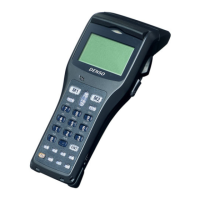
BHT-1600 Handy Terminal User Manual
Transmit Check Digit
Decide whether to include the check digit in the data
being transmitted.
Disable
Composite CC-A/B
Composite CC-A/B Switch to enable Composite CC-A/B decoding. Enable
Composite CC-C
Composite CC-C Switch to enable Composite CC-C decoding. Enable
Composite TLC 39
Composite TLC 39 Switch to enable Composite TLC 39 decoding. Disable
Composite General Preference
UPC Composite Mode UPC barcodes can be “linked”
transmission as if they were one barcode.
UPC Never Linked
Transmit UPC barcodes regardless of whether a 2D
barcode is detected.
UPC Always Linked
Transmit UPC barcodes and the 2D portion. If the 2D
portion is not detected, the UPC barcode will not be
transmitted.
CC-A/B or CC-C must be enabled.
Auto-discriminate
Transmit UPC barcodes as well as the 2D portion if
present.
Auto-discrimi
nate
GS1-
Mode
Sets GS1-128 emulation mode for
Codes.
Disable
GS1 DataBar-14 Enable
GS1 DataBar-14 Switch to enable GS1 DataBar-14 decoding. Enable
Convert to UPC/EAN Strips the leading ‘010’ of GS1 DataBar and converts the
barcode to EAN-13.
Disable
Security Level A value that specifies the decode security level w
reading GS1 DataBar 14 from Level 0 to 3.
Level 1
GS1 DataBar Limited Enable
GS1 DataBar Limited Switch to enable GS1 DataBar Limited decoding. Enable
Convert to UPC/EAN Strips the leading ‘010’ of
converts the barcode to EAN-13.
Disable
Security Level There are setting options from Level 1 to 4. Level 3
GS1 DataBar Expanded Enable


 To Next Page