46
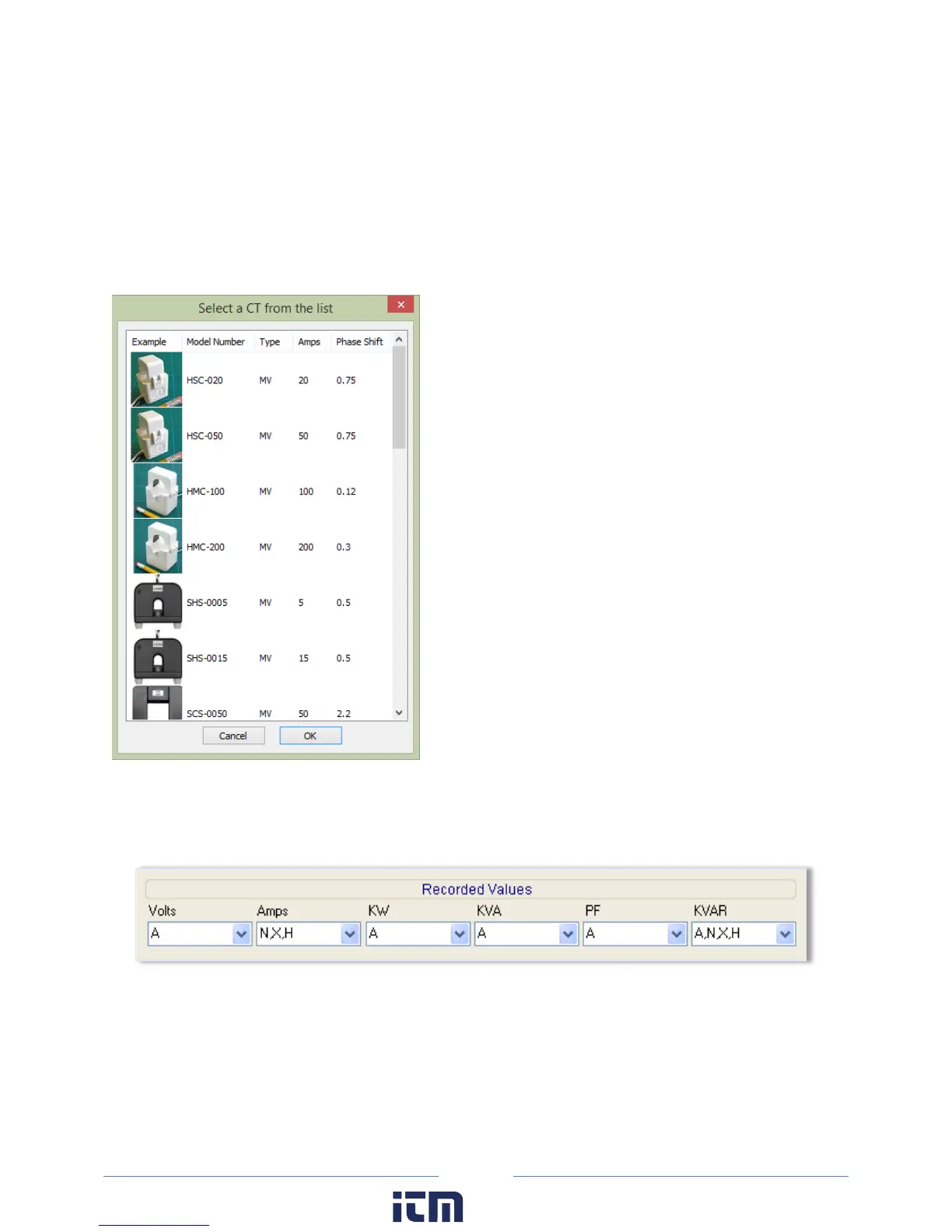
The drop-down list in the Type field of the Current Transformers section contains a View All option that
opens the Select a CT from the list window displaying images of CTs with their recommended amps and
phase shift. Selecting a CT from that window automatically populates the Amps and Phase Shift fields
with the CT’s recommended values.
Double-click on any image.
-or-
Select an image and click OK.
Th
e Recorded Values of a power channel tell the logger what parameters you wish to record and can be
configured by selecting any combination of Volts, Amps, power (kW), volt-amps (kVA), power factor
(PF), and volt-amps-reactive (kVAR) as desired for each channel you turned on.
For a description of the Recorded Values and their formulas for the Calculated Power Channels, see
Calculated Power Channels.
w ww. . com
information@itm.com1.800.561.8187



 To Next Page