EN-30 Original User Guide | Pedelec Impulse Evo / Impulse Evo Next Version 4
3.10.1.6 Shift unit: Slope sensor
Path: Settings | Device settings | Shift unit | Slope sensor
The Slope sensor detects whether the pedelec drives uphill or downhill
andadjuststhecircuit.Ifdierentcomponentshavebeeninstalledon
the front and rear wheel, recalibration may be required. To do this, follow
these steps:
1. Navigate to the “Slope sensor” menu as described in 6.4.1
Configuring settings in the main menu Page EN-54.
2. The following text is shown on the display: "Please bring bike into
straight position. Start calibration?".
3. Select the No or Yes by using the
/
buttons. The selection is
highlighted. You return to sub-level 3.
The calibration process takes about one second to complete
with return to the menu. Keep the pedelec in the upright
position for this period.
3.10.1.5 Shift unit: Change shift cable
Path: Settings | Device settings | Shift unit | Change shift cable
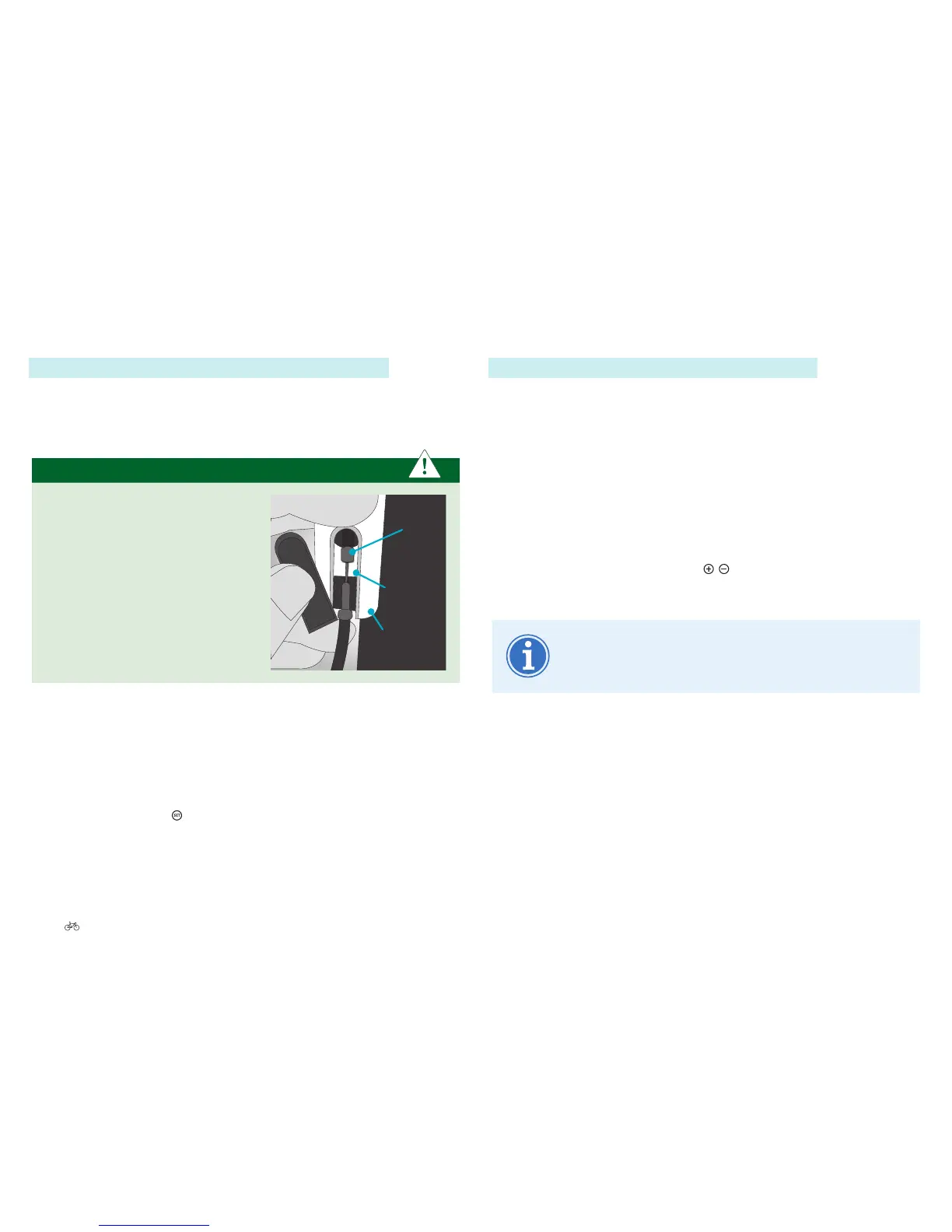
This function must only be used when the gear cable needs to be replaced.
In this case the shifter actuator moves to its gear cable replacement
position. Please read the instructions on the display.
IMPORTANT
Make sure the gear cable head is
fully pressed into the white plastic
slide groove provided.
Gear cable head
Gear cable head
Plastic slides
1. Navigate to the “Gear cable replacement” menu option as described in
6.4.1 Configuring settings in the main menu Page EN-54.
2. The following text is shown on the display - “The shift unit is now in
the gear cable replacement position. You can remove the cable and/or
mechanically readjust it. Please press SET to end.”
3. Brieypressingthe
button returns you to sub-level 3.











 To Next Page