PBX Networking Configuration
133
Note: Q.SIG-IP cannot be operated using a connection with
NAT.
12.3 Configuration
The possible configurations described below can be set up in the Web console
using the PBX Configuration: Trunks menu.
12.3.1 Trunk groups
This is a group of lines of the same type and direction. A line can only be assigned
to one trunk group (bundle).
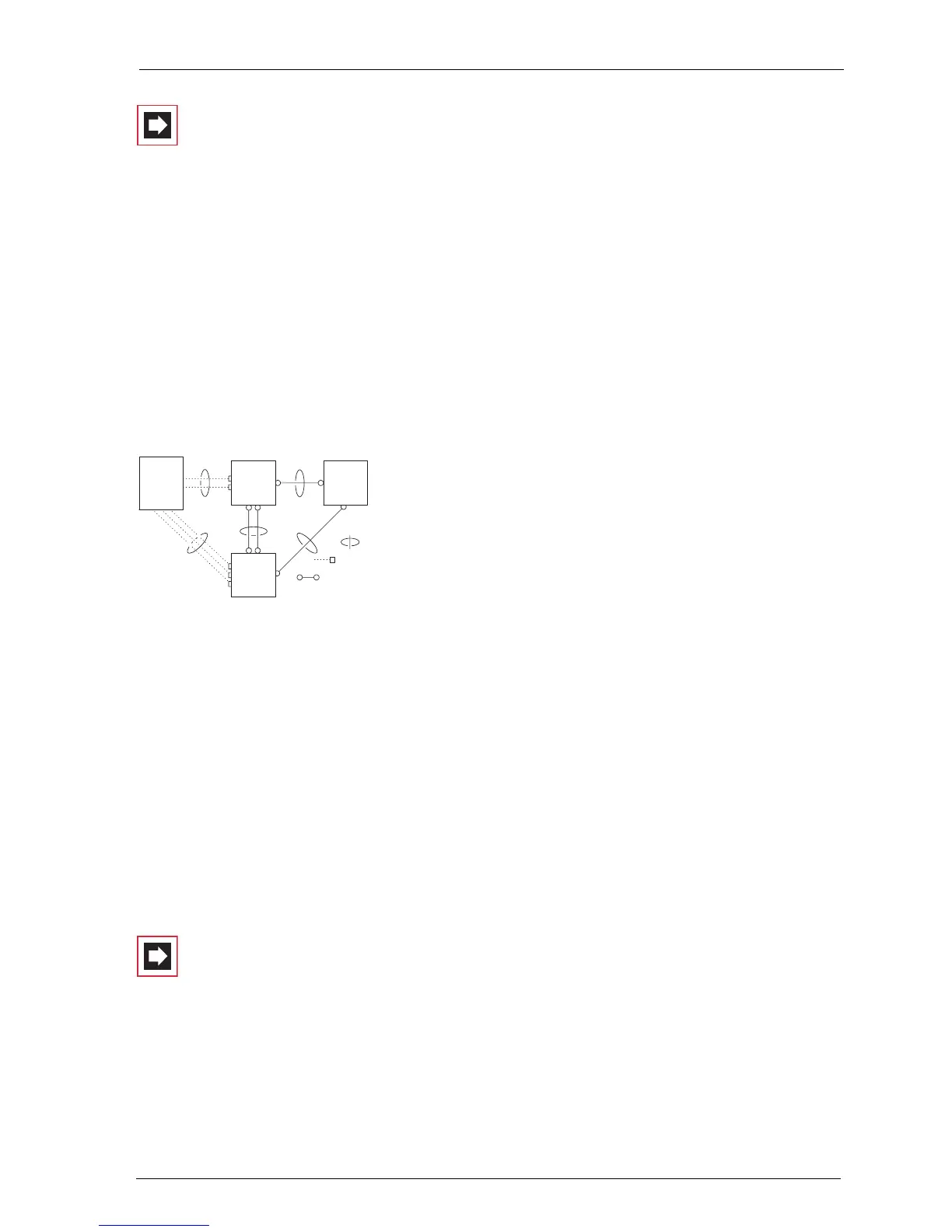
Example of a PBX network with trunk groups
In the above example, the following trunk groups are configured for PBX 1:
■ Two S
0
lines in a multi-terminal configuration to the network operator which
are assigned to the “A” trunk group.
■ Two S
0
point-to-point connections to PBX 2 which are assigned to the “C” trunk
group.
■ One S
0
point-to-point connection to PBX 3 which is assigned to the “E” trunk
group.
Note: A line or a trunk group cannot be seized directly. It is
always performed indirectly via a route.
A
B
C
E
D
Bundle
PBX 1
PBX 2
PBX 3
Network
operator
Trunk line
Point-to-point
connection



 To Next Page