Installation Available Ports
37
■ Two PCM ports for the connection of up to three systems, designed as an RJ45
socket (PCM)
■ Two ports to the LAN (100BaseT), designed as RJ45 jacks
■ One CompactFlash “base” to incorporate a type I or type II CompactFlash
memory card. These cards are necessary to operate the OpenVoice and Open-
Attendant program packages. Only use high speed memory cards which are
recommended by DeTeWe. Other memory cards or “Microdrive” type memory
cards may not be able to maintain the required access speed.
Tip: For the stored voice announcements and a recording time of
one hour a memory card with 32 Mbyte is required.
■ One port jack to connect the plug-in power supply. Only use the original
OpenCom 150 plug-in power supply provided in the supply scope.
3.8.4 Positions of the Ports
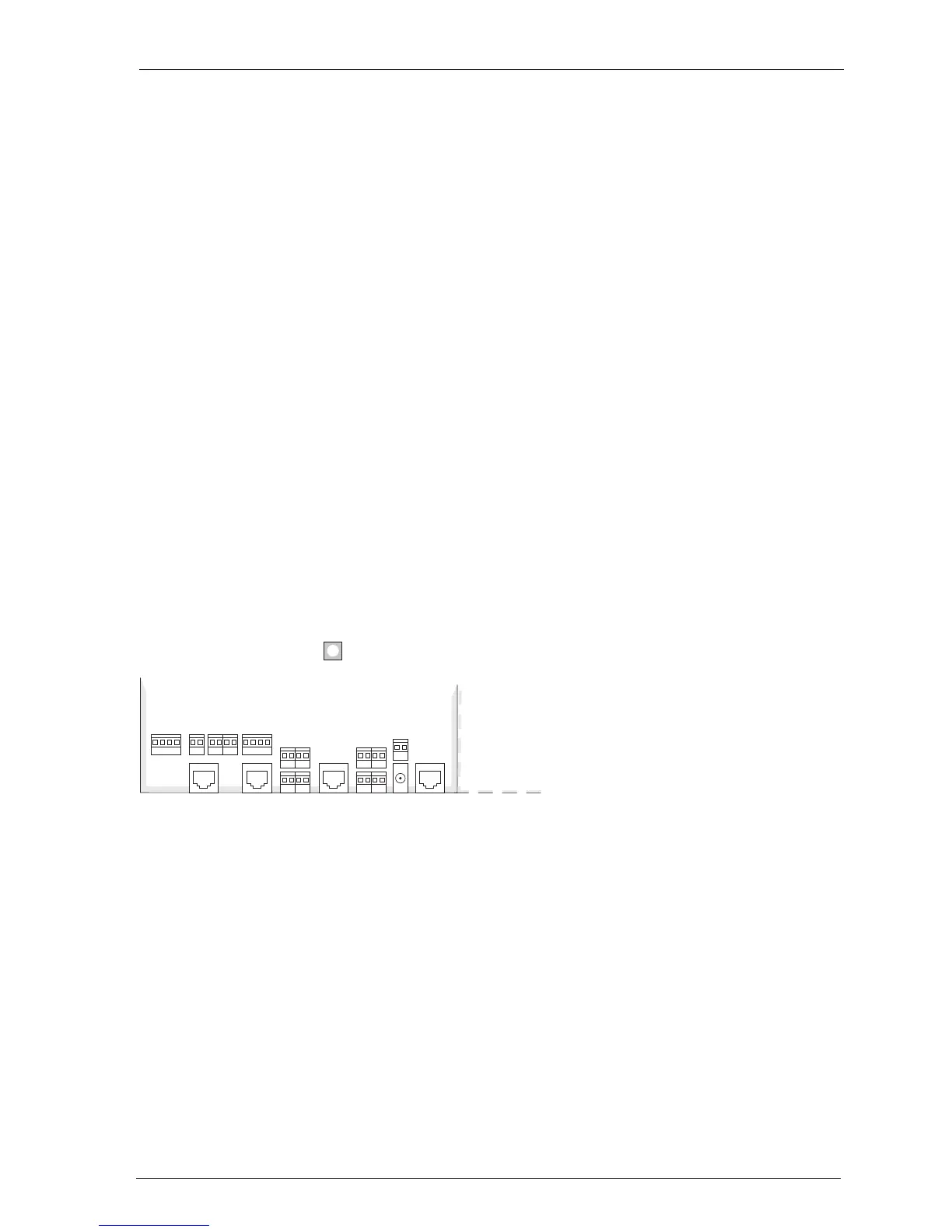
The following diagrams show the positions of the ports:
Position of the ports on the basic module (OpenCom 130)
RJ45
S
0
1
RJ45
S
0
2
LAN V. 24
Actuator
1+2
Sensor
1+2
a/b
1+2
a/b
3+4
S
0
2
U
pn
2+3
DC
in
Sensor
3
S
2M
U
pn
1
Default setting



 To Next Page