Installation Port Assignment, Termination, Cable Lengths
47
Switchable S
0
port on a pressure terminal
You can add further S
0
ports to the OpenCom 13/150 by installing suitable
interface cards in a slot. These S
0
ports can be switched between internal and
external operation.
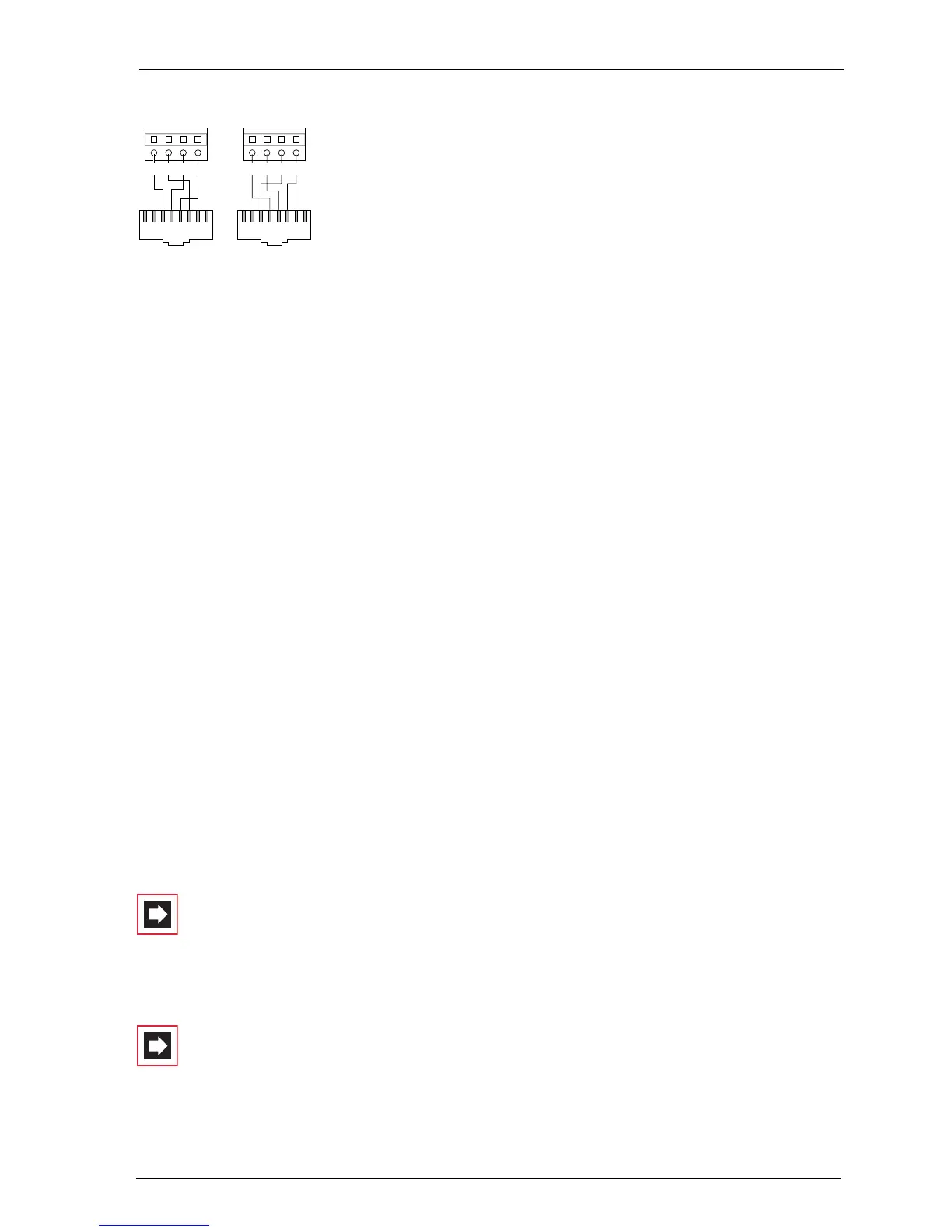
Annotation concerning an OpenCom 130:
In contrast to the basic module, the expansion module does not provide any addi-
tional RJ45 jacks for external S
0
ports. Therefore you can also use the pressure ter-
minals of the expansion module for an external S
0
port. The port assignment of
the pressure terminals is changed when the switch is made from internal to
external operation. This can be seen in the diagram.
Tip: Let us say you have activated an IAE on an internal S
0
port, for
example. If you switch this S
0
port to external operation, you
require a crossed ISDN line to connect the IAE to an NTBA. The
assignment of a crossed line is described in the chapter PBX
Networking under Direct Connection starting on page 130.
3.10.2 U
pn
Ports
Each of the U
pn
ports enable the connection of a RFP 22/24 DECT base station or
an OpenPhone 61, 63 or 65 telephone using a twin-wire cable.
Note: DECT base stations cannot be operated on the U
pn
ports of the basic module of an OpenCom 130. This is only
possible for U
pn
ports on the interface cards of the expansion
module.
Note: Only the system telephones OpenPhone 61, 63 and 65
and the ISDN telephone OpenPhone 52 can be operated on
the U
pn
ports of an OpenCom 131. Operating a DECT base
station is not possible on these U
pn
ports.
S
0
int
2a
2b 1a 1b
12345678
S
0
ext
1a
1b 2a 2b
12345678



 To Next Page