Detaching cables
BEETLE /M-III - Service manual 19
11 Detaching cables
Never disconnect cables by pulling them on the cable itself but always grip them on the connector housing
provided for that purpose instead. To detach the cables proceed as described below:
– Switch off all network and periphery device switches.
– Remove the cable cover.
– Pull all power cables out of the contactor contact electrical sockets of the house installation.
– Pull all data communications cables from the plug connections of the data networks.
– Detach all cables at the devices.
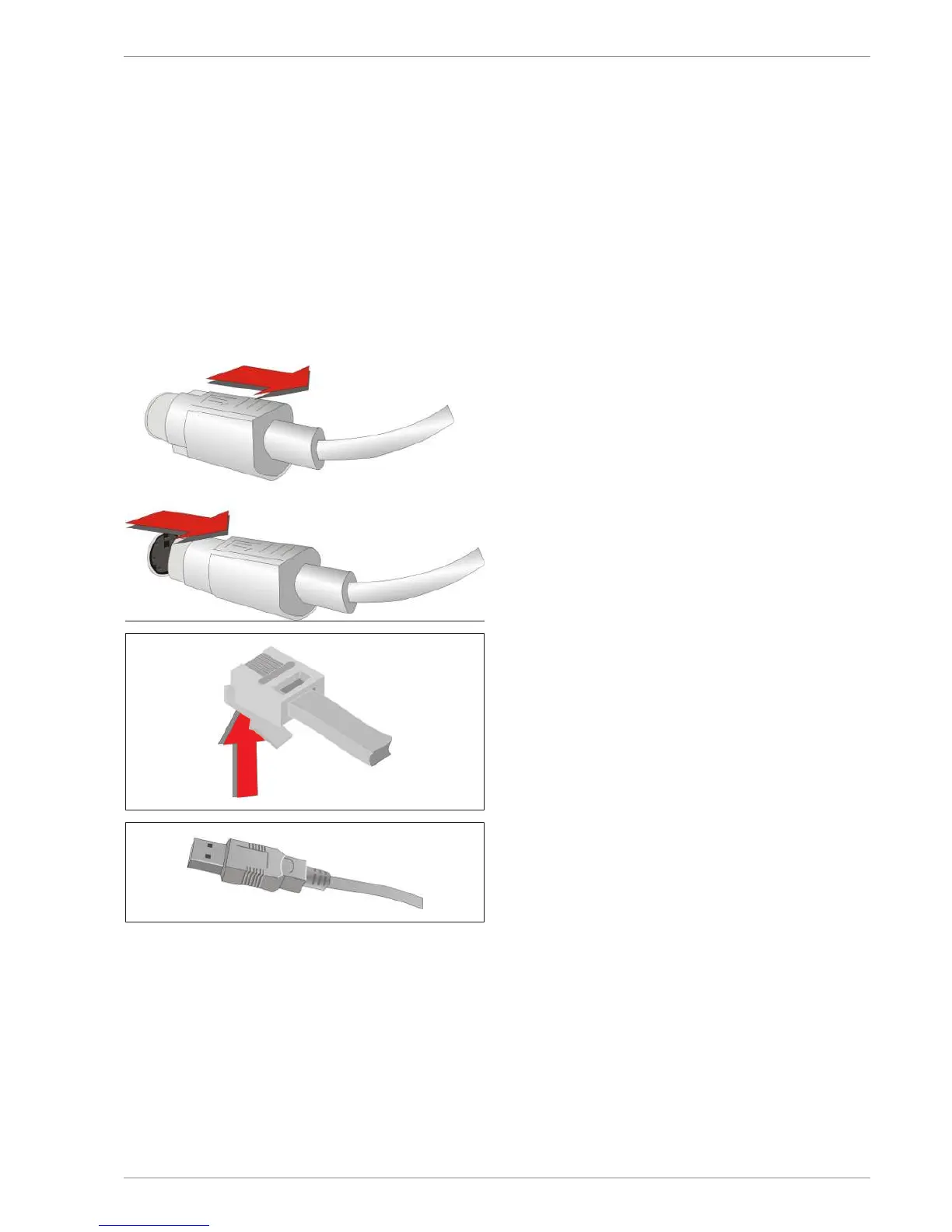
The Mini-DIN plugs are equipped with an interlock
against unintended disengagement. To disengage this
plug, pull the plastic sleeve away from the socket. The
interlock is released. The metal of the plug is visible.
To disengage an RJ12 plug, press the tab below the
plug upwards.
Disengage the USB-A plug by pulling on the plug
housing.


 To Next Page