Switching the Retail card
58 BEETLE /M-III - Service manual
21 Switching the Retail card
This chapter does not apply for a BEETLE/M-III with an O1 motherboard.
Shut down the system. Remove the cable cover and pull the power plug at the rear. Remove the housing hood.
NOTICE
Observe the instructions regarding electrostatic discharge-sensitive assemblies (see chapter "Electrostatic dis-
charge-sensitive components").
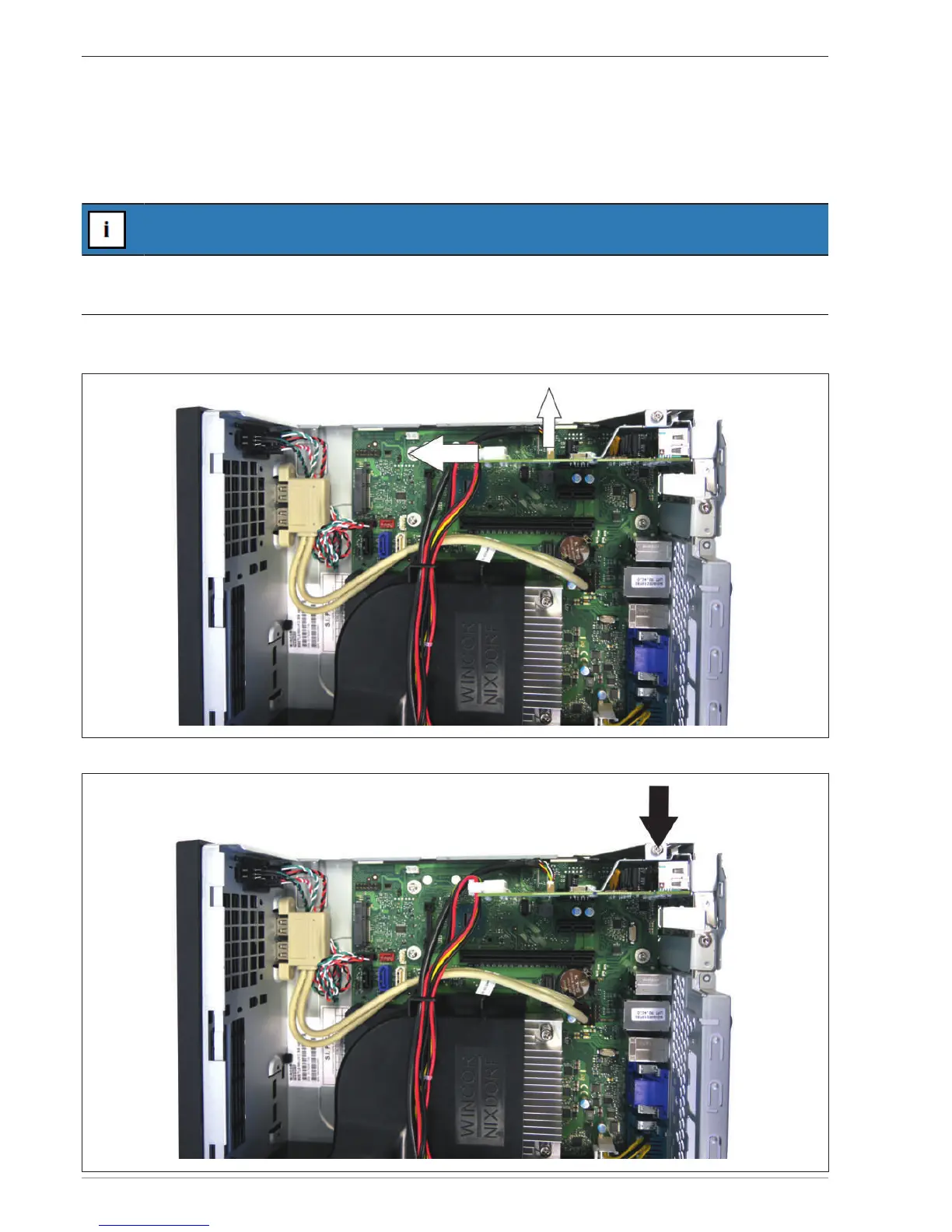
Pull out the plug for the power supply and the plug for the control of the interfaces on the power unit (till drawer,
24 V USB) from the Retail card.
Remove the screw above the Retail card.


 To Next Page