Replacing the K1/K2 or M1/M2 motherboard
72 BEETLE /M-III - Service manual
27 Replacing the K1/K2 or M1/M2 motherboard
Shut down the system. Remove the cable cover and pull the power plug at the rear.
Remove the housing hood.
NOTICE
Observe the instructions regarding electrostatic discharge-sensitive assemblies (see chapter "Electrostatic dis-
charge-sensitive components").
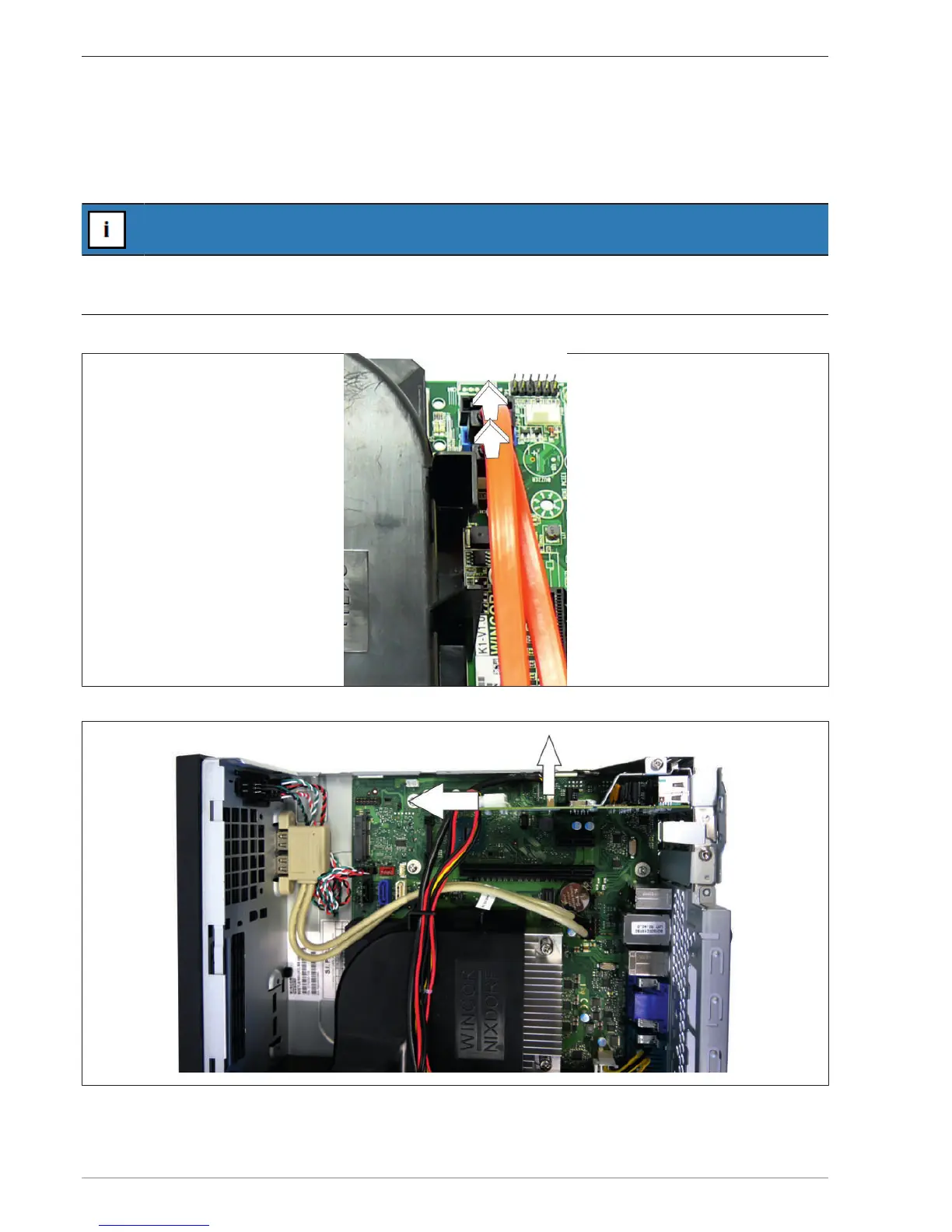
Fold the hard disk holder upwards and set it aside. Remove the SATA plug on the motherboard.
Pull the plugs on the Retail card.


 To Next Page