Replacing the K1/K2 or M1/M2 motherboard
78 BEETLE /M-III - Service manual
27.1 Reset Password
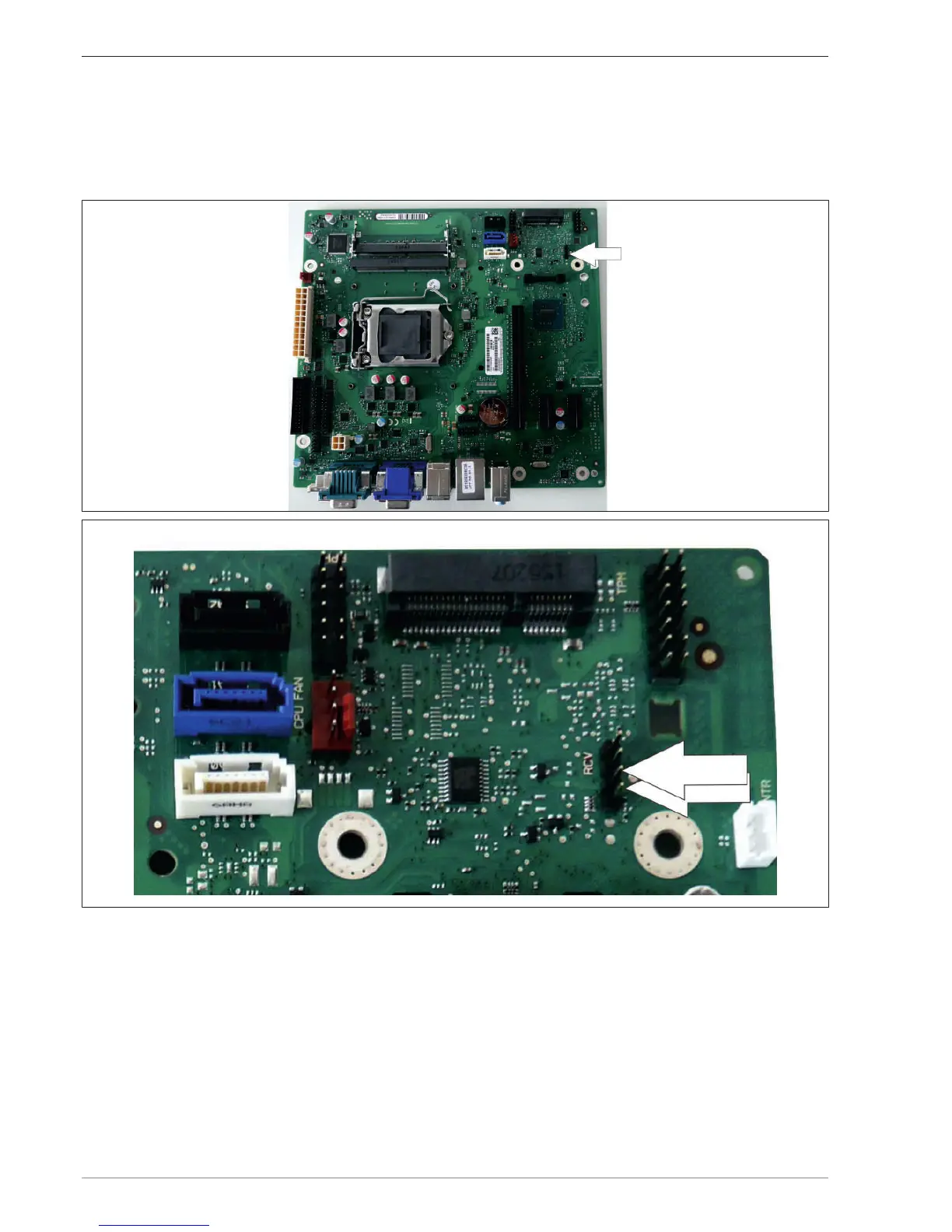
The system remains switched off. Plug the jumper in at Position 1-2 of the Config Connector (arrow) on the
motherboard. Switch the system on. Press the F2 key to access BIOS Setup. The existing password is deleted. You
can now assign a password or also simply exit the BIOS once again.
Illustration7: Connector positions 1 and 2


 To Next Page