Storage Media
BEETLE /M-III - Service manual 27
14.4 Replacing two 2.5" hard drives or SSD
Shut down the system. Remove the cable cover and pull the power plug at the rear.
Remove the housing cover.
NOTICE
Observe the instructions regarding electrostatic discharge-sensitive assemblies (see chapter "Electrostatic dis-
charge-sensitive parts").
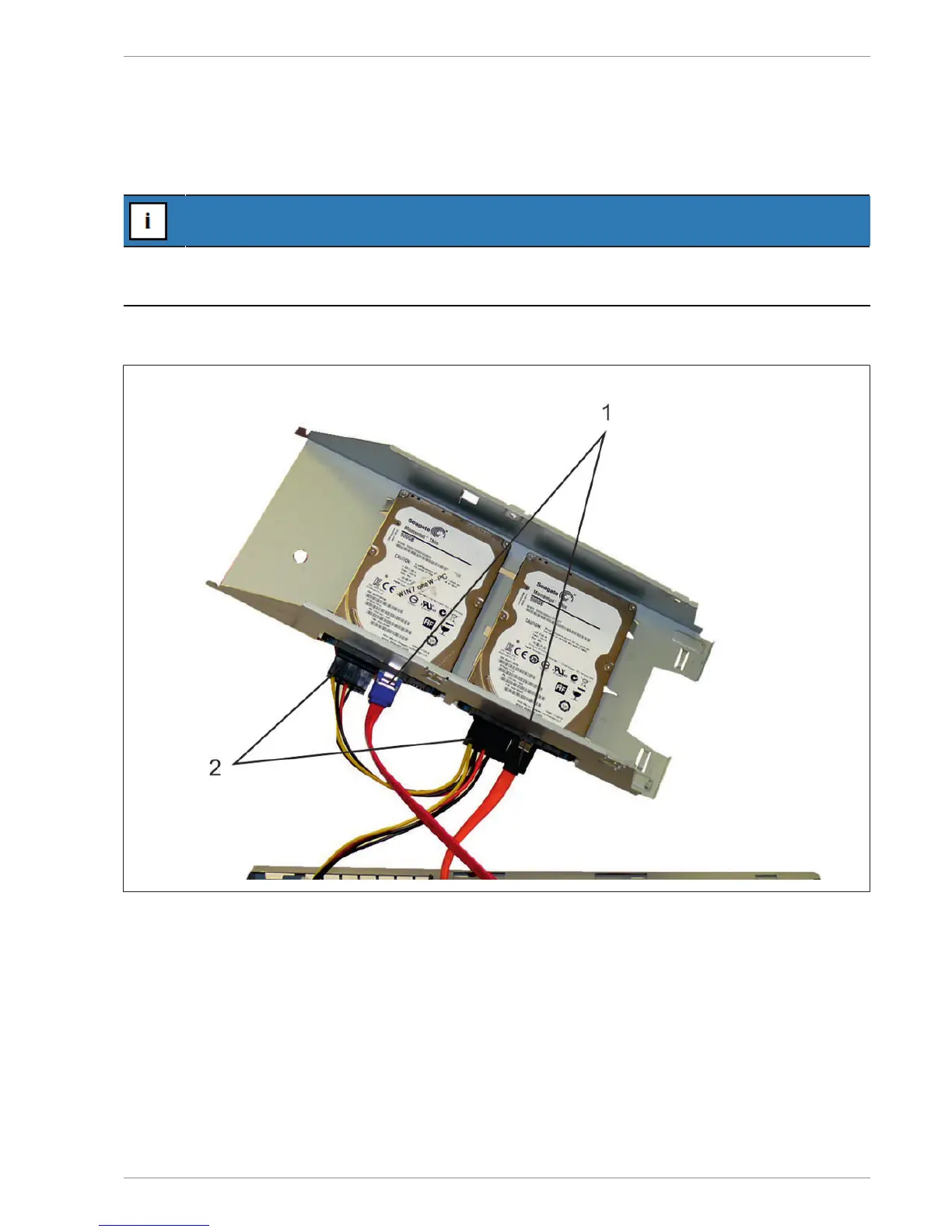
Fold open the hard disk carrier upwards and pull the data cables and the power supply cables from the 2.5" hard
disks.
1 SATA data cable 2 SATA power supply cable
Remove the hard drive carrier.


 To Next Page