Storage Media
BEETLE /M-III - Service manual 25
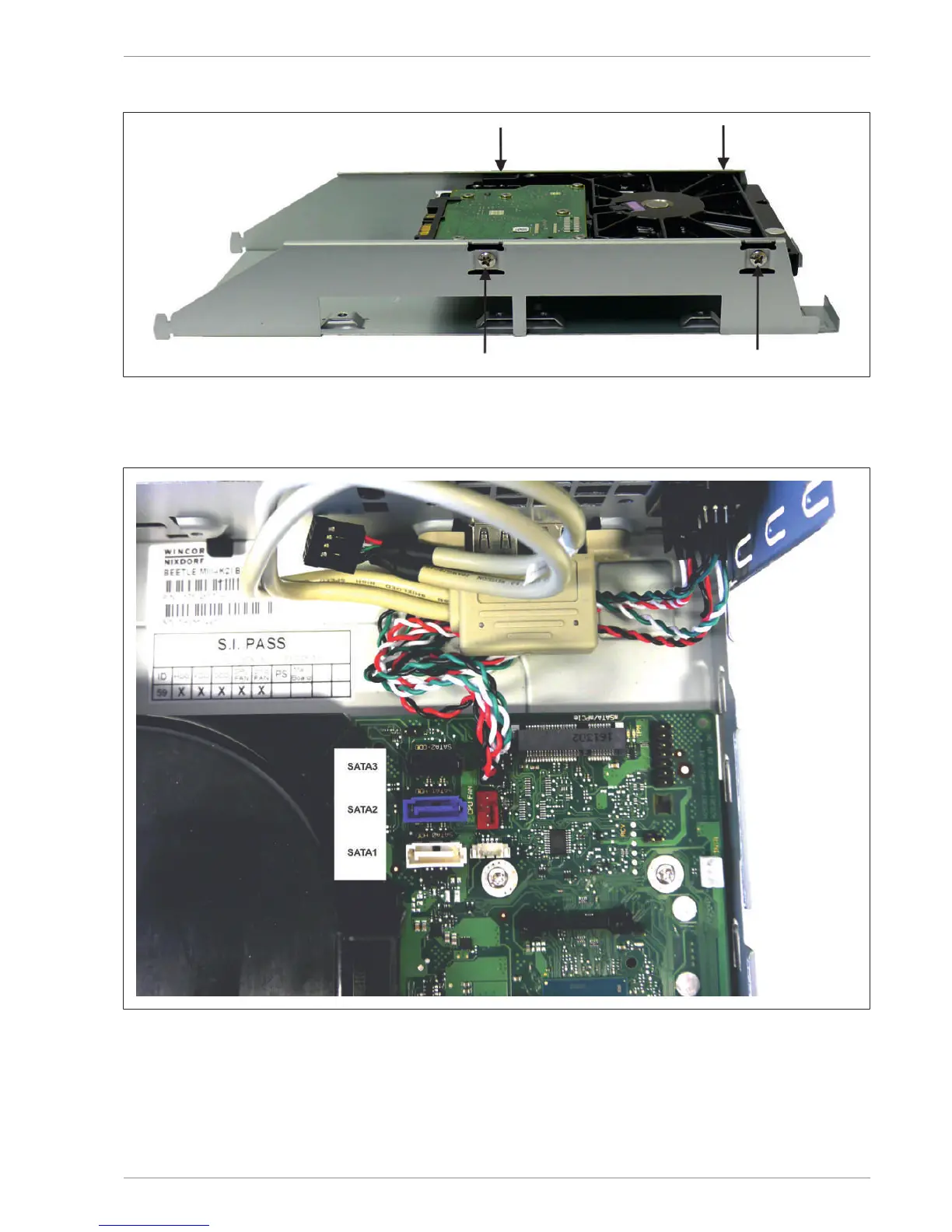
Remove the four screws of the 3.5" hard disk with a Phillips head screwdriver.
Re-install the hard disk holder following the steps in reverse order.
14.2 SATA connections on K1/K2 or M1/M2 motherboard
SATA1 (white) Connection for 3.5" hard disk or for the first 2.5" HDD/SSD
SATA2 (blue) Connection for the second 2.5" HDD/SSD
SATA3 (black) Connection for CD ROM


 To Next Page