Replacing COM5 and COM6 interface
BEETLE /M-III - Service manual 67
25 Replacing COM5 and COM6 interface
NOTICE
The two interfaces can be deployed as Standard COM5/COM6 or as power-supplied COM5*/COM6*.
Shut down the system. Remove the cable cover and pull the power plug at the rear.
Remove the housing hood.
NOTICE
Observe the instructions regarding electrostatic discharge-sensitive assemblies (see chapter "Electrostatic dis-
charge-sensitive components").
Fold the hard disk holder upwards and set it aside.
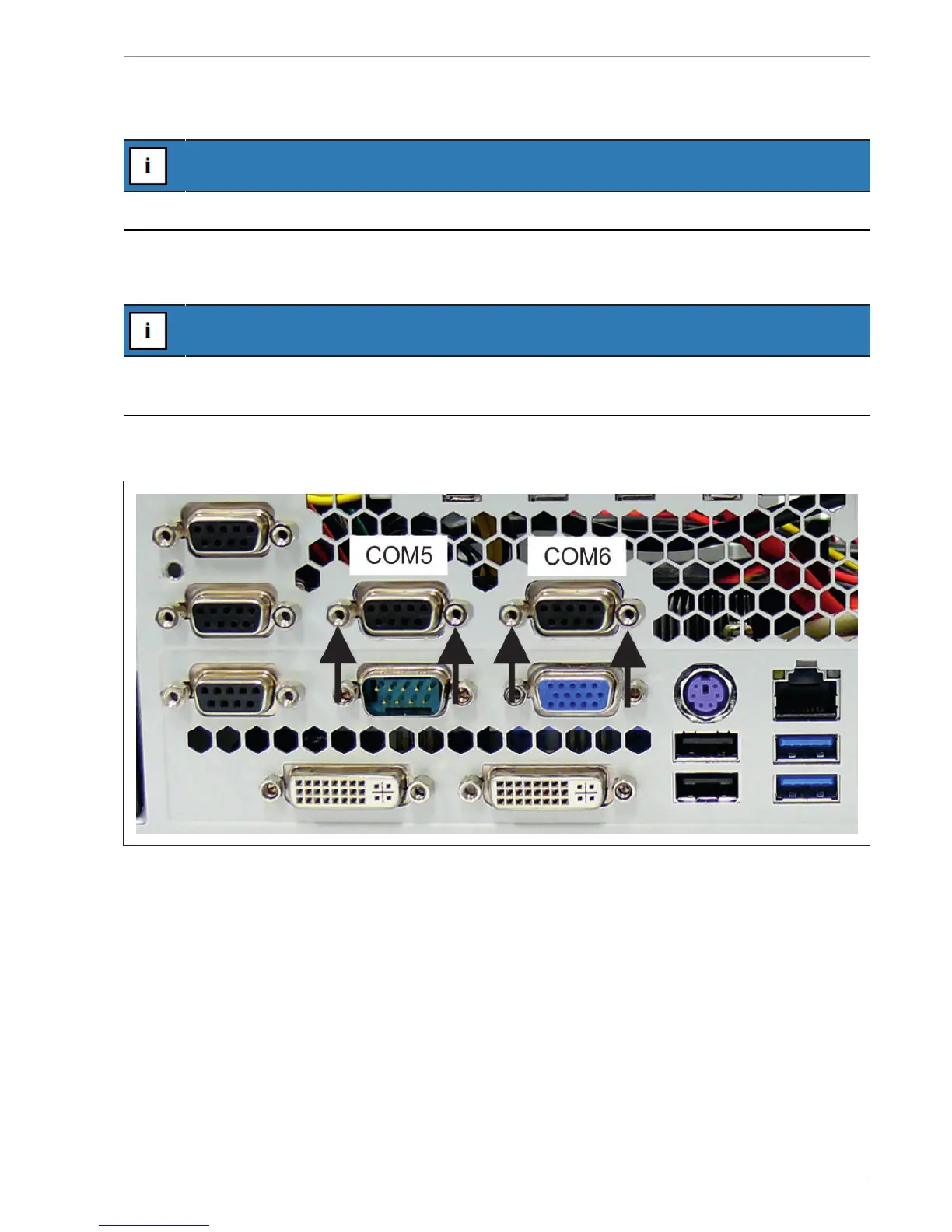
Remove two screws at each interface.
Remove the two interfaces inwards and pull the plugs from the motherboard.
Insert the new interfaces and secure them with the previously removed screws.


 To Next Page