Replacing the K1/K2 or M1/M2 motherboard
BEETLE /M-III - Service manual 77
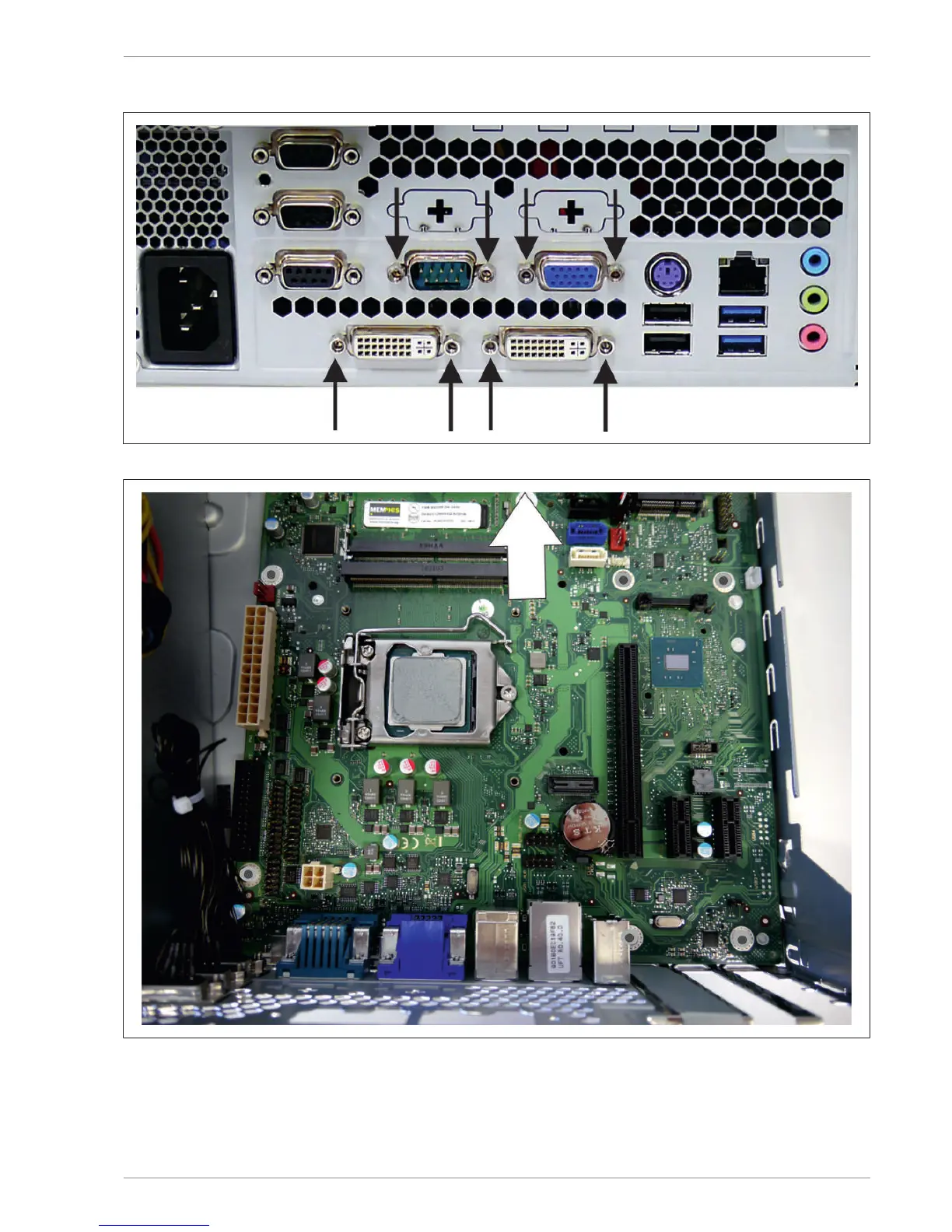
Remove the eight screws on the rear side of the BEETLE/M-III.
Lift the motherboard to the front side of the device and lift it out of the housing.
Apply the processer with the cooling element on the new motherboard (see chapter "Switching processers").
Remove the RAM strips from the old motherboard and insert them on the new motherboard (see chapter
"Memory expansion").
Set the new motherboard in the housing and follow the previous steps in reverse order.


 To Next Page