Storage Media
30 BEETLE /M-III - Service manual
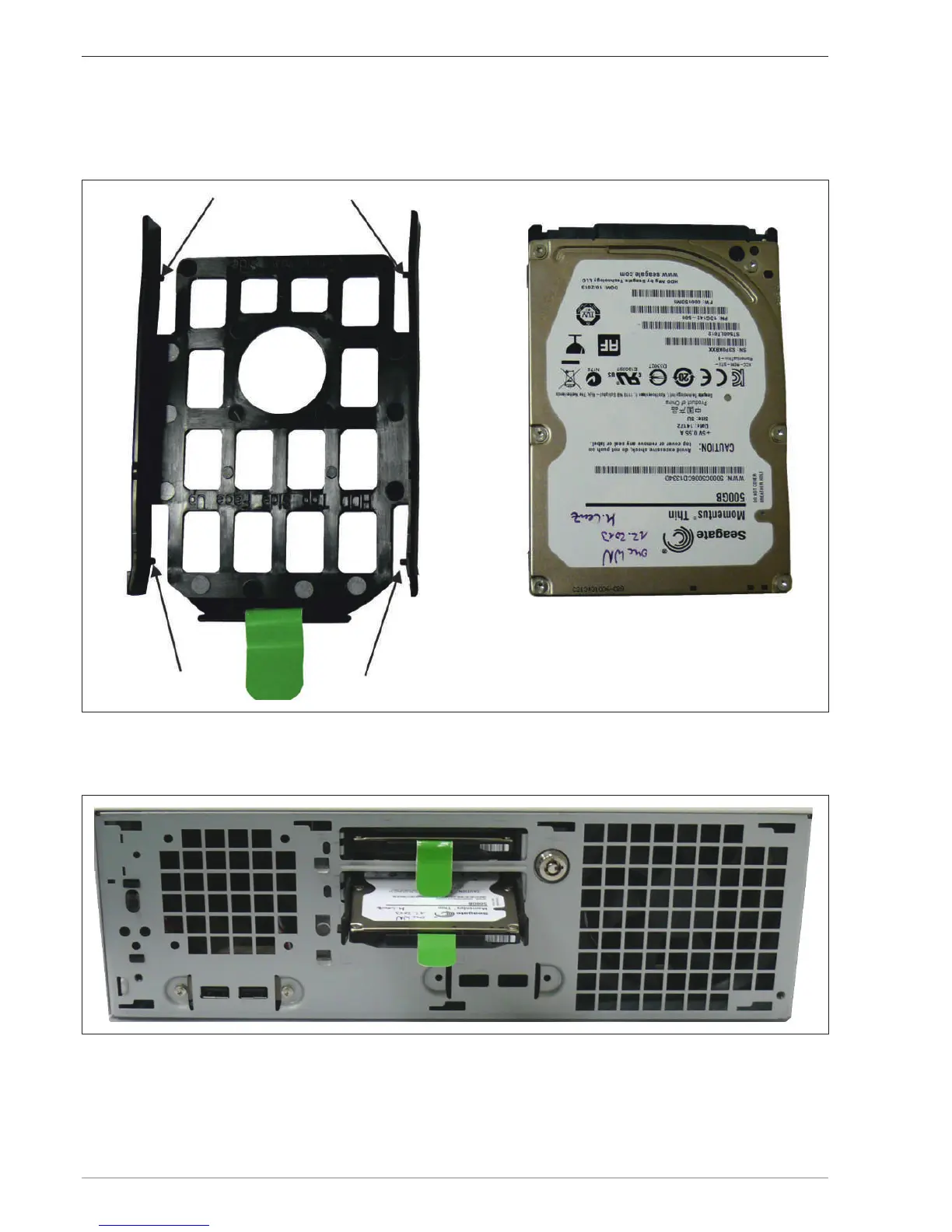
Set the new hard disk in the carrier. The knobs of the carrier (see arrows in the photo) engage thereby in the
boreholes of the hard disk and fix it in place.
When inserting the new hard disk into the carrier, take care to ensure that the terminal strip is at the back and
that the label appears at the top.
Slide the carrier into the insert point until it engages. Sliding the carrier in causes the hard disk to be connected to
the installation board of the plug-in
Proceed accordingly when replacing a second hard drive.
Lock the hard disk carrier with the key.
Insert the front panel.


 To Next Page