Document No. CO 004844K
32
Work Area
This area consumes the majority of the unit’s touch screen. All NIC
functions are displayed in the form of a tab. Using these tabs, you can
view incoming error and alarm statistics, and configure the unit for
operation.
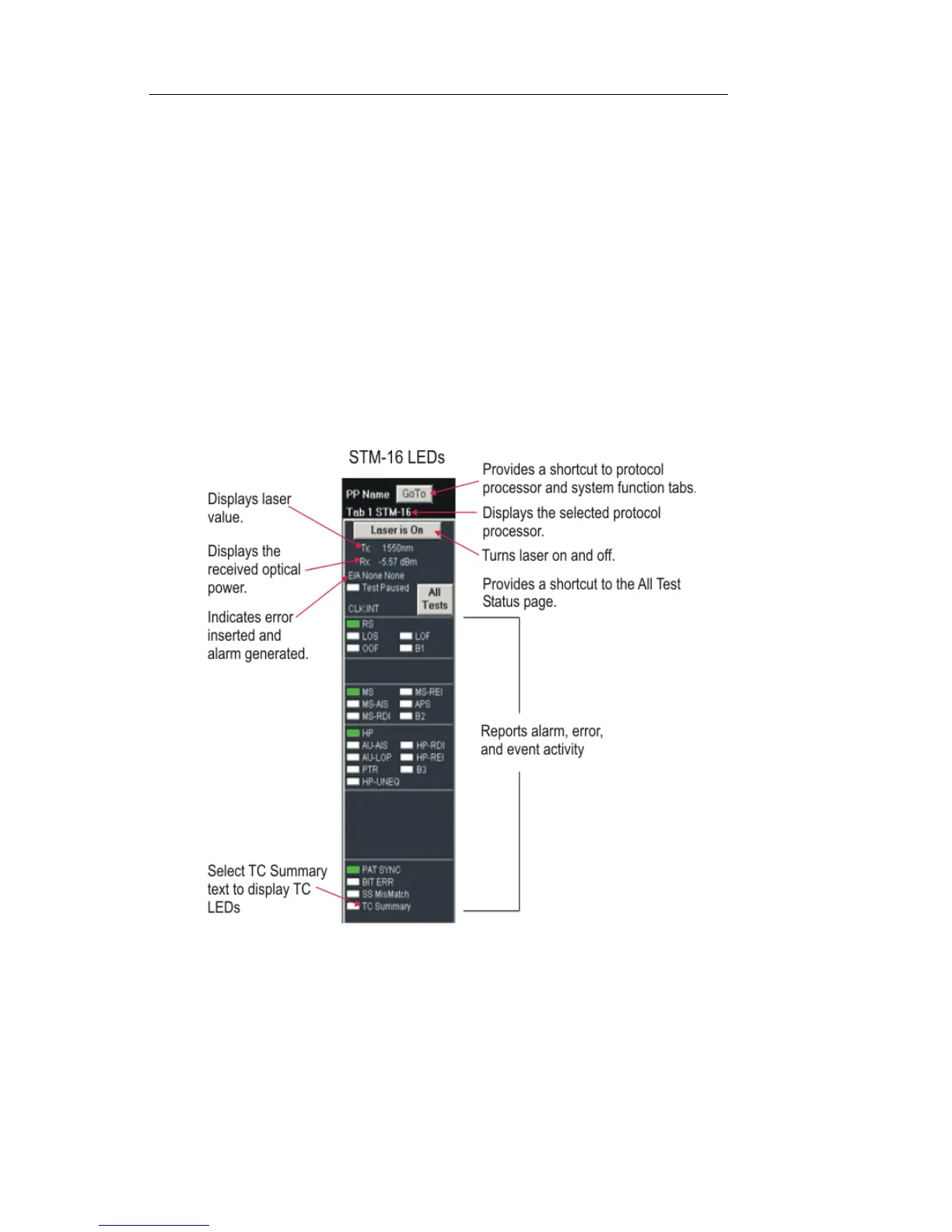
LEDs/Quick Status Area
The left side of the touch screen provides an at-a-glance view of the
selected protocol processor’s LEDs and Laser ON/Off button. The
LEDs report incoming error and alarm activity, current status, and event
history.
Using LEDs
The unit uses LEDs to report alarm, error, and event activity. These
visual cues help to narrow the focus if problems are detected on the
incoming signal and provide a starting point for problem diagnosis.


 To Next Page
 Loading...