NIC Quick Reference Guide
75
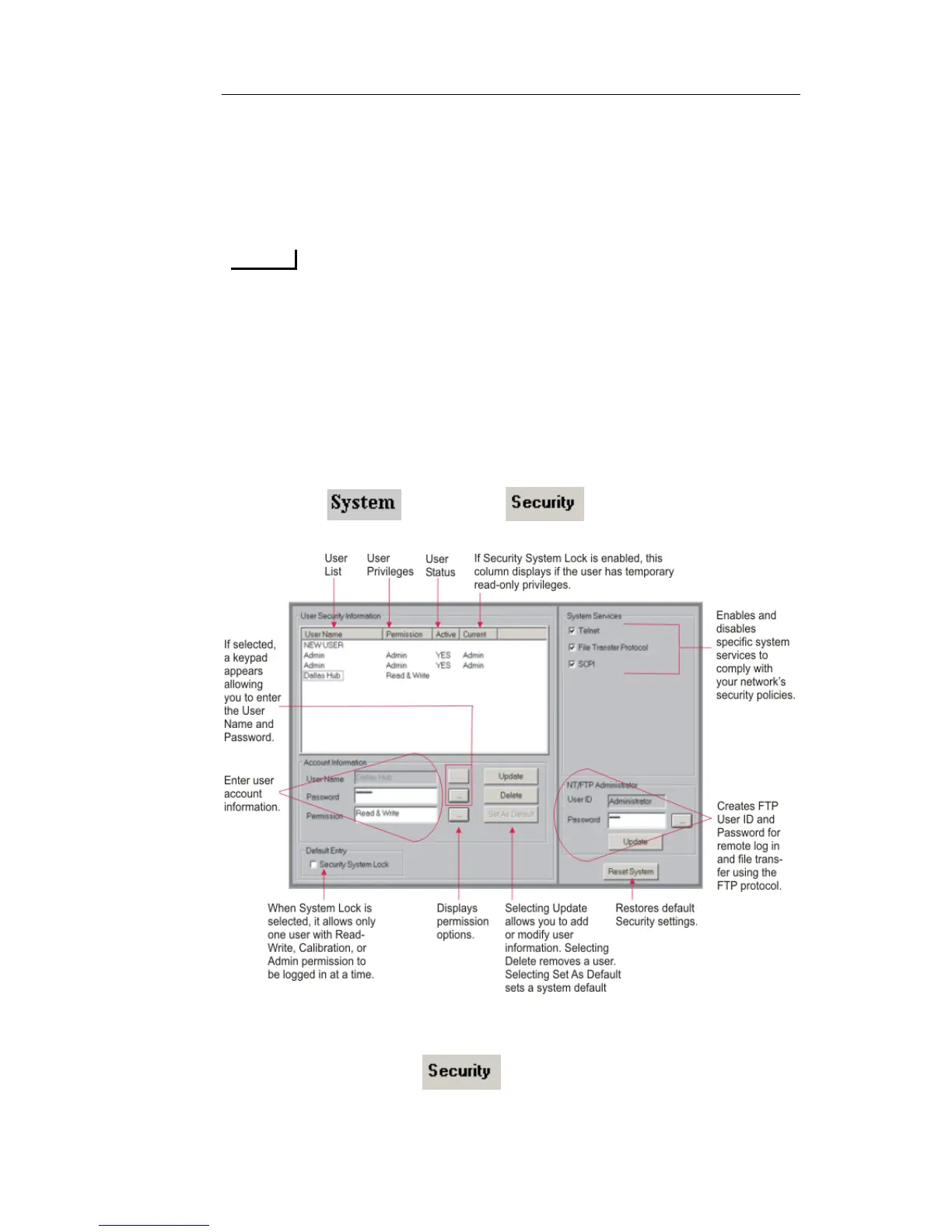
Add, delete, and update a user profile
Enable and disable the Security System Lock feature
Establish a Default Login
Establish a Required Login
Selecting Security System Lock check prevents other people from
logging onto the test set. If a user with Read and Write permissions is
already logged in, a window will appear giving you the option of
logging in with Read-Only permissions only. When the user logs on
with Read-Only permissions, all functionality will be disabled with
the exception of the online help and the About this product function.
Accessing the Security Function
1. Select and choose . The Security screen
appears.
Adding a New User
1. Select and choose . The Security screen appears.
2. From the User Name column, select NEW USER.



 To Next Page
 Loading...