This configuration gives you three throttles to control three loco address-
es or MUs.
1. The throttle knob and direction lever on your DCS50 is called the
LOCAL THROTTLE.
2. The throttle and direction controls on each of the smooth DC power
packs you are using are called respectively, JUMP 1 and JUMP 2.
3. Press the JUMP key to cycle from the LOCAL THROTTLE to
JUMP 1 to JUMP 2 and back to the LOCAL THROTTLE.
3. The functions for each throttle are controlled by the DCS50’s KEY
PAD.
4. To access function controls for each throttle, simply press the JUMP
key to cycle among the three throttles.
5. When the throttle for which you want to control functions appears on
the display, use the DCS50’s KEYPAD to change the functions. The
throttle knobs and direction controls for all three throttles will con-
tinue to control the loco selected on them while your are working
with function controls on any of the three throttles.
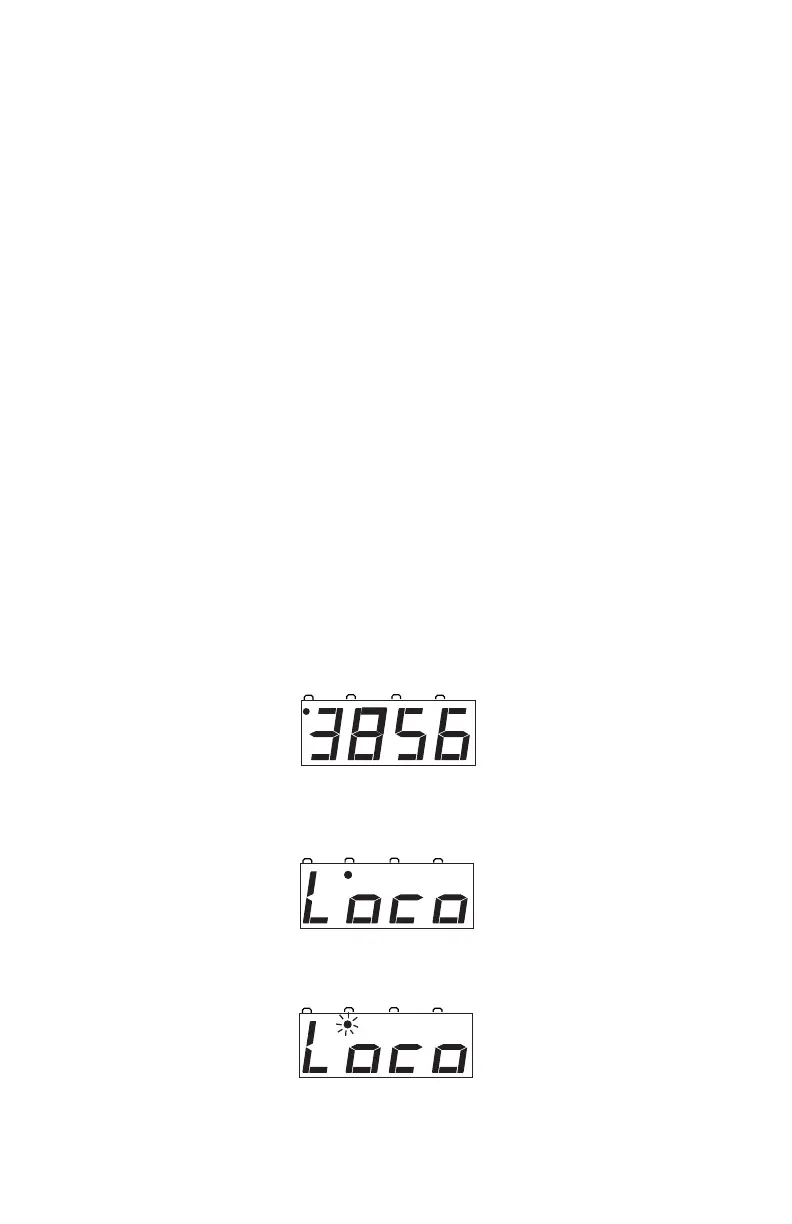
In the following example, locomotive address 3856 is selected on the
LOCAL THROTTLE and nothing is selected on either JUMP 1 or
JUMP 2.
1. The loco you are controlling on the DCS50’s THROTTLE KNOB is
called the LOCAL THROTTLE. The local throttle display looks
something like this:
2. Press the JUMP Key to view JUMP 1
3. Press the JUMP Key again to view JUMP 2
on Jump 2.
on Jump 1.



 To Next Page