4 Configurations on Web Interface
DAG2000-24/32SUser Manual
Copyright©2011-2020 Dinstar
4.2.6 Record Statistics
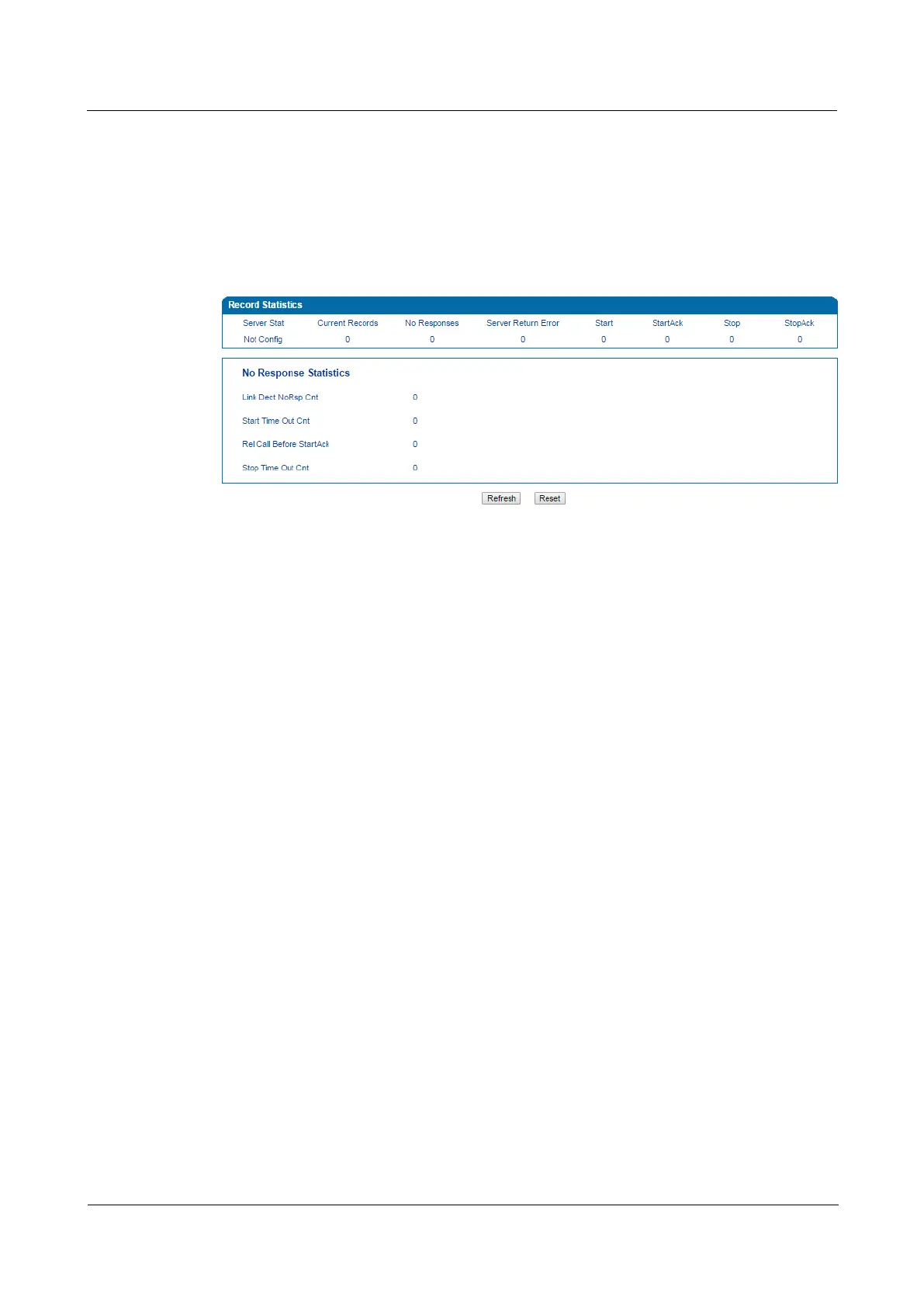
On the Status & Statistic Record Statistics page, record statistics including server status,
count of current records, count of no response, count of server return errors, count of record
starts, count of record startAck, count of record stops and count of stopAck are displayed.
Figure 4-7 Record Statistics
4.3 Quick Setup Wizard
Quick setup wizard guides user to configure the device step by step. User only needs to
configure network, SIP server and SIP port in the Quick Setup Wizard interface. Basically,
after these three steps, user is able to make voice call via the DAG2000 device.
For the configurations of network, SIP server and SIP port, please refer to 4.4 , 4.5 and 4.6 .
4.4 Network
4.4.1 Local Network
The device works under the bridge mode, WAN port and LAN port are the same. The device
serves as a four-port Ethernet switch. Under this network mode, user only needs to configure
the IP address of LAN port and DNS.
Under the route mode, the default IP address of LAN port is a DHCP IP address, while the
default IP address of the LAN port is 192.168.11.1.




 To Next Page