4 Configurations on Web Interface
DAG2000-24/32SUser Manual
Copyright©2011-2020 Dinstar
4.2.1 System Information
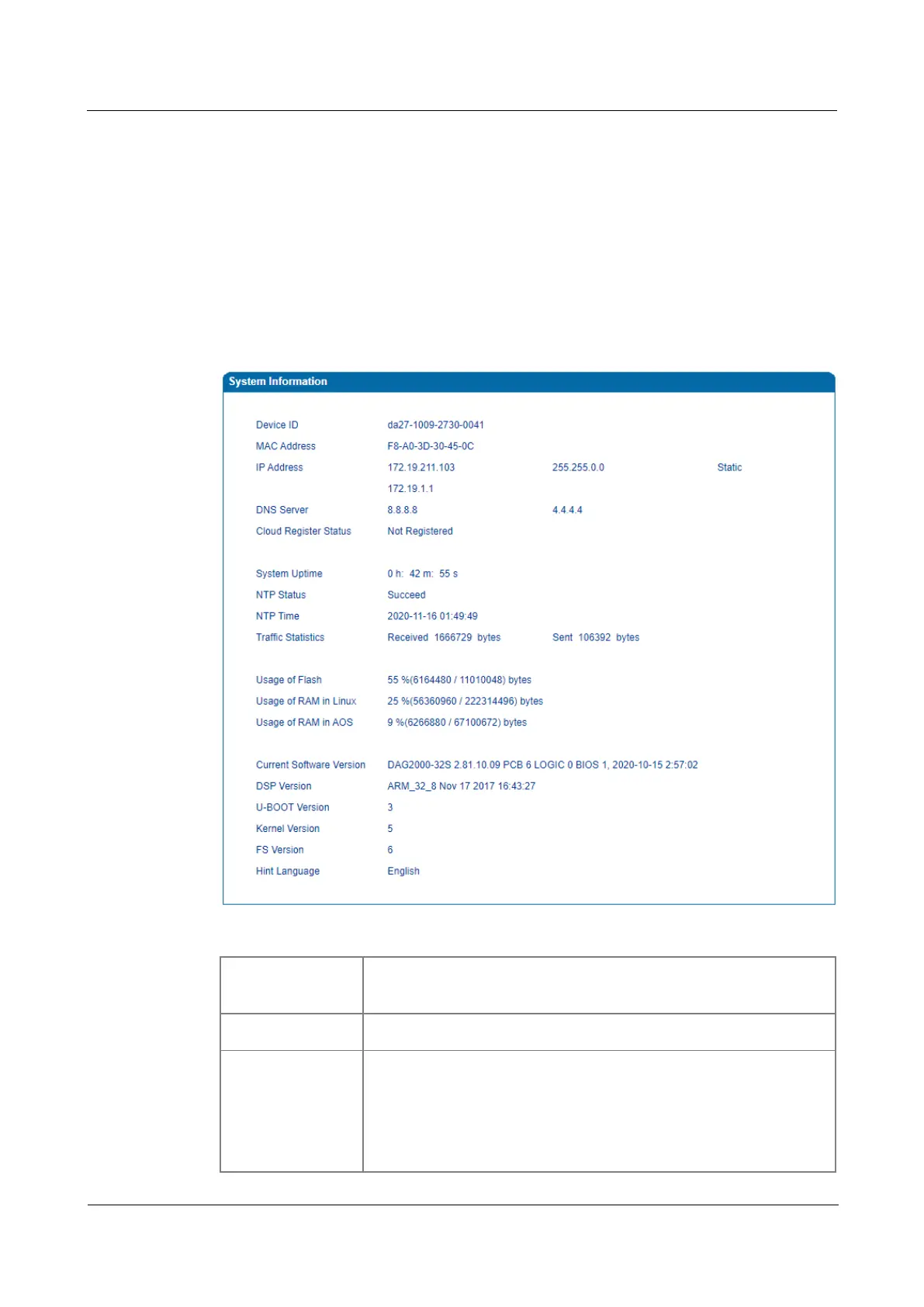
On the System Information interface, you can view the information of device ID, MAC
address, network mode, IP addresses, version information, sever register status and so on.
Log in the Web interface, and then click Status & Statistics System Information, and the
following page will be displayed. On the page, you can view the information of device ID,
MAC address, network mode, IP addresses, version information, server register status and so
on.
Figure 4-2 System Information
Table 4-1 Explanation of Items on System Information Interface:
Device ID
A unique ID of each device. This ID is used for warranty and cloud
server authentication.
Hardware address of the WAN port
IP Address
There are three kinds of IP address for the WAN port and LAN port:
DHCP: Obtain IP address automatically. DAG2000 is regarded as a
DHCP client, which sends a broadcast request and looks for a DHCP
server from the LAN to answer. Then the first discovered DHCP server
automatically assigns an IP address to the DAG2000














 To Next Page