4 Configurations on Web Interface
DAG2000-24/32SUser Manual
Copyright©2011-2020 Dinstar
4.12.8 Action URL
Action URL is a means of allowing VoIP platform/VoIP server to learn about the statuses of
the DAG2000 device. This is realized by GET request over the HTTP protocol. During the
transmission of status, some data (such as device ID, mac address, called/caller number, IP
address) carried in GET request can also be reported to VoIP platform/VoIP server.
The data that can be carried in GET request, please refer to the notes on the Management
Action URL page.
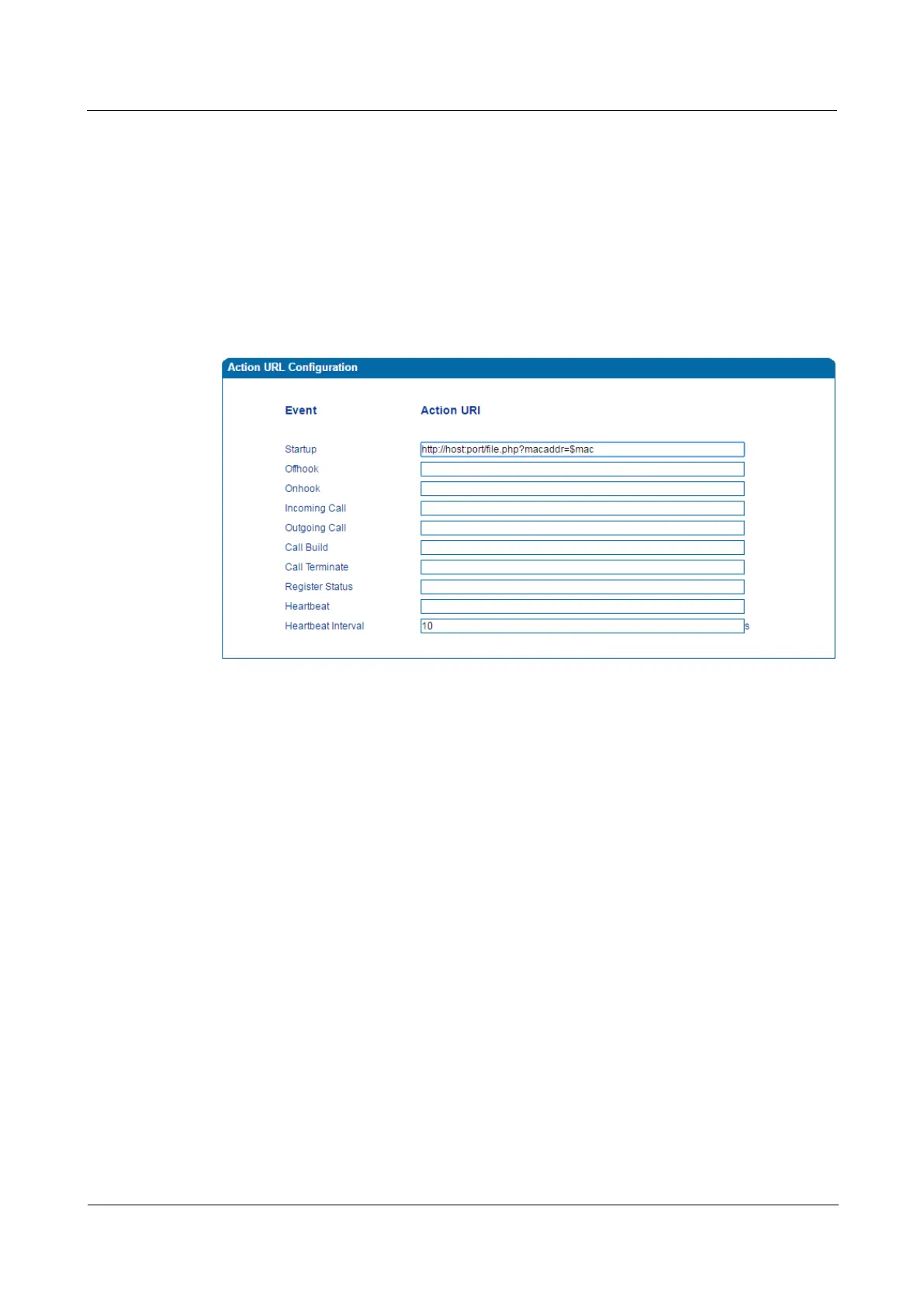
Figure 4-37 Configure Action URL
Event: Statuses of DAG2000 device, which will be reported to VoIP platform/VoIP server.
Action URL: for example, http://host:port/file.php?macaddr=$mac, among which ‘host’
means the HTTP server’s IP address or domain name, ‘port’ means the http server’s listening
port, ‘file.php’ means the script that will process this request, and ‘$mac’ means the parameter
carried in the request when this request is sent out.
Heartbeat: heartbeat packets are sent to URL by the DAG2000 device, used to examine the
connection between the DAG2000 device and HTTP/HTTP server.
4.13 Security
4.13.1 WEB ACL
ACL (Access Control List) for Web is used to configure IP addresses that are allowed to
access the Web Interface of the DAG2000 device. The IP address list can’t be null once ACL
is enabled.














 To Next Page