4 Configurations on Web Interface
DAG2000-24/32SUser Manual
Copyright©2011-2020 Dinstar
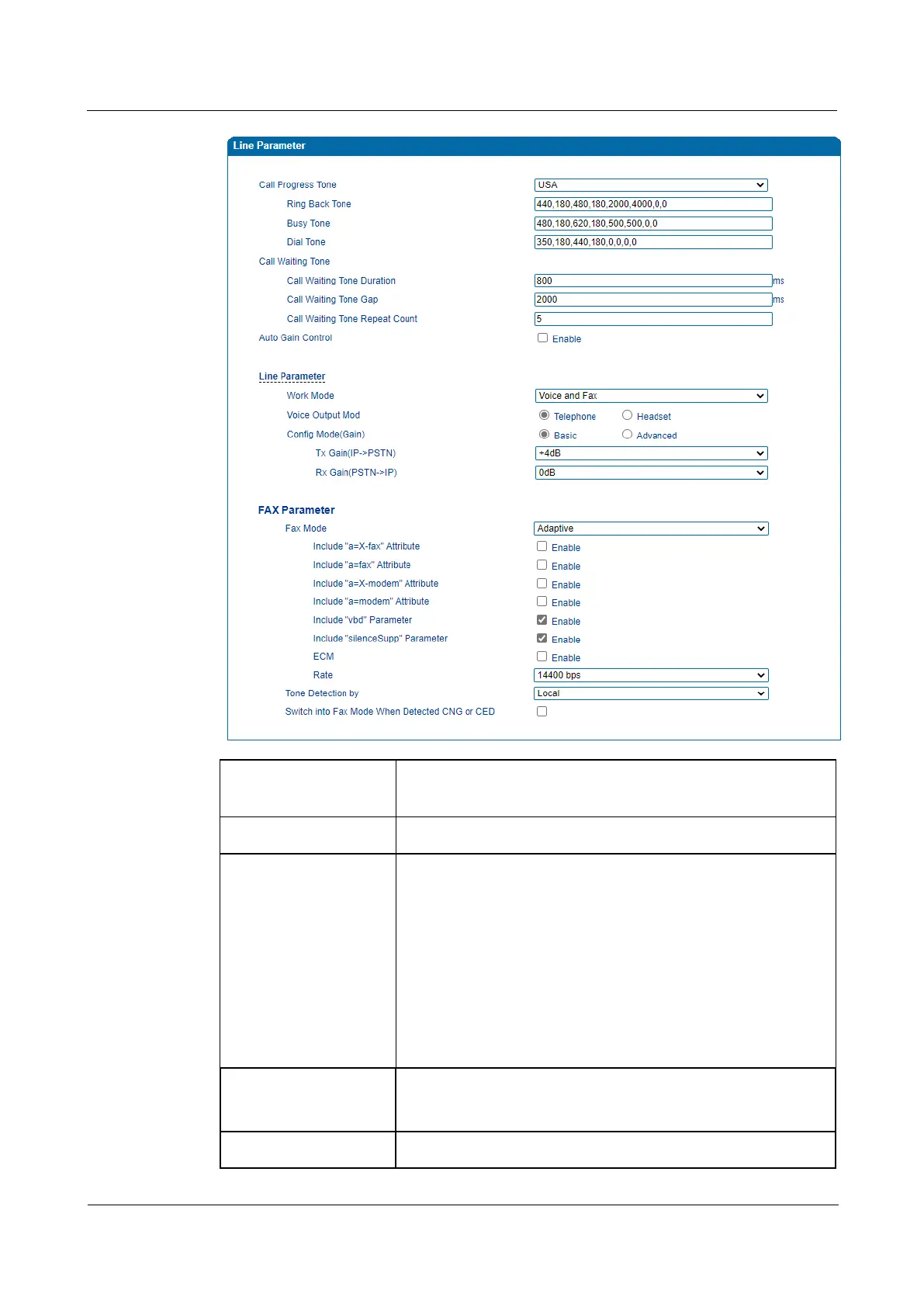
Call Process Tone
The signal tone standard after a phone is picked up. Choose
national standards from the drop-down box. Default value is USA.
Auto Gain Control Whether to enable automatic gain control
Work Mode
To set the FXS ports work in both Voice and Fax mode. There are
several configure options:
• Voice and FAX: to be able to make call and use FAX
service
• Voice Only: allows to make call only, Fax doesn’t work if
you connect a fax machine
• Fax Only: allows to make Fax call only.
• POS only: allows to connect POS terminal only
Gain mode
IP to PSTN(RX): adjust gain value to analog phone
PSTN to IP(TX): adjust gain value from analog phone
FAX Parameter
The DAG2000-24/32Sdevice supports the three fax modes: T.38














 To Next Page