4 Configurations on Web Interface
DAG2000-24/32SUser Manual
Copyright©2011-2020 Dinstar
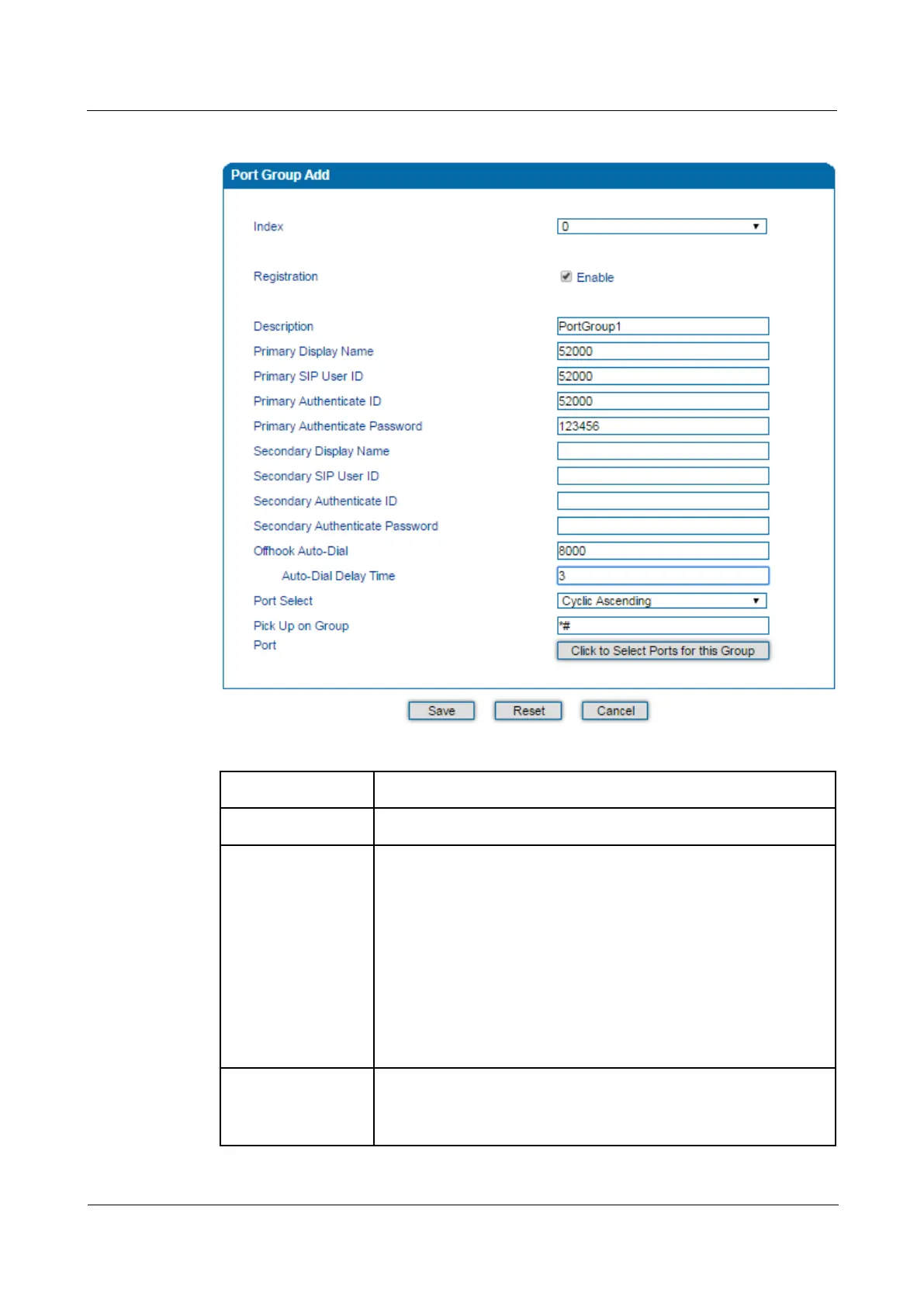
Figure 4-21 Add Port Group
Table 4-11 Parameter Explanation of Port Group
Index The NO. of the port group; It uniquely identifies a route.
Description The description of the port group; it is used to identify the port group.
Primary/Secondary
Display Name
Display name of the port group, which will be used in SIP message, for
example:
INVITE sip:bob@biloxi.com SIP/2.0
Via: SIP/2.0/UDPpc33.atlanta.com;branch=z9hG4bK776asdhds
Max-Forwards: 70
To: Bob <sip:bob@biloxi.com>
From: Alice <sip:alice@atlanta.com>;tag=1928301774
Here Bob and Alice is the display name
Primary/Secondary
SIP User ID
User ID of this SIP account, which is
provider (ITSP). It is usually in the form of digit similar to phone
number or an actual phone number.














 To Next Page