1 Product Introduction
DAG2000-24/32SUser Manual
Copyright©2011-2020 Dinstar
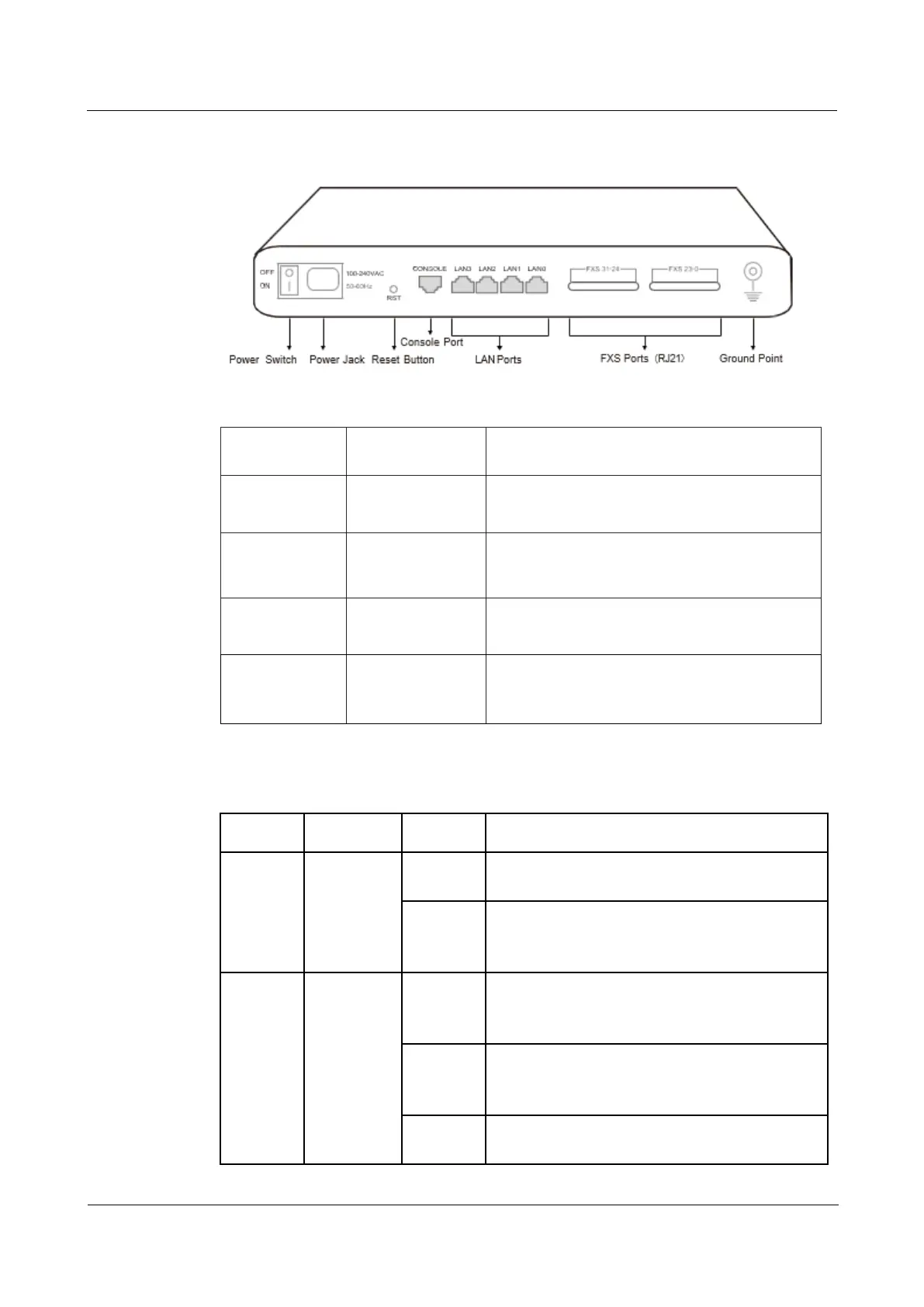
The description of interfaces of DAG2000-24/32S
Port Name Connector Description
Power Jack Power Jack
To connect 100-240V AC 50-60HZ power
supply
LAN Port RJ45
to connect to the IP network over a DSL modem
or Router or a LAN switch
FXS Ports 0-31 RJ11
FXS ports to connect standard analog phone or
FAX machine or a PBX
Console Port RJ48
Console port is used to carry out
maintenance-related configurations
The description of indicators of DAG2000-24/32S
Indicator Definition Status Description
PWR Power
Indicator
On The gateway is powered on
Off The gateway has no power input or power supply
is abnormal
RUN Running
Indicator
Slow
Flashing
The gateway is running properly
Fast
Flashing
SIP account is registered successfully
Off The gateway is running improperly














 To Next Page