EasyManua.ls Logo

Dinstar UC100 - Operation Log

Dinstar UC100
62 pages
Print Icon
To Next Page IconTo Next Page
To Previous Page IconTo Previous Page
Loading...
UC100 User Manual
23
Copyright @ 2011-2015 Dinstar
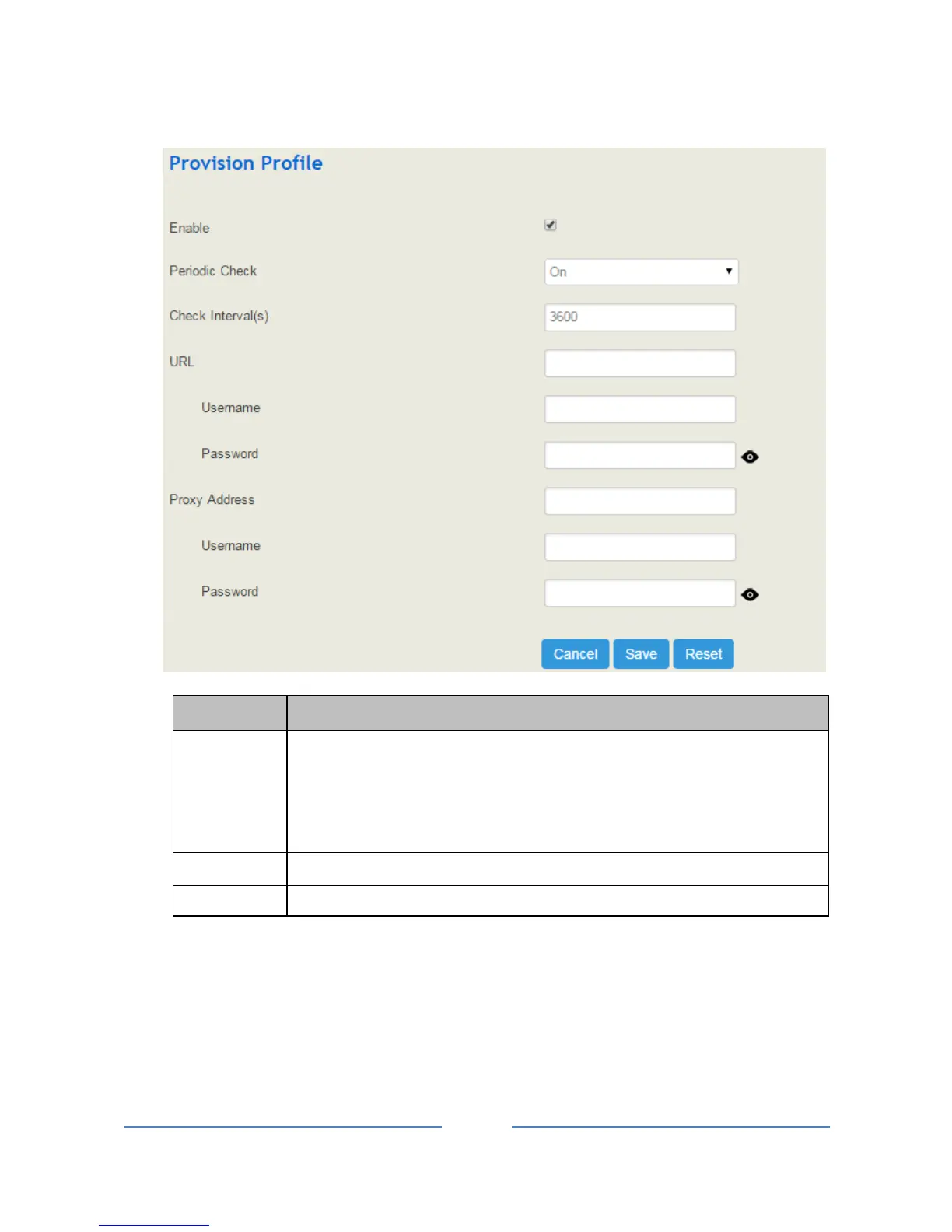
Parameter
Explanation
URL
The URL of the http/ftp/tftp server
for example:
ftp://172.16.77.200/home
tftp://172.16.77.200/provision.xml
http://test.domain.com/test
username
The login username of the http/ftp/tftp server
Password
The login password of the http/ftp/tftp server
Note: Proxy Address, Proxy Username and Proxy Password are optional to be configured.
4.4.4 Operation Log
The logs tracing the operations carried out on the Web can be queried on the System Operation Log
interface. You are allowed to set query criteria to query the logs that you want and to export the logs through
clicking the Export button at the top-right corner.

Table of Contents

Other manuals for Dinstar UC100

Related product manuals