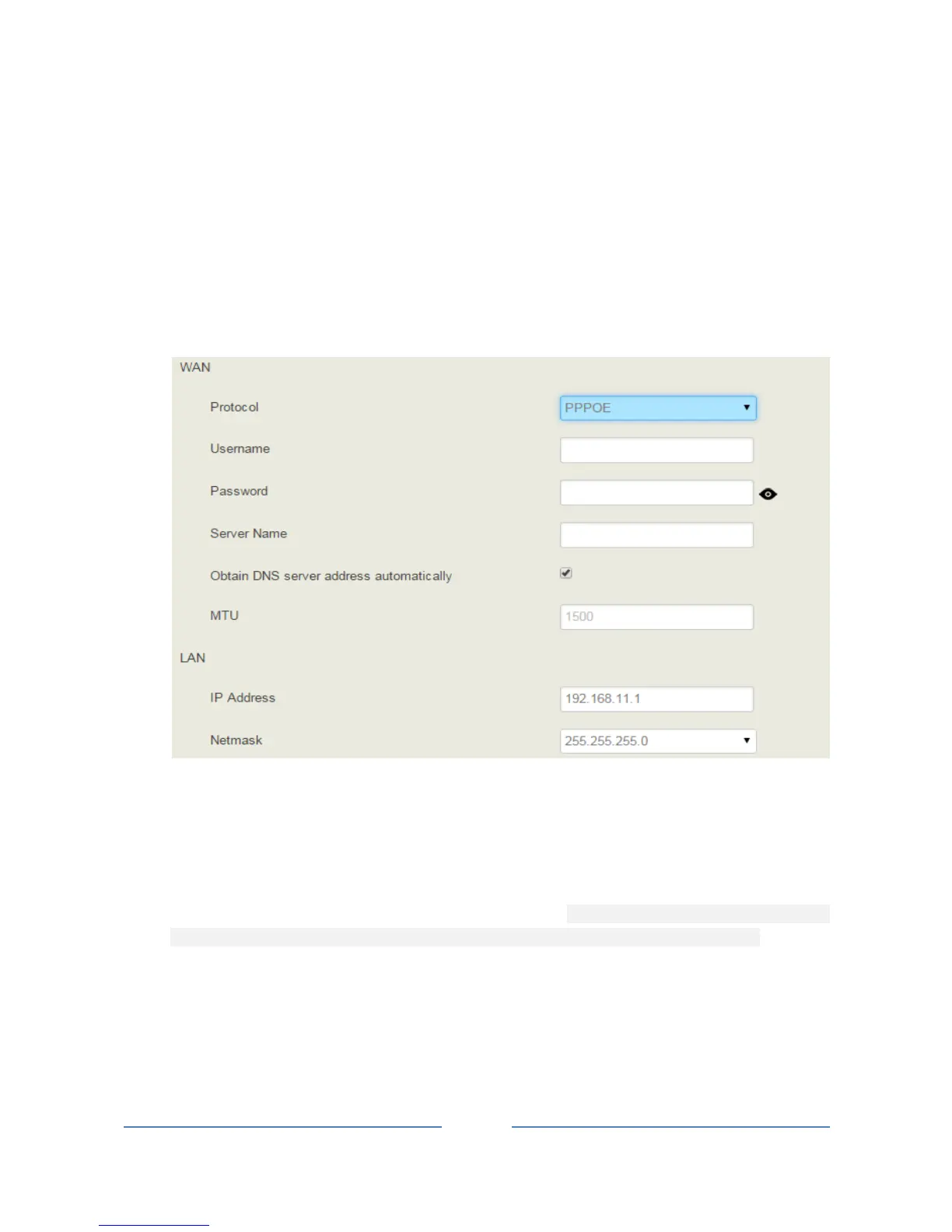
PPPoE:
PPPoE is an acronym for point-to-point protocol over Ethernet, which relies on two widely accepted
standards: PPP and Ethernet. PPPoE is a specification for connecting the users on an Ethernet to the Internet
through a common broadband medium, such as a single DSL line, wireless device or cable modem. PPPOE
IP address refers to IP address assigned through the PPPoE mode.
If you choose PPPoE, you need to fill in to fill in the following information:
Username: the account name of PPPoE
Password: the password of PPPoE
Server Name: the name of the server where PPPoE is placed
Note: The default IP address of WAN port is a DHCP IP address, but in actual conditions, the IP address of
WAN port is more often set as a static IP address.
4.5.2 Access Control
The access ports of Web, Telnet and SSH, as well as relevant on-off controls, can be configured on the
Access Control interface. Web supports http and https, while SSH supports OAuth 2.0 protocol.














 To Next Page