1 Product Description
1.1 Overview
UC100 is a multi-functional and all-in-one gateway, which integrates voice service and data service. It
provides three voice ports (including GSM, FXS and FXO), offering seamless connectivity to Vo IP Network,
PLMN and PSTN. Based on SIP, it not only can interacts with VoIP network, but also supports four types
of GSM frequency ranges, thus meeting the worldwide requirements about the mobile network. UC100
supports WiFi and has high-speed data-handling capacity, allowing users to enjoy high-speed internet surfing
through WiFi or the LAN port.
With VPN transparent transfer function, UC100 is ideally suitable for personal use. Meanwhile, it is perfect
for small and micro enterprises, providing high-speed internet access, good voice service as well as message
service.
1.2 Application Scenario
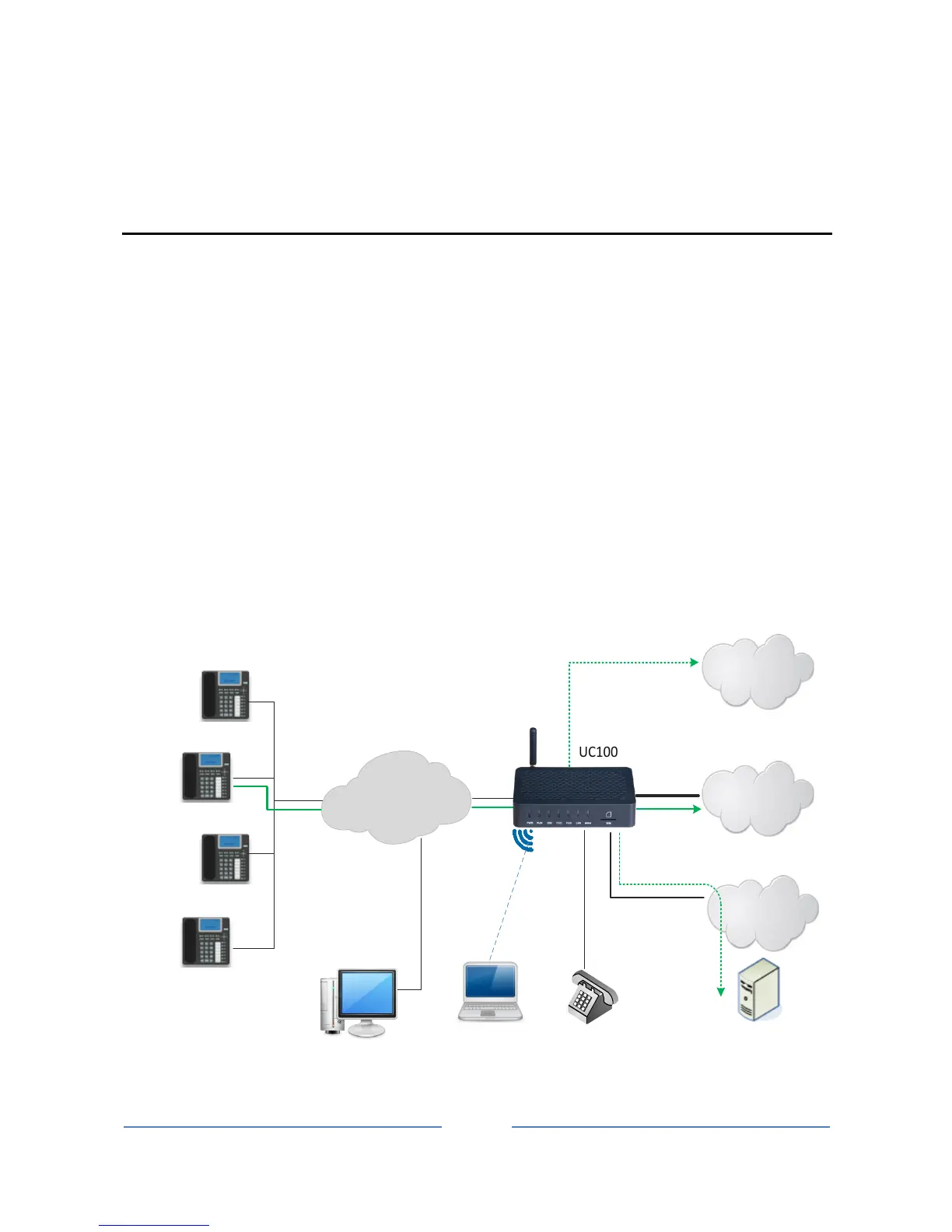
UC100 provides high-quality and cost-effective VoIP solution. Its application scenario is shown as follows:














 To Next Page