EasyManua.ls Logo

Dinstar UC100 - Time; Manipulation

Dinstar UC100
62 pages
Print Icon
To Next Page IconTo Next Page
To Previous Page IconTo Previous Page
Loading...
UC100 User Manual
41
Copyright @ 2011-2015 Dinstar
4.6.5 Time
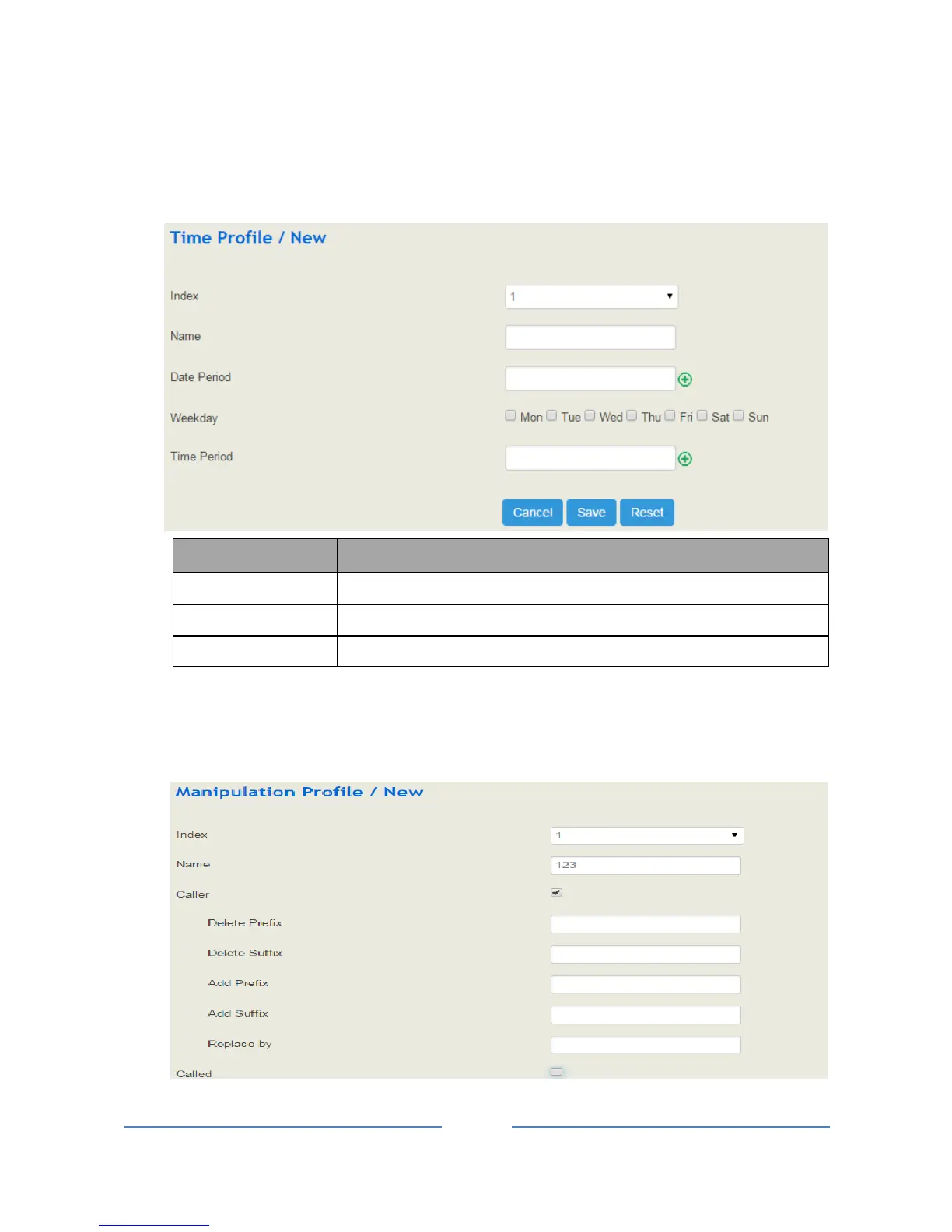
On the Profile Time interface, you can set a time period for calls. When the calling time of a call falls
into the set time period, the call will be passed to choose a route.
Click the New button, and you will see the following interface:
Parameter
Explanation
Date Period
Choose a start date and an end date
Weekday
Choose a weekday
Time Period
Choose start and end time
4.6.6 Manipulation
Number manipulation refers to the change of a called number or a caller number during calling process when
the called number or the caller number matches the preset rules.

Table of Contents

Other manuals for Dinstar UC100

Related product manuals