EasyManua.ls Logo

Dinstar UC100 - Trunk; SIP Trunk

Dinstar UC100
62 pages
Print Icon
To Next Page IconTo Next Page
To Previous Page IconTo Previous Page
Loading...
UC100 User Manual
47
Copyright @ 2011-2015 Dinstar
Parameter
Explanation
Name
The name of the ring group
Members Select
Select the FXS extension and an SIP extension or several SIP extensions ;
Strategy
The strategies for choosing which SIP extension to ring, including Sequence
(Ascending), Sequence (Cyclic Ascending), Simultaneous and Random
Ring Group Number
The called number
DID
Same with Ring Group Number; it is optional to fill in.
Note: If ring group function has been set, the call forwarding function is unavailable.
4.8 Trunk
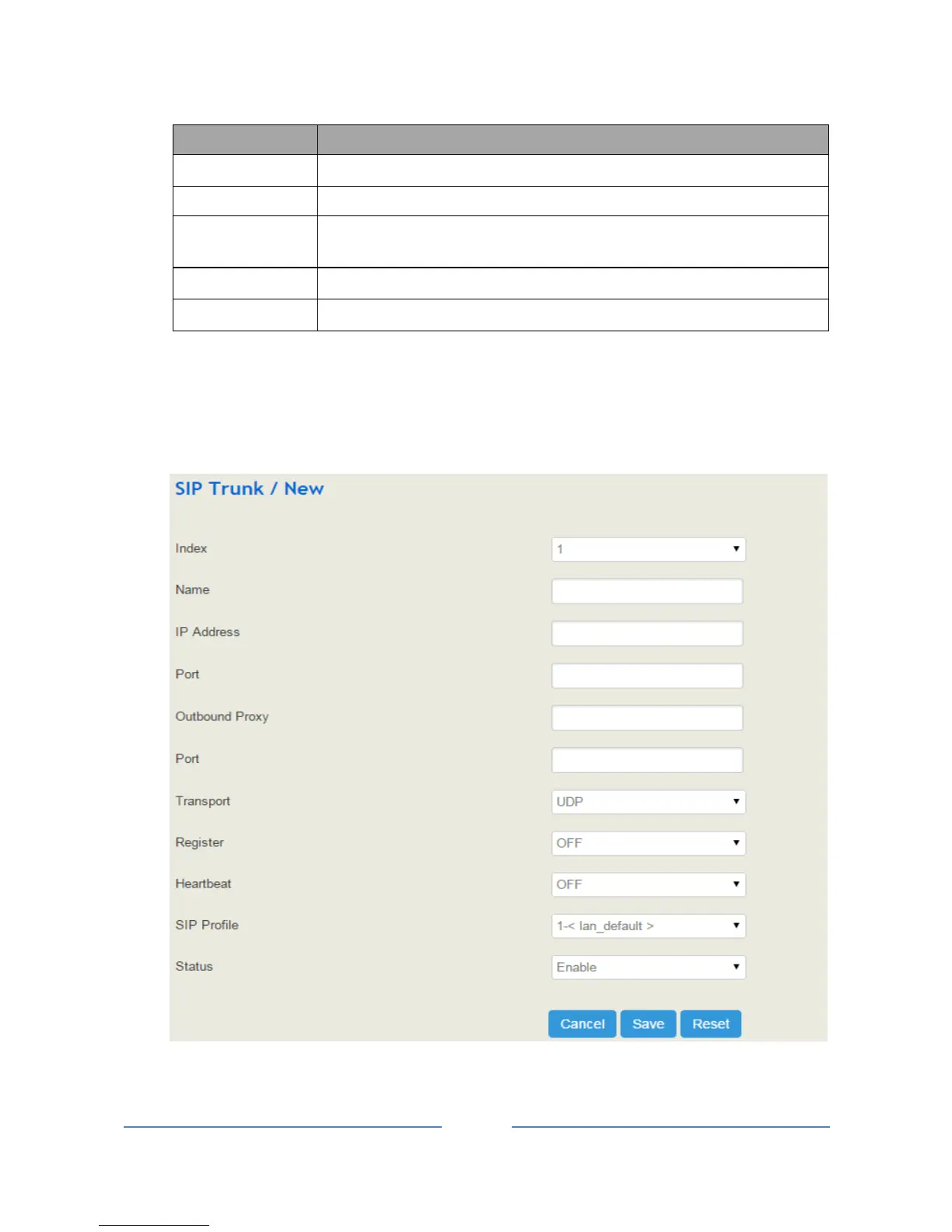
4.8.1 SIP Trunk
SIP trunk can realize the connection between UC100 and IPPBX or SIP servers.

Table of Contents

Other manuals for Dinstar UC100

Related product manuals