EasyManua.ls Logo

Dinstar UC100 - Call Control

Dinstar UC100
62 pages
Print Icon
To Next Page IconTo Next Page
To Previous Page IconTo Previous Page
Loading...
UC100 User Manual
50
Copyright @ 2011-2015 Dinstar
network.
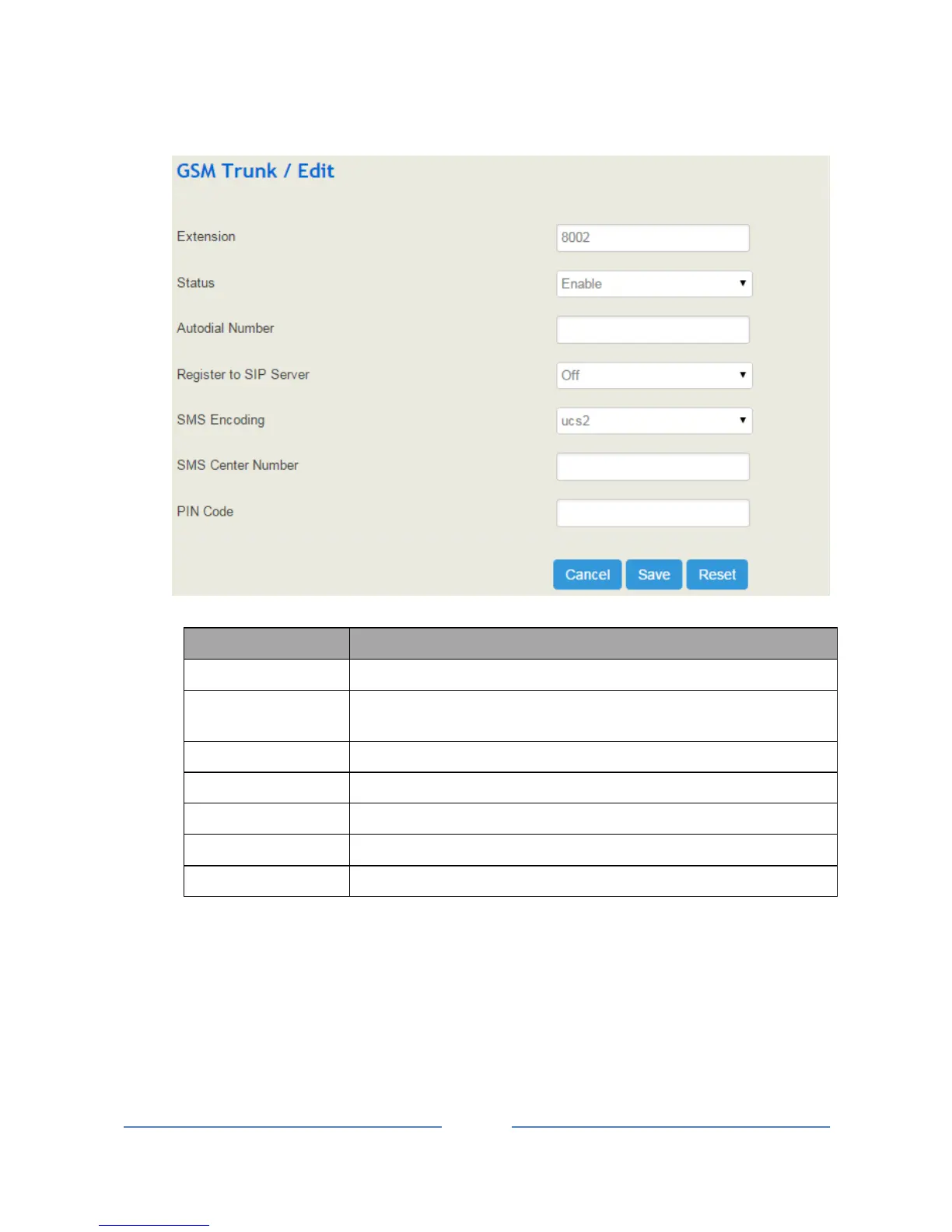
Parameter
Explanation
Extension
The registered SIP account of the GSM port
Status
If it is enabled, it means the GSM trunk is available; otherwise, the GSM
trunk is unavailable
Autodial Number
The autodial number for incoming calls through GSM port
Register to SIP Server
Whether to register the GSM trunk to SIP server
SMS Encoding
uc s2 or 7bit
SMS Center Number
The SMS center number of SIM card provider
Pin Code
The Pin code of SIM card
4.9 Call Control
This section is to configure the routes and trunks for incoming and outgoing calls through UC100, as well
as IVR, SMS, fax and call-related security.

Table of Contents

Other manuals for Dinstar UC100

Related product manuals