2 • Features
Doc. 031879-01 3/03 2-15
System Controls Overview
This section provides brief descriptions of the various controls available
on the ICS-1000 System Control Panels.
NOTE The examples are from the traditional style of panel.
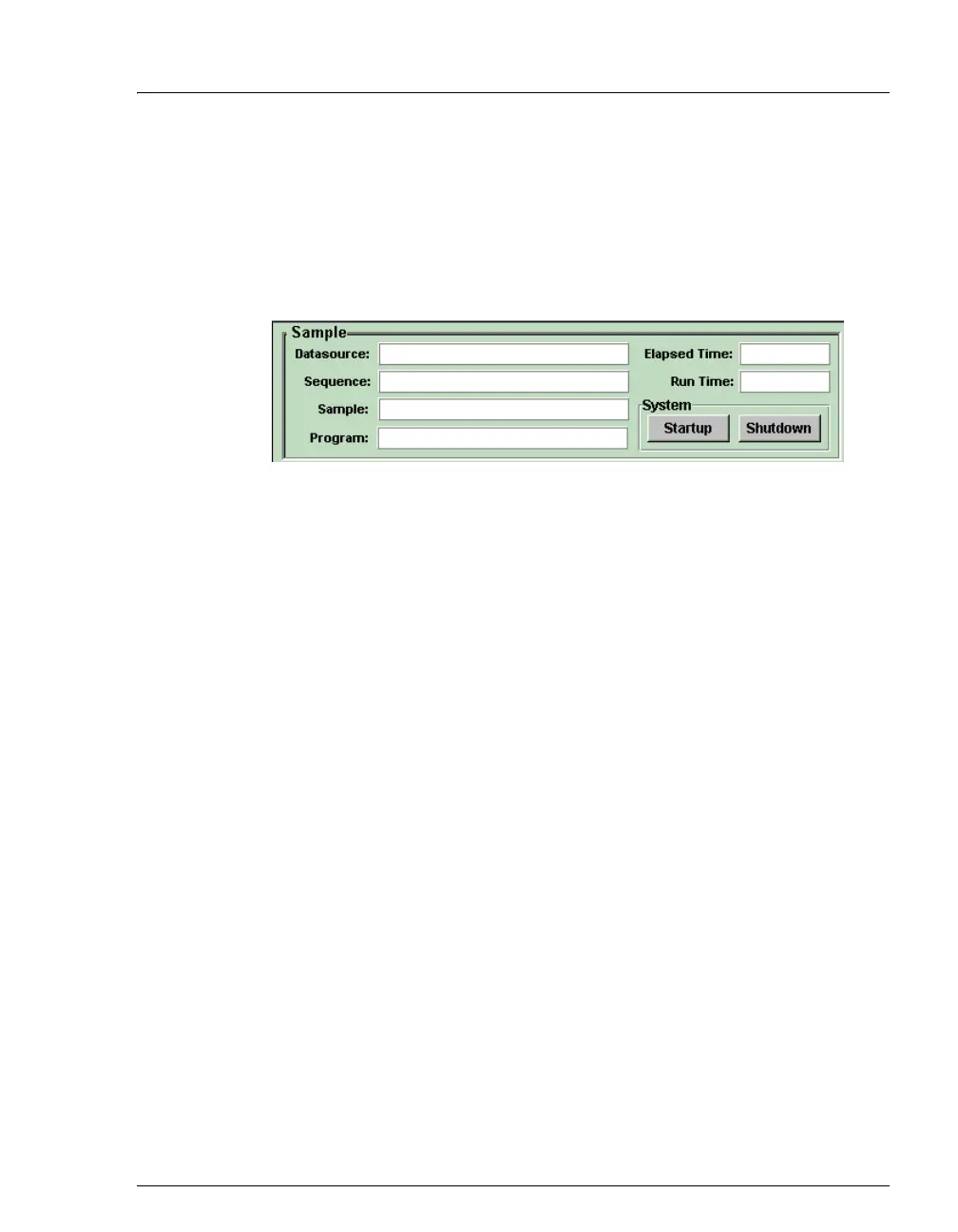
Sample
System
Datasource
Displays the database in which the chromatographic data for the sample
is saved.
Sequence
Displays the sequence in which this sample is included.
Sample
Displays the name of the sample that is running.
Program
Displays the name of the program that is running.
Elapsed Time
Displays the time that has elapsed since the sample analysis began.
Run Time
Displays the total run time.
Startup
Starts the pump and suppressor. The flow rate and suppressor current
settings that were in effect at system shutdown (see below) are restored.
Shutdown
Stops the pump and suppressor. The flow rate and suppressor current
settings currently in effect are remembered and will be restored at
system startup (see above).


 To Next Page