2 • Features
Doc. 031879-01 3/03 2-17
Column Heater (Optional)
Detector
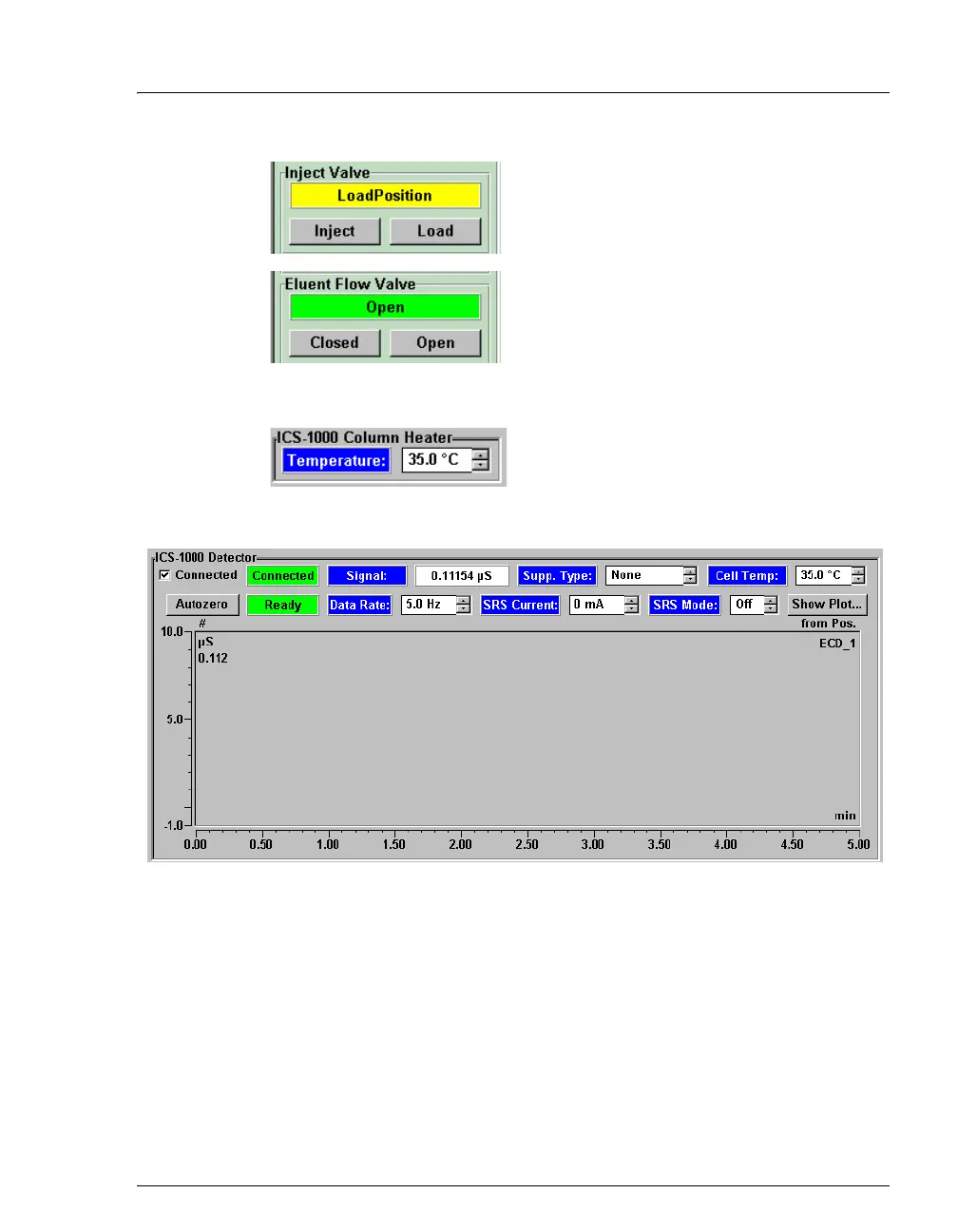
Inject Valve
Displays the current position of the inject
valve. The
Inject and Load buttons select the
position.
Eluent Flow Valve
Displays the current position of the eluent
flow valve. The
Closed and Open buttons
select the position.
Set Temp
Sets the temperature of the column heater.
Connected
Connects the ICS-1000 to the Chromeleon Control Panel, enabling
communication between the PC and the module. Clearing the Connected
check box disconnects the ICS-1000 from the PC.
Autozero
Sets the conductivity to zero.
Ready
Indicates if the detector is ready to begin data acquisition.


 To Next Page