46
CHAPTER 13 EVOLVE CONFIGURATION
EVOLVE is an Android TV™ powered set-back box that seamlessly integrates streaming apps, live linear
programming and casting into one customizable solution for the hospitality industry. EVOLVE oers guests a more
intuitive way to engage with content from their mobile devices using their room’s TV. Please refer to the EVOLVE
User Manual and EVOLVE Installation Manual for more detailed information and setup instructions of EVOLVE.
EVOLVE functionality requires 1.1 Satellite Receiver Blades that need to be authorized for EVOLVE as well as DRM
Pro:Idiom, Output QAM, and/or Output IP.
You will need to authorize your SMARTBOX for EVOLVE as well as DRM Pro:Idiom, Output QAM, and/or Output
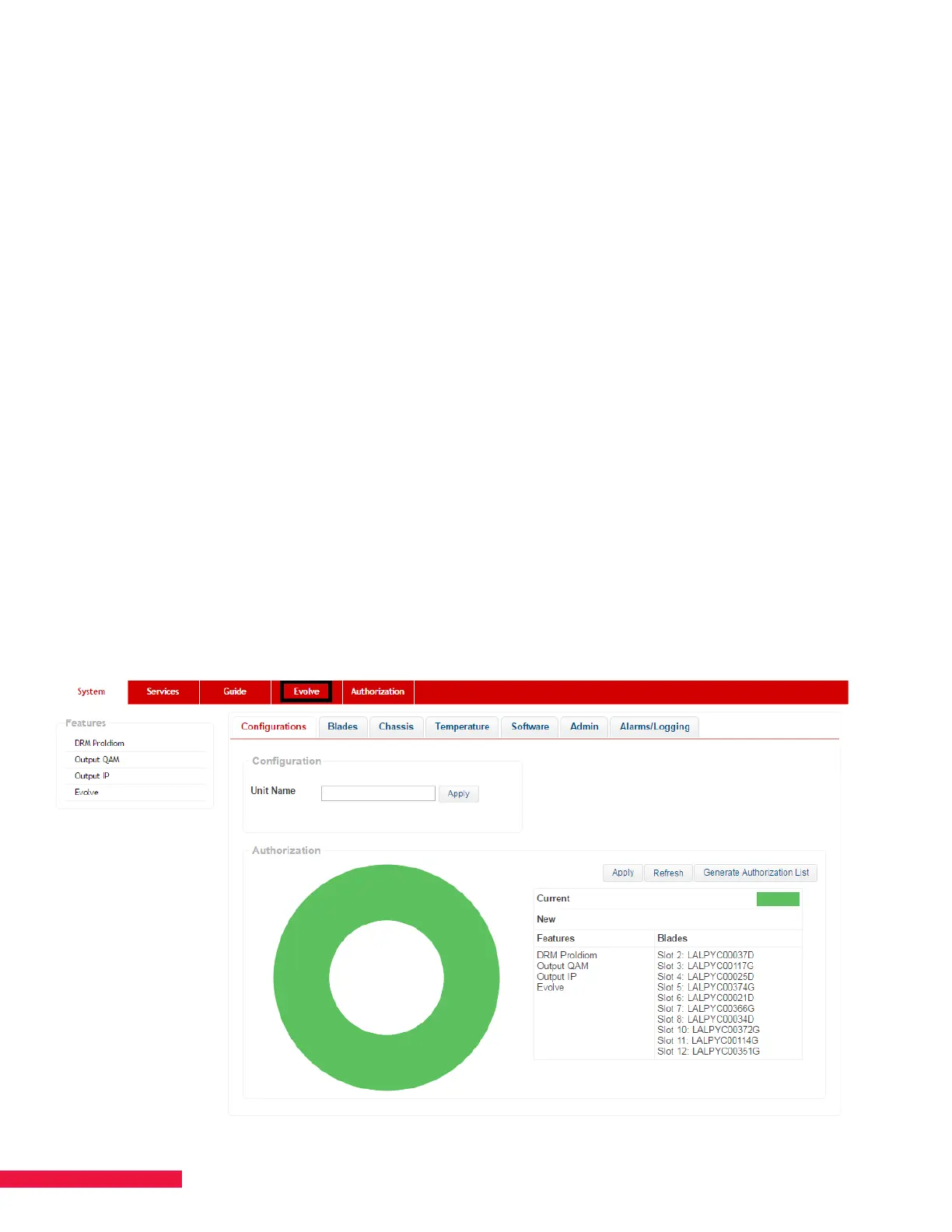
IP. Once authorized for EVOLVE, you will see a new page titled EVOLVE between the Guide and Authorization
pages (See Figure 24.). Please refer to Chapter 6 AUTHORIZE SMARTBOX for details on how to authorize your
system.
You will need to configure SMARTBOX by going through the standard process. Once the satellite feeds,
authorizations, and services configurations have been applied, you can proceed to the EVOLVE page. The
EVOLVE page is used to load all files for EVOLVE functionality and set zone-channel access.
NOTES:
• When configuring QAM services for EVOLVE, do not use QAM channels 2-6. EVOLVE will not receive or
display those services. EVOLVE reserves those for use with DOCSIS.
• It is not advised to enter any text in the “Name” field when configuring services for use with EVOLVE.
It will prevent EVOLVE from displaying the channel logo in the guide.
Figure 24. The EVOLVE Page


 To Next Page