59
CHAPTER 18 STATUS, WARNINGS, AND FAULTS
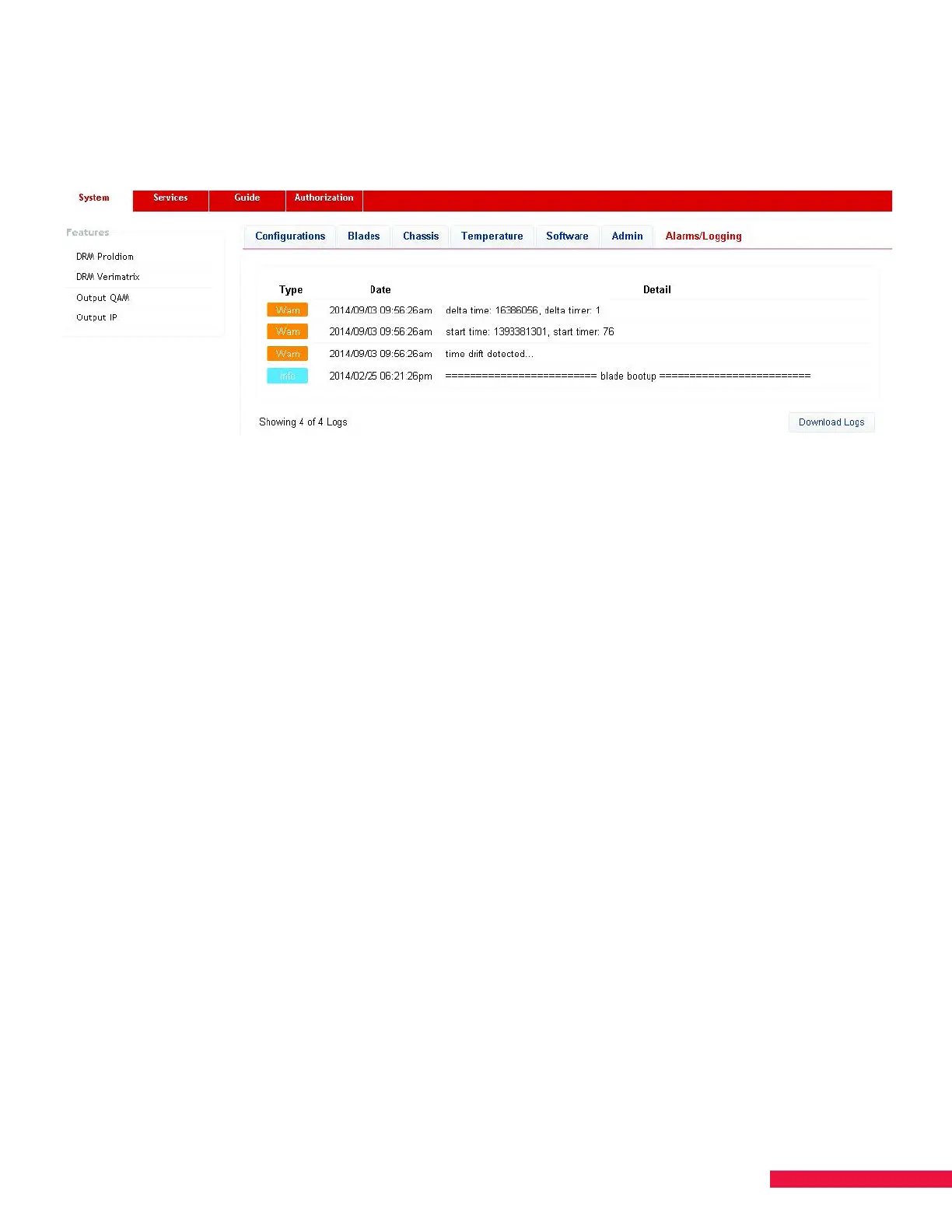
Log history data is provided on the Alarms/Logging tab found on the System page. The Download Logs button
creates a .txt file containing logged events (See Figure 37.).
Figure 37. Alarms/Logging
SMARTBOX alarm messages are triggered by the following events:
• A feature has been added/removed
• A blade has been removed or a blade has reset
• A change in service descrambling status has occurred
• Tuner(s) lost lock (slot number and tuner number)
• Over-temperature warning/fault occurs
• Fan fault (including fan number) occurs
• Transcoder module chip failure or reset
• NTSC chip reset
• More than 100 CERs occur within a minute (number of CERs, service, slot number, and tuner number)
• Non-service impacting internal system processes


 To Next Page