50
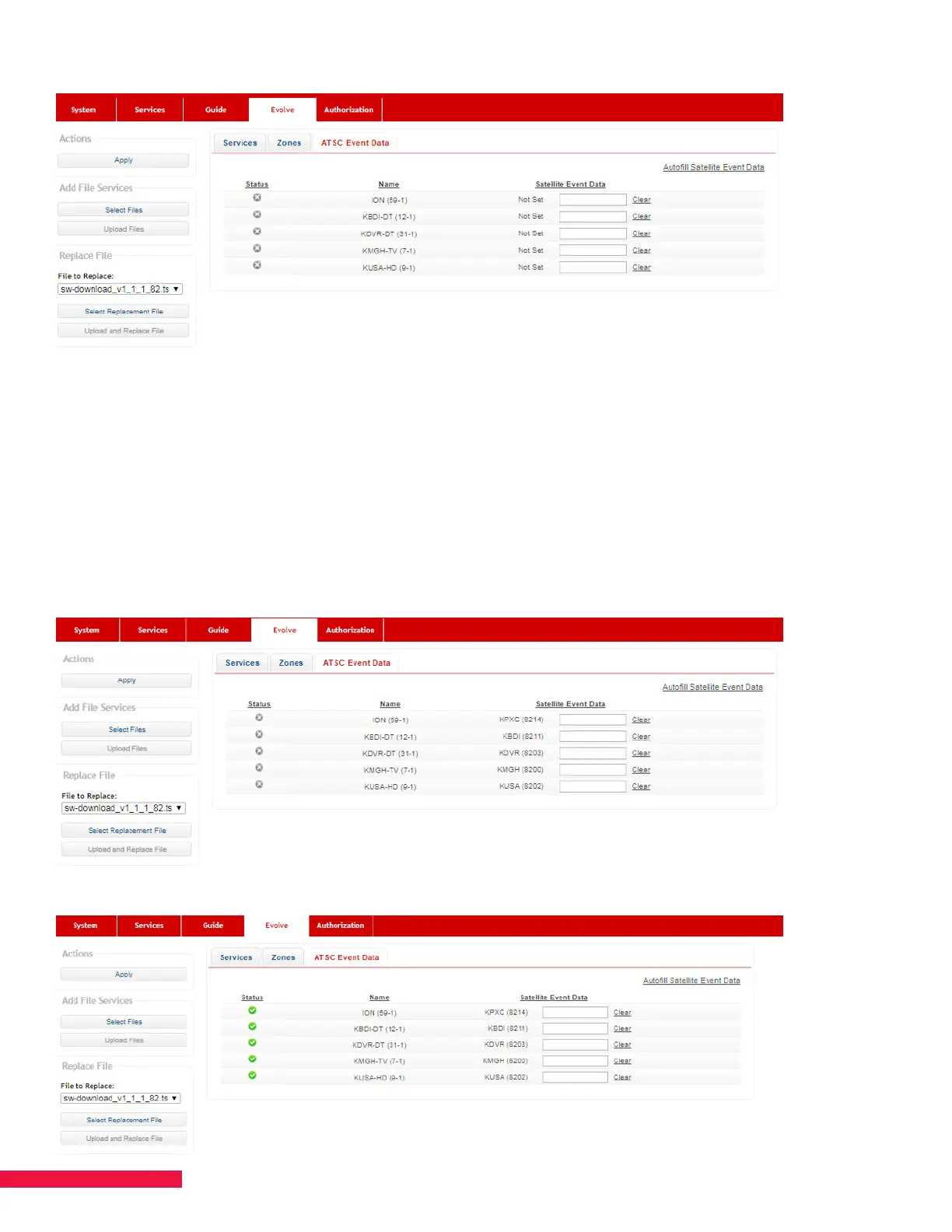
Figure 29
You can either set each corresponding satellite channel automatically or manually.
Automatic Process
Select the “Autofill Satellite Event Data” option in the top right corner. The SMARTBOX will list under the Satellite
Event Data section the correlating satellite channel to each ATSC channel (See Figure 30.). Finally, hit “Apply”.
This ocially binds each channel for guide purposes. You’ll see the status icon change to green once complete
(See Figure 31.). Once this step is complete, you’ll need to run a manual guide scan (Chapter 11) to update the
database being sent to EVOLVE to include the new channels.
Figure 30
Figure 31


 To Next Page