revision: 1
FlexxPump 250/400 DLS
User Manual
20
EN-
3. Mounting the lubricant cartridge
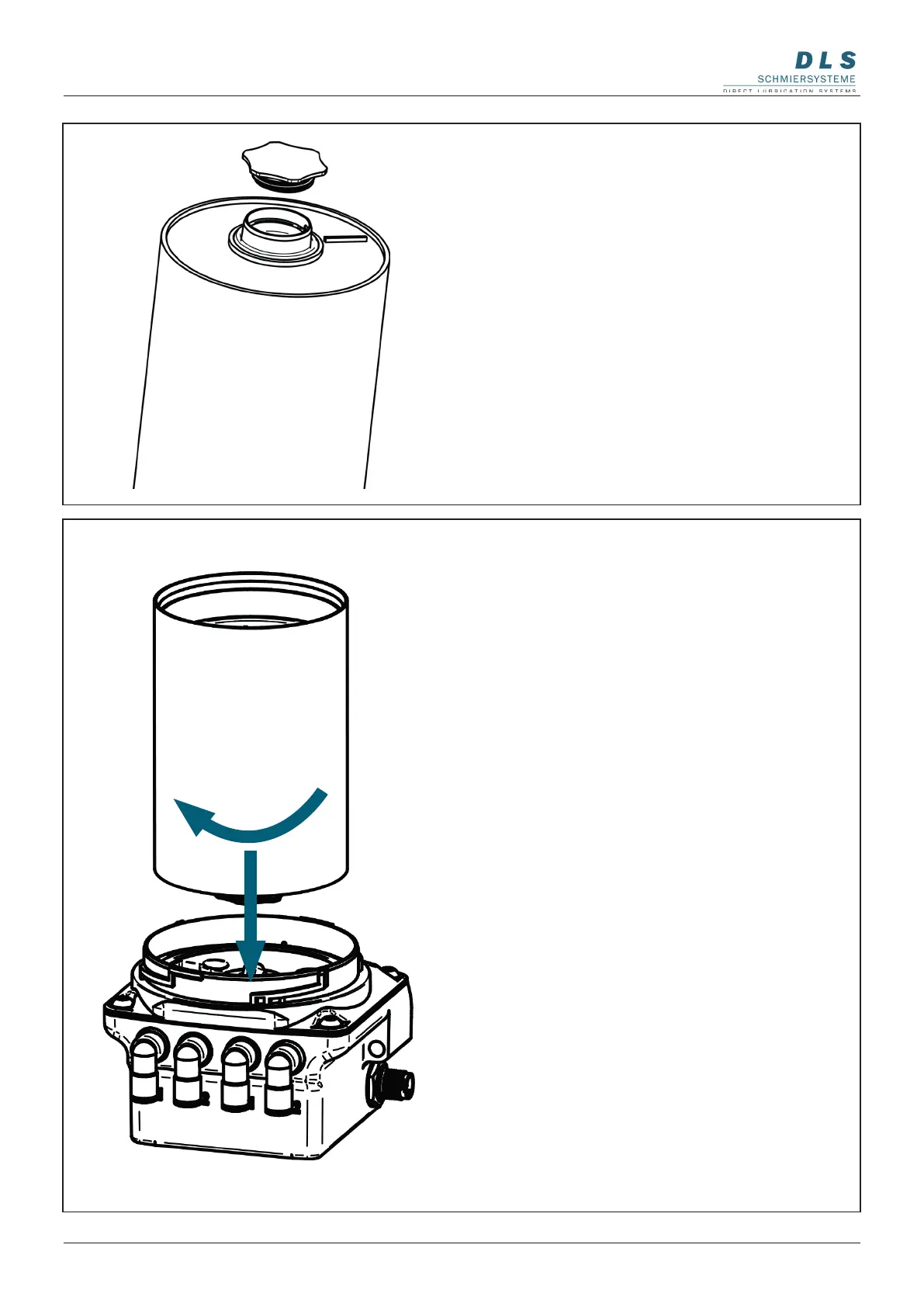
Place the full lubricant cartridge on the
FlexxPump 250/400 DLS.
Turn the lubricant cartridge clockwise onto
the FlexxPump 250/400 DLS.
The end position is reached after two
full rotations when the label of the lubricant
cartridge is aligned with the front label of the
FlexxPump 250/400 DLS.
3. Unscrewing the cartridge cap.
Turn the cap on the lubricant cartridge
counterclockwise and pull it off.
Pay attention to cleanliness when
carrying out the work. It is imperative that
dirt and foreign bodies do not enter the
cartridge.


 To Next Page