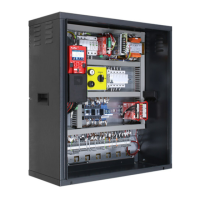
93010350.EN_A_Junior 4.0 User
Manual_240828_v1.0 - VVVF
Traz.Tamburo e
Traz.Argano
It allows you to program a 4-digit code for Car calls. A 4-digit
code may be assigned to each BCx car button input,
corresponding to the car pushbutton inputs.
Example: if the BC0 pushbutton is associated with the 0123
code, to reserv floor 0 from Cabin you can:
a) keep pressed the floor 0 pushbutton for 3 seconds.
b) All COP pushbutton will blink
c) Press in sequence the pushbuttons corresponding to
the BC0, BC1, BC2, BC3;
Note: Enter a code between 0 and 9 corresponding to the inputs
BC0 ÷ BC9
Programming Code “0 “ will enable the special function Pent
House
Select field
Change value
Controle
Temperature
ambient
Check the temperature in the engine room through the sensor (if
present). If the temperature surpass the set thresholds for more
than 30 seconds, the system stops at the floor and the error is
recorded. The control is only active during normal operation or
Cabin priority. After having set the two thresholds, pressing
Enter you can perform the sensor calibration (immediately press
Enter to retain the current calibration, otherwise set the room
temperature value and then press Enter). The first threshold can
be set between -10 ° C and +5 ° C while the second threshold
can be set between +40 ° C and +75 ° C.
Select field
Change value
When lift is in normal mode, “Automatic calls” can be activated to
perform a specific calls number (up to 120 calls or unlimited) in
steps of one minute. However is possible to enable or not the
doors functionality (the system will also continue to accept floor
calls simulating programmed calls, if enabled).
The function ends automatically when the machineries are
turned off or if the system is put in inspection mode.
Increase Decrease
Select Doors
0 <-> 120
∞
10 <-> 60 s
Yes - No
A3 amendment.
Configure type of monitor.
For description, refer to Annex VIII.
Installation type 81-1 / 81-20 / 81-21
Shaft access procedure and Protections.
For description, refer to Annex IX.
If programmed, the installation will stop at a specific floor at each
crossing (some hotels use this function).
If a protected floor is programmed, when the car reaches the
floor, the door does not open, instead the monitor will show
images coming from the camera corresponding to that floor.
Doors can be opened only by pressing the OPEN DOOR button;
if this does not happen, the lift moves to the previous floor and
then stops the protected floor mode (this operating mode is only
possible with DMG’s monitoring system).
Enabling the floor priority call function. pairing with 16 IN card (or
key inputs from BDU)
Enabling the call enabling function (e.g. CARD Reader). In
combination with 16 IN card.
Type 1: LOP enable: to enable calls, the corresponding input of
the 16 IN card must be closed.



 To Next Page